Today's Best Deals

Shop genuine Australian stock from Hikvision, Dahua, HiLook, and Uniview. Our collection features top-rated security cameras and recorders with expert local support and warranties. Need a specific configuration? Try our CCTV System Builder or contact us for a free custom quote.

Shop by Category: Security Cameras, CCTV Kits, Recorders, Intercoms, Alarms

Shop by Brand

Hikvision: Advanced ColorVu & AcuSense technology.
Dahua: Smart TiOC & WizSense active deterrence detection.
UniFi: Premium plug-and-play surveillance for smart homes.
Uniview (UNV): Professional-grade IP surveillance and video management.
HiLook: High-performance security for home and small business budgets.
AXIS: Top-tier network cameras and high-end security analytics.
VIVOTEK: Intelligent IP surveillance solutions with robust reliability.
View All Brands

Common Questions

Are these genuine Australian products?

Yes. All promotional items are genuine Australian stock with official local warranties and technical support.

Can I customize a promo kit?

Absolutely. Use our CCTV System Builder to tailor a specific system with promotional pricing applied.


1101 products

  • Sale -$23.20 TP - Link Deco X68(2 - pack) AX3600 Whole Home Mesh Wi - Fi 6 System (WIFI6), Up to 510m Coverage, WPA3, Tri - Band, OFDMA, MU - MIMO - CCTV Guru TP - Link Deco X68(2 - pack) AX3600 Whole Home Mesh Wi - Fi 6 System (WIFI6), Up to 510m Coverage, WPA3, Tri - Band, OFDMA, MU - MIMO - CCTV Guru

    TP-Link TP-Link Deco X68(2-pack) AX3600 Whole Home Mesh Wi-Fi 6 System (WIFI6), Up to 510m Coverage, WPA3, Tri-Band, OFDMA, MU-MIMO

    SKU: Deco X68(2-pack)

    TP-Link Deco X68(2-pack) AX3600 Whole Home Mesh Wi-Fi 6 System• AX3600 Tri-Band WiFi: Boosts overall speeds up to an incredible 3600 Mbps• AI-Driven Mesh: Intelligently learns the network environment to provide ideal WiFi unique to your home• Connect More Devices: Connect over 150 devices without dragging down performance• Boosted Seamless Coverage: Achieve seamless whole home coverage with a clearer and stronger whole home WiFi signal generated by WiFi 6• TP-Link HomeShield: Keeps your home network safe with cutting-edge features for network and IoT protection• Setup Made Easier Than Ever: The Deco app walks you through setup step-by-stepWIRELESSStandards Wi-Fi 6IEEE 802.11ax/ac/n/a 5 GHzIEEE 802.11ax/n/b/g 2.4 GHzWiFi Speeds AX36005 GHz: 1201 Mbps (802.11ax) as dedicated backhaul5 GHz: 1802 Mbps (802.11ax)2.4 GHz: 574 Mbps (802.11ax)WiFi Range 3-5 Bedroom Houses (2-pack)TP-Link Mesh TechnologyOptional Ethernet backhaul work together to link Deco units to provide seamless coverage5× High-Gain AntennasMultiple antennas form a signal-boosting array to cover more directions and large areasTri-BandProvides an extra 5 GHz band working exclusively as the strong backhaul, strengthening the WiFi coverageBeamformingConcentrates wireless signal strength towards clients to expand WiFi rangeWiFi Capacity HighTri-BandDistribute devices to different bands for optimal performance4×4 MU-MIMOSilmultaneously communicates with multiple MU-MIMO clientsOFDMASilmultaneously communicates with multiple WiFi 6 clients7 StreamsMore than enough bandwidth for connected devicesWorking Modes Router ModeAccess Point ModePHYSICALDimensions (W×D×H) (105 × 105 × 168 mm)Package ContentsDeco X68 (2-pack)2 Deco X68 Units1 RJ45 Ethernet Cable2 Power Adapters1 Quick Installation Guide

    $356.50 $333.30

  • Sale -$14.00 TP - Link EAP115 300Mbps Wireless N300 Ceiling Mount Access Point 1x RJ45 Port PoE 2x3dBi Omni Internal Antenna - CCTV Guru TP - Link EAP115 300Mbps Wireless N300 Ceiling Mount Access Point 1x RJ45 Port PoE 2x3dBi Omni Internal Antenna - CCTV Guru

    TP-Link TP-Link EAP115 300Mbps Wireless N300 Ceiling Mount Access Point 1x RJ45 Port PoE 2x3dBi Omni Internal Antenna

    SKU: EAP115

    TP-Link EAP115 300Mbps Wireless N300 Ceiling Mount Access Point 1x RJ45 Port PoE 2x3dBi Omni Internal Antenna Free Auranet Controller Software enables administrators to easily manage hundreds of EAPs The user-friendly Cluster Mode allows manage up to 24 (EAP115) without requiring any extra hardware or software Supports Power over Ethernet (802.3af) for convenient and affordable installation Simple mounting design for easy attachment to a wall or ceiling Captive portal provides one convenient method of authentication for Wi-Fi guests Enterprise class Wi-Fi security help to decrease network security threats Multi-SSID divides multiple wireless networks for different user types HARDWARE FEATURES Interface Fast Ethernet (RJ-45) Port *1(Support IEEE802.3af PoE) Button Reset Power Supply PoE or external 12VDC/1.0A power supply Power Consumption 5W Wireless Standards IEEE 802.11n, IEEE 802.11g, IEEE 802.11b Dimensions ( W x D x H ) 7.1 x 7.1 x 1.9 in. (180*180*47.5mm) Antenna Type Internal 2* 3dBi Omni Mounting Ceiling /Wall Mounting (Kits included) Physical Security Lock Kensington Lock Slot Watch Dog Yes WIRELESS FEATURES Wireless Standards IEEE 802.11n, IEEE 802.11g, IEEE 802.11b Frequency 2.4-2.4835GHz Signal Rate 11n: Up to 300Mbps(dynamic) 11g: Up to 54Mbps(dynamic) 11b: Up to 11Mbps(dynamic) Reception Sensitivity 300M: -71dBm@10% PER 150M: -75dBm@10% PER 54M: -78dBm@10% PER 11M: -93dBm@8% PER 6M: -92dBm@10% PER 1M: -96dBm@8% PER Wireless Functions Multiple SSIDs (Up to 8 SSIDs) Enable/Disable Wireless Radio Automatic Channel Assignment Transmit Power Control (Adjust Transmit Power on dBm) QoS(WMM) Rate Limit Reboot Schedule Wireless Schedule Wireless Statistics based on SSID/AP/Client Wireless Security Captive Portal Authentication Access Control Wireless Mac Address Filtering Wireless Isolation Between Clients SSID to VLAN Mapping

    $69.00 $55.00

  • TP - Link EAP110 300Mbps Wireless N300 Ceiling Mount Access Point 1x1Gbps RJ45 PoE 1x Console Port 2x4dBi Omni Internal Antenna - CCTV Guru TP - Link EAP110 300Mbps Wireless N300 Ceiling Mount Access Point 1x1Gbps RJ45 PoE 1x Console Port 2x4dBi Omni Internal Antenna - CCTV Guru

    TP-Link TP-Link EAP110 300Mbps Wireless N300 Ceiling Mount Access Point 1x1Gbps RJ45 PoE 1x Console Port 2x4dBi Omni Internal Antenna

    SKU: EAP110

    TP-Link EAP110 300Mbps Wireless N300 Ceiling Mount Access Point 1x1Gbps RJ45 PoE 1x Console Port 2x4dBi Omni Internal Antenna EAP Controller Software enables administrators to easily manage hundreds of EAPs Supports passive PoE for convenient installation up to 100meters Ceiling mounting design with chassis make it easy to deploy on a wall or ceiling Captive portal provides one convenient method of authentication for Wi-Fi guests Multi-SSID divides multiple wireless networks for different users Enterprise class Wi-Fi security help to decrease network security threats HARDWARE FEATURES Interface Fast Ethernet (RJ-45) Port *1(Support Passive PoE) Button Reset Power Supply 24VDC / 1A Passive PoE Supply Power Consumption 7.7W Wireless Standards IEEE 802.11n, IEEE 802.11g, IEEE 802.11b Dimensions ( W x D x H ) 7.1 x 7.1 x 1.9 in. (180*180*47.5mm) Antenna Type Internal 2* 3dBi Omni Mounting Ceiling /Wall Mounting (Kits included) Physical Security Lock Kensington Lock Slot Watch Dog Yes WIRELESS FEATURES Wireless Standards IEEE 802.11n, IEEE 802.11g, IEEE 802.11b Frequency 2.4-2.4835GHz Signal Rate 11n: Up to 300Mbps(dynamic) 11g: Up to 54Mbps(dynamic) 11b: Up to 11Mbps(dynamic) Reception Sensitivity 300M: -71dBm@10% PER 150M: -75dBm@10% PER 54M: -78dBm@10% PER 11M: -93dBm@8% PER 6M: -92dBm@10% PER 1M: -96dBm@8% PER Wireless Functions Multiple SSIDs (Up to 8 SSIDs) Enable/Disable Wireless Radio Automatic Channel Assignment Transmit Power Control (Adjust Transmit Power on dBm) QoS(WMM) Rate Limit Reboot Schedule Wireless Schedule Wireless Statistics based on SSID/AP/Client Wireless Security Captive Portal Authentication Access Control Wireless Mac Address Filtering Wireless Isolation Between Clients SSID to VLAN Mapping Rogue AP Detection 802.1X Support 64/128/152-bit WEP / WPA / WPA2-Enterprise,WPA-PSK / WPA2-PSK Transmission Power CE: <20dBm FCC: <26dBm MANAGEMENT EAP Controller Software Yes Email Alerts Yes

    $69.00

  • Sale -$8.25 TP - Link CPE220 2.4GHz 300Mbps 12dBi High Power Outdoor CPE Access Point 802.11b/g/n 2x2 dual - polarized directional MIMO antenna Passive PoE up to13km - CCTV Guru TP - Link CPE220 2.4GHz 300Mbps 12dBi High Power Outdoor CPE Access Point 802.11b/g/n 2x2 dual - polarized directional MIMO antenna Passive PoE up to13km - CCTV Guru

    TP-Link TP-Link CPE220 2.4GHz 300Mbps Outdoor CPE Access Point with 12dBi Antenna

    SKU: CPE220

    TP-Link CPE220 – 2.4GHz 300Mbps Outdoor CPE Access Point with 12dBi Antenna The TP-Link CPE220 is a high-power outdoor wireless access point designed for long-range point-to-point and point-to-multipoint deployments on the 2.4GHz band. With a built-in 12dBi dual-polarised directional MIMO antenna, up to 30dBm transmit power, and Pharos MAXtream TDMA technology, it delivers reliable connectivity across distances of up to 13 kilometres — making it a practical choice for wireless ISPs, security installers, and network engineers working across large Australian properties and rural sites. Key Features 12dBi 2×2 Dual-Polarised Directional MIMO Antenna: Built-in high-gain antenna with a 60° horizontal and 30° vertical beam width for focused, long-range signal delivery. High Transmit Power — Up to 30dBm (1000mW): Adjustable from 0 to 30dBm for maximum reach or regulatory compliance, significantly higher than the CPE510’s 23dBm. 13km+ Long-Range Transmission: System-level optimisations support wireless links exceeding 13 kilometres under line-of-sight conditions. Pharos MAXtream TDMA Technology: TP-Link’s proprietary Time-Division Multiple Access protocol improves throughput, capacity, and latency — ideal for point-to-multipoint (PTMP) deployments. Multiple Operation Modes: AP, Client, Bridge, Repeater, AP Router, and AP Client Router (WISP) modes for flexible deployment scenarios. Passive PoE Support: Included PoE adapter supports cable runs up to 60 metres, enabling remote mounting without a local power source. PoE passthrough on LAN1 for daisy-chaining. Dual Shielded Ethernet Ports: LAN0 (PoE in) and LAN1 (PoE passthrough) for flexible cabling and device chaining. IPX5 Weatherproof Enclosure: Outdoor ASA-stabilised plastic housing rated for rain and dust — built for Australian outdoor conditions. 6kV Lightning Protection & 15kV ESD Protection: Protects equipment and connected infrastructure from electrical surges. Qualcomm Atheros 560MHz CPU: 64MB DDR2 RAM and 8MB Flash for stable, responsive performance under load. Pharos Control: Centralised management for monitoring and configuring multiple CPE devices from a single interface. Selectable Channel Bandwidth: 5, 10, 20, or 40MHz to suit link conditions and local regulatory requirements. Ideal Use Cases Point-to-point wireless bridges between buildings, farms, or remote sites where 2.4GHz penetration is preferred. Wireless ISP (WISP) last-mile connectivity for rural and regional Australian communities. Backhaul links for IP camera networks and NVR systems across large properties or paddocks. Extending network access to outbuildings, sheds, or machinery areas without trenching cable. Point-to-multipoint distribution networks for small WISPs or campus environments. Temporary site connectivity for construction sites, events, or remote monitoring stations. Technical Specifications Specification Detail Model CPE220 Frequency Band 2.4GHz (IEEE 802.11b/g/n) Wireless Speed Up to 300Mbps (40MHz) / 144.4Mbps (20MHz) / 72.2Mbps (10MHz) / 36.1Mbps (5MHz) Antenna 12dBi 2×2 Dual-Polarised Directional MIMO Beam Width 60° (H-Plane) / 30° (E-Plane) Max Transmit Power 30dBm / 1000mW (adjustable 0–30dBm) Max Range 13km+ (line of sight) Operation Modes AP / Client / Bridge / Repeater / AP Router / AP Client Router (WISP) Channel Bandwidth 5 / 10 / 20 / 40MHz (selectable) Ethernet Ports 2 × 10/100Mbps Shielded (LAN0: PoE in; LAN1: PoE passthrough) PoE Support Passive PoE (16–27VDC, adapter included, up to 60m cable run) Processor Qualcomm Atheros 560MHz (MIPS 74Kc) Memory 64MB DDR2 RAM / 8MB Flash Power Consumption 10.8W (max) Lightning Protection 6kV ESD Protection 15kV Weatherproof Rating IPX5 Enclosure Material Outdoor ASA stabilised plastic Dimensions 276 × 79 × 60 mm Weight 0.74kg Management Web UI, Pharos Control (centralised) SKU CPE220 Barcode (EAN) 6935364091583 What’s in the Box 1 × CPE220 Outdoor Access Point 1 × Passive PoE Adapter 1 × Power Adapter 1 × Mounting Kit Quick Installation Guide Frequently Asked Questions What is the difference between the CPE220 and the CPE510? The CPE220 operates on the 2.4GHz band with up to 30dBm transmit power and a 13km range, while the CPE510 operates on the less congested 5GHz band with up to 23dBm and a 15km range. The CPE220’s higher power output and 2.4GHz frequency can offer better penetration through light foliage, while the CPE510 benefits from a cleaner spectrum in urban environments. Does the CPE220 require a separate PoE injector? No. A passive PoE adapter is included in the box, supporting cable runs of up to 60 metres. The LAN1 port also supports PoE passthrough for daisy-chaining additional devices. Can I use the CPE220 as a WISP client router? Yes. AP Client Router (WISP) mode allows the CPE220 to connect to an upstream wireless ISP signal and share the connection via its Ethernet port — useful for rural properties receiving wireless internet from a tower. Is the CPE220 suitable for Australian outdoor conditions? Yes. The IPX5-rated ASA plastic enclosure handles rain and dust, and built-in 6kV lightning protection is essential for exposed outdoor installations in storm-prone Australian regions. Can I manage multiple CPE220 units from one interface? Yes. TP-Link’s Pharos Control software provides centralised management for all Pharos-series devices, including the CPE220, from a single dashboard. Does Pharos MAXtream TDMA require both ends to be TP-Link Pharos devices? Yes. MAXtream TDMA is a proprietary protocol and requires both the base station and client unit to be Pharos-series TP-Link devices. In standard 802.11b/g/n mode, the CPE220 can interoperate with other compatible 2.4GHz equipment.

    $88.55 $80.30

  • Sale -$19.70 A set of three TP-Link Deco X20 units featuring a modern white cylindrical design, showcasing the AX1800 Wi-Fi 6 mesh system for seamless whole-home coverage. An infographic illustrating the Deco X20’s Wi-Fi 6 capabilities, delivering combined speeds up to 1,800 Mbps and supporting over 150 connected devices with OFDMA and MU-MIMO technology.

    TP-Link TP-Link Deco X20 AX1800 Mesh Wi-Fi 6 System – 1-Pack | Up to 200m² Coverage

    SKU: Deco X20(1-pack)

    TP-Link Deco X20 AX1800 Mesh Wi-Fi 6 System – 1-Pack | Up to 200m² Coverage Overview The TP-Link Deco X20 brings the speed and efficiency of Wi-Fi 6 (802.11ax) to your whole-home mesh network. A single unit covers up to 200m² with combined speeds of up to 1,800Mbps — 1,201Mbps on 5GHz and 574Mbps on 2.4GHz. Powered by a Qualcomm quad-core processor and featuring OFDMA, MU-MIMO, and BSS Color technology, it handles more devices simultaneously with lower latency than previous Wi-Fi generations. WPA3 security, TP-Link HomeCareTM parental controls, antivirus, and QoS are built in. Multiple Deco X20 units work together as one seamless network, with auto-roaming, self-healing, and optional Ethernet backhaul for maximum reliability. Key Features Wi-Fi 6 (AX1800) – Next-generation 802.11ax standard delivering up to 1,201Mbps on 5GHz and 574Mbps on 2.4GHz for faster, more efficient wireless performance. OFDMA & MU-MIMO – Quadruples network capacity by enabling simultaneous data transmission to multiple devices; ideal for busy households with many connected devices. Up to 200m² Coverage Per Unit – One Deco X20 covers up to 200m²; add more units to extend coverage across larger homes. Ultra-Low Latency – Wi-Fi 6 efficiency improvements significantly reduce latency for more responsive gaming, video calls, and real-time applications. Seamless Whole-Home Mesh – Multiple units form one unified network; devices auto-roam to the strongest Deco as you move through your home. WPA3 Security – Latest Wi-Fi security standard for stronger encryption and protection against brute-force attacks. TP-Link HomeCare™ – Built-in parental controls, antivirus protection, and Quality of Service (QoS) for a safer, more controlled online experience. Qualcomm Quad-Core CPU – 1GHz quad-core processor handles demanding multi-device workloads without slowdown. Optional Ethernet Backhaul – Connect Deco units via Ethernet for faster, more reliable inter-unit communication. Router & Access Point Modes – Flexible deployment as a standalone router or as an access point within an existing network. BSS Color, Band Steering & AP Steering – Advanced Wi-Fi 6 features that reduce interference and ensure devices connect to the optimal band and unit automatically. Use Cases Homes with 10+ connected devices requiring fast, reliable whole-home Wi-Fi 4K/8K streaming, online gaming, and video conferencing households Smart home environments with many IoT devices Upgrading from Wi-Fi 5 (AC) to Wi-Fi 6 (AX) for future-proofed performance Multi-storey homes or properties with dead zones needing seamless mesh coverage Home offices requiring low-latency, high-reliability wireless connectivity Technical Specifications Specification Details Model Deco X20 (1-Pack) Wi-Fi Standard Wi-Fi 6 (802.11ax/ac/n/a/g/b) 5GHz Speed Up to 1,201Mbps 2.4GHz Speed Up to 574Mbps Coverage (1-Pack) Up to 200m² Processor Qualcomm 1GHz Quad-Core CPU Antennas 4 × Internal Antennas Ethernet Ports 2 × Gigabit LAN/WAN Wi-Fi Technologies OFDMA, MU-MIMO, 1024-QAM, BSS Color, Beamforming, Band Steering, AP Steering Security WPA3, WPA2-PSK, WPA-PSK, SPI Firewall Operating Modes Router / Access Point Backhaul Wireless or Ethernet (Optional) WAN Types Dynamic IP / Static IP / PPPoE IPv6 Supported App Deco App (iOS & Android) Dimensions Φ110 × 114mm Frequently Asked Questions Do I need Wi-Fi 6 devices to benefit from the Deco X20? No. The Deco X20 is fully backwards-compatible with Wi-Fi 5 (AC), Wi-Fi 4 (N), and older devices. However, the full benefits of Wi-Fi 6 — including OFDMA efficiency, lower latency, and higher speeds — are realised when connecting Wi-Fi 6-capable devices such as recent iPhones, Android phones, laptops, and smart TVs. How does the Deco X20 compare to the Deco M4? The Deco X20 uses Wi-Fi 6 (AX1800) with OFDMA, MU-MIMO, WPA3, and a quad-core processor — delivering significantly higher speeds, lower latency, and better performance in device-dense environments. The Deco M4 uses Wi-Fi 5 (AC1200) and is a more budget-friendly option for smaller homes with fewer devices. If you have 10+ devices or Wi-Fi 6-capable hardware, the X20 is the better long-term investment. Is the Deco X20 compatible with Australian NBN connections? Yes. The Deco X20 supports Dynamic IP, Static IP, and PPPoE WAN types, covering all major Australian NBN connection types (FTTC, FTTN, FTTB, HFC, FTTP). Its Gigabit Ethernet ports support NBN plans up to 1Gbps. Check with your ISP for any specific VLAN or PPPoE configuration requirements. What is OFDMA and why does it matter? OFDMA (Orthogonal Frequency Division Multiple Access) is a Wi-Fi 6 technology that allows the router to serve multiple devices simultaneously within a single transmission, rather than one at a time. This dramatically improves efficiency and reduces latency in environments with many connected devices — such as smart homes, home offices, and households with streaming, gaming, and IoT devices all running at once. Can I mix Deco X20 units with other Deco models? Yes. The Deco X20 is compatible with other Deco models, allowing you to mix units in a single mesh network. Note that the network will operate at the capabilities of the lowest-spec unit in the mesh for inter-unit communication. Does the Deco X20 include HomeCare security features? Yes. TP-Link HomeCare™ is built in and includes parental controls (content filtering and time scheduling), antivirus protection powered by Trend Micro, and Quality of Service (QoS) for prioritising bandwidth to specific devices or applications. A HomeCare subscription may be required for ongoing antivirus updates — check the Deco app for current subscription details. NBN Tip: The Deco X20 includes Gigabit Ethernet ports, making it suitable for NBN plans up to 1Gbps. For multi-unit mesh setups, using Ethernet backhaul between Deco units will deliver the fastest and most reliable inter-unit performance — particularly important on high-speed NBN plans.

    $158.70 $139.00

  • Sale -$50.00 TP-Link Deco X20 2-pack AX1800 whole home mesh Wi-Fi 6 system featuring two sleek white cylindrical router units. A white TP-Link Deco X20 mesh Wi-Fi 6 unit blending seamlessly into modern home decor on a wooden living room shelf.

    TP-Link TP-Link Deco X20 (2-Pack) AX1800 Whole Home Mesh Wi-Fi 6 System

    SKU: Deco X20(2-pack)

    TP-Link Deco X20 (2-Pack) AX1800 Whole Home Mesh Wi-Fi 6 System Wi-Fi 6 Mesh Coverage for the Whole Home — Up to 370 m² The TP-Link Deco X20 2-pack is an AX1800 dual-band Wi-Fi 6 mesh system that delivers fast, seamless wireless coverage across your entire home. Two Deco units combine to cover up to 370 m² under a single network name, with Wi-Fi 6 technologies including OFDMA, MU-MIMO, and BSS Colouring ensuring more devices connect faster with lower latency. Managed via the Deco app, it’s an ideal upgrade for Australian households with multiple users and smart devices. Key Features Wi-Fi 6 (802.11ax) dual-band — 1,201 Mbps @ 5 GHz + 574 Mbps @ 2.4 GHz (AX1800) 2-pack covers up to 370 m² — expandable by adding more Deco units at any time OFDMA and MU-MIMO — quadruple capacity for simultaneous transmission to more devices BSS Colouring — reduces interference from neighbouring Wi-Fi networks Ultra-low latency — ideal for gaming, video calls, and real-time applications Seamless roaming — single SSID with auto band and AP steering as you move through your home WPA3 encryption for enhanced wireless security TP-Link HomeCare — parental controls, antivirus, and QoS built in Optional Ethernet backhaul for maximum inter-unit performance Qualcomm 1 GHz quad-core CPU for smooth, responsive performance 2 × Gigabit LAN/WAN ports per unit Setup via the Deco app (iOS & Android) — step-by-step guided installation Use Cases Medium to Large Homes: Eliminate Wi-Fi dead zones across multi-storey homes, homes with thick walls, or properties up to 370 m². High-Device Households: Wi-Fi 6’s OFDMA technology handles dozens of simultaneous connections — smartphones, tablets, smart TVs, cameras, and IoT devices all at once. Gamers & Streamers: Ultra-low latency and fast 5 GHz speeds keep gaming and 4K streaming smooth even with multiple users online. Families: HomeCare parental controls let you manage screen time and content filtering per device or profile. Home Offices: Reliable, low-latency Wi-Fi for video conferencing and large file transfers throughout the home. Specifications Specification Detail Model Deco X20 (2-Pack) Wi-Fi Standard Wi-Fi 6 (802.11ax) — AX1800 Dual-Band Wireless Speeds 1,201 Mbps @ 5 GHz + 574 Mbps @ 2.4 GHz Coverage (2-Pack) Up to 370 m² Processor Qualcomm 1 GHz Quad-Core LAN/WAN Ports 2 × Gigabit per unit Antennas 4 × internal per unit Wi-Fi Technologies OFDMA, MU-MIMO, BSS Colour, Beamforming, 1024-QAM Mesh Features Auto Path Selection, Self-Healing, AP Steering, Band Steering Backhaul Wireless or optional Ethernet Security WPA3, WPA2-PSK, WPA-PSK HomeCare Parental controls, antivirus, QoS App Deco App (iOS & Android) Dimensions (per unit) Ø110 × 114 mm Weight (2-pack) 2.14 kg Frequently Asked Questions What is the difference between Wi-Fi 6 and Wi-Fi 5? Wi-Fi 6 (802.11ax) introduces OFDMA and MU-MIMO improvements that allow more devices to communicate simultaneously without congestion. It also delivers higher speeds, lower latency, and better performance in dense environments compared to Wi-Fi 5 (802.11ac). Wi-Fi 6 devices benefit most, but older Wi-Fi 5 and Wi-Fi 4 devices remain fully compatible. How many Deco X20 units do I need? The 2-pack covers up to 370 m², which suits most Australian homes. For larger properties or homes with challenging layouts, simply add a 1-pack or additional 2-pack to extend coverage — all units join the same mesh network automatically. Does the Deco X20 work with my Australian ISP? Yes. The Deco X20 is compatible with major Australian ISPs including Telstra, Optus, TPG, Aussie Broadband, and iiNet, and supports NBN FTTP, FTTN, FTTB, HFC, and fixed wireless connections. What is Ethernet backhaul and should I use it? Ethernet backhaul connects Deco units via a wired Ethernet cable instead of wirelessly. This dedicates the full wireless bandwidth to your devices rather than sharing it with the inter-unit connection, resulting in better performance — especially in larger homes. It’s optional but recommended where cabling is practical. What is TP-Link HomeCare? HomeCare is TP-Link’s built-in security and management suite that includes parental controls (per-device content filtering and time limits), antivirus protection powered by Trend Micro, and QoS for prioritising specific devices or applications. Basic features are included free with the Deco X20. Can I manage the Deco X20 remotely? Yes. The Deco app allows you to monitor connected devices, run speed tests, adjust parental controls, and manage your network from anywhere via your smartphone.

    $299.00 $249.00

  • Sale -$22.10 TP - Link CPE210 2.4GHz 300Mbps 9dBi Outdoor CPE Access Point 27dBm 5km Passive PoE MIMO antenna - CCTV Guru TP - Link CPE210 2.4GHz 300Mbps 9dBi Outdoor CPE Access Point 27dBm 5km Passive PoE MIMO antenna - CCTV Guru

    TP-Link TP-Link CPE210 Outdoor CPE Access Point – 2.4GHz 300Mbps 9dBi

    SKU: CPE210

    TP-Link CPE210 Outdoor CPE Access Point – 2.4GHz 300Mbps 9dBi Overview The TP-Link CPE210 is a purpose-built outdoor CPE (Customer Premises Equipment) access point designed for long-range wireless links across open areas, rural properties, and commercial sites. With a built-in 9dBi dual-polarised MIMO antenna and TP-Link's Pharos MAXtream TDMA technology, it delivers stable, high-throughput connectivity at distances exceeding 5km — making it a go-to choice for Australian installers and network integrators. Key Features Built-in 9dBi 2×2 dual-polarised directional MIMO antenna Adjustable TX power from 0 to 27dBm (500mW) for flexible deployment System-optimised for 5km+ long-range wireless transmission Pharos MAXtream TDMA technology for improved throughput, capacity, and latency in PTMP environments Six operation modes: AP / Client / Bridge / Repeater / AP Router / AP Client Router (WISP) Passive PoE adapter supports up to 60m cable runs with remote reset capability Centralised management via Pharos Control software 15KV ESD protection and 6KV lightning protection IPX5-rated weatherproof enclosure — built for Australian outdoor conditions Common Use Cases Point-to-multipoint (PTMP) networks — connect multiple remote sites to a central hub CCTV backhaul — wirelessly transmit IP camera feeds across large properties or construction sites Rural internet distribution — extend broadband to sheds, outbuildings, or neighbouring properties WISP deployments — last-mile wireless internet delivery for small ISPs Temporary site connectivity — fast-deploy wireless links for events, mining sites, or remote worksites Technical Specifications Processor Qualcomm Atheros 560MHz (MIPS 74Kc) Memory 64MB DDR2 RAM / 8MB Flash Wireless Standard IEEE 802.11b/g/n; Proprietary TDMA (Pharos MAXtream) Frequency 2.4 – 2.483GHz Wireless Speed Up to 300Mbps (40MHz) / 144.4Mbps (20MHz) / 72.2Mbps (10MHz) / 36.1Mbps (5MHz) TX Power 0 – 27dBm (500mW), adjustable Antenna Built-in 9dBi 2×2 Dual-polarised Directional; 65° H-Plane / 35° E-Plane beamwidth Ethernet Ports 2× 10/100Mbps Shielded (LAN0: Passive PoE in; LAN1: Passive PoE passthrough) Power Supply Passive PoE via LAN0 (+4,5 pins; −7,8 pins); 16–27VDC Power Consumption 10.5W max Dimensions 224 × 79 × 60mm Weight 0.7kg Protection 15KV ESD / 6KV Lightning Weatherproofing IPX5 / Outdoor ASA stabilised plastic Barcode (EAN) 6935364071677 SKU CPE210 Frequently Asked Questions Does the CPE210 work as both an access point and a client? Yes. The CPE210 supports six operation modes including AP, Client, Bridge, Repeater, AP Router, and AP Client Router (WISP), giving you full flexibility for point-to-point and point-to-multipoint deployments. What is Pharos MAXtream TDMA and why does it matter? Pharos MAXtream is TP-Link's proprietary Time-Division Multiple Access protocol. It significantly improves throughput, reduces latency, and increases the number of clients that can connect simultaneously — particularly useful in PTMP setups where multiple CPEs connect to a single base station. How far can the CPE210 transmit? TP-Link rates the CPE210 for links exceeding 5km under optimal line-of-sight conditions. Real-world range will vary based on terrain, interference, and antenna alignment. Does it require a special PoE injector? Yes — the CPE210 uses Passive PoE (not 802.3af/at). A compatible Passive PoE adapter is included in the box. Do not use active 802.3af/at PoE switches without a passive PoE adapter in between. Is the CPE210 suitable for Australian outdoor conditions? Yes. The enclosure is rated IPX5 for water resistance and is constructed from UV-stabilised ASA plastic, making it suitable for Australian sun, rain, and coastal environments. It also includes 6KV lightning protection for added peace of mind. Can I manage multiple CPE210 units centrally? Yes. TP-Link's free Pharos Control software allows centralised monitoring and management of multiple Pharos-series devices from a single interface.

    $78.20 $56.10

  • Sale -$4.30 TP-Link CPE510 5GHz 300Mbps 13dBi outdoor wireless access point showing its sleek, weather-proof white enclosure. TP-Link CPE510 outdoor Pharos CPE securely mounted to a metal pole using heavy-duty zip ties for long-range point-to-point wireless networking.

    TP-Link TP-Link CPE510 5GHz 300Mbps Outdoor CPE Access Point with 13dBi Antenna

    SKU: CPE510

    TP-Link CPE510 – 5GHz 300Mbps Outdoor CPE Access Point with 13dBi Antenna The TP-Link CPE510 is a professional-grade outdoor wireless access point engineered for long-range point-to-point and point-to-multipoint deployments. With a built-in 13dBi dual-polarised directional antenna, Pharos MAXtream TDMA technology, and an IPX5-rated weatherproof enclosure, it’s a trusted choice for wireless ISPs, security installers, and network engineers across Australia. Key Features 13dBi 2×2 Dual-Polarised Directional Antenna: High-gain MIMO antenna delivers focused, long-range signal with minimal interference. 15km+ Long-Range Transmission: System-level optimisations support wireless links exceeding 15 kilometres under line-of-sight conditions. Pharos MAXtream TDMA Technology: TP-Link’s proprietary Time-Division Multiple Access protocol significantly improves throughput, capacity, and latency — ideal for point-to-multipoint (PTMP) deployments. Adjustable Transmit Power: Output adjustable from 0 to 23dBm (200mW) for compliance and optimised link performance. Multiple Operation Modes: Supports AP, Client, Bridge, Repeater, AP Router, and AP Client Router (WISP) modes for flexible deployment. Passive PoE Support: Included PoE adapter supports up to 60 metres of cable run, enabling remote installation without a local power source. IPX5 Weatherproof Enclosure: Outdoor-stabilised housing rated for rain and dust ingress — built for Australian conditions. 6kV Lightning Protection & 15kV ESD Protection: Protects equipment and connected infrastructure from electrical surges. Dual Ethernet Ports & Grounding Terminal: Integrated for flexible cabling and safe earthing in outdoor installations. Selectable Channel Bandwidth: Choose from 5, 10, 20, or 40MHz to suit link conditions and regulatory requirements. Pharos Control: Centralised management system for monitoring and configuring multiple CPE devices from a single interface. Built-in Diagnostic Tools: Throughput Monitor, Spectrum Analyser, Speed Test, and Ping tools for on-site commissioning and troubleshooting. Wireless Security: WEP, WPA/WPA2, and WPA-PSK/WPA2-PSK encryption supported. Ideal Use Cases Point-to-point wireless bridges between buildings, farms, or remote sites. Wireless ISP (WISP) last-mile connectivity for rural and regional areas. Extending network connectivity to outbuildings, warehouses, or car parks without trenching cable. Backhaul links for IP camera networks and NVR systems across large properties. Point-to-multipoint distribution networks for small WISPs or campus environments. Temporary or permanent site connectivity for construction sites and events. Technical Specifications Specification Detail Model CPE510 Frequency Band 5GHz (802.11a/n) Wireless Speed Up to 300Mbps Antenna 13dBi 2×2 Dual-Polarised Directional MIMO Max Transmit Power 23dBm / 200mW (adjustable 0–23dBm) Max Range 15km+ (line of sight) Operation Modes AP / Client / Bridge / Repeater / AP Router / AP Client Router (WISP) Channel Bandwidth 5 / 10 / 20 / 40MHz (selectable) Ethernet Ports 2 × 10/100Mbps (with PoE on one port) PoE Support Passive PoE (adapter included, up to 60m cable run) Lightning Protection 6kV ESD Protection 15kV Weatherproof Rating IPX5 Wireless Security WEP, WPA/WPA2, WPA-PSK/WPA2-PSK Management Web UI, Pharos Control (centralised) Operating Temperature −30°C to 70°C Weight 0.68kg SKU CPE510 Barcode (EAN) 6935364070922 What’s in the Box 1 × CPE510 Outdoor Access Point 1 × Passive PoE Adapter 1 × Power Adapter 1 × Mounting Kit Quick Installation Guide Frequently Asked Questions What is the maximum range of the CPE510? TP-Link rates the CPE510 for wireless links exceeding 15km under clear line-of-sight conditions. Real-world range depends on terrain, obstructions, interference, and local regulatory power limits. Can the CPE510 be used as a point-to-multipoint (PTMP) base station? Yes. When combined with Pharos MAXtream TDMA technology, the CPE510 is well-suited for PTMP deployments where multiple client units connect to a single base station. Does it require a separate PoE injector? No. A passive PoE adapter is included in the box, supporting cable runs of up to 60 metres. This allows the unit to be mounted at height without requiring a local power outlet. Is the CPE510 suitable for Australian outdoor conditions? Yes. The IPX5-rated enclosure protects against rain and dust, and the operating temperature range of −30°C to 70°C covers the full range of Australian climates. Built-in 6kV lightning protection is also important for exposed outdoor installations. What frequency band does the CPE510 use — will it interfere with my 2.4GHz network? The CPE510 operates exclusively on the 5GHz band (802.11a/n), which is less congested than 2.4GHz and will not interfere with standard 2.4GHz Wi-Fi networks. Can I manage multiple CPE510 units centrally? Yes. TP-Link’s Pharos Control software provides centralised management for multiple Pharos-series devices, including configuration, monitoring, and firmware updates from a single interface. Is the CPE510 compatible with other brands of wireless equipment? The CPE510 supports standard 802.11a/n protocols and can interoperate with other 5GHz 802.11a/n devices in standard modes. However, Pharos MAXtream TDMA features require both ends of the link to be Pharos-series TP-Link devices.

    $98.90 $94.60

  • TP-Link TL-WA850RE N300 Wi-Fi range extender in glossy white, plugged into a wall outlet showing the circular LED signal indicator light A compact TP-Link N300 Wi-Fi wall plug extender boosting wireless internet coverage in a modern home hallway or office space.

    TP-Link TP-Link TL-WA850RE N300 WiFi Range Extender 300Mbps 2.4GHz Wall-Plug

    SKU: TL-WA850RE

    Extend Your WiFi Coverage — Simply and Reliably Dead zones killing your connection? The TP-Link TL-WA850RE N300 WiFi Range Extender plugs directly into a wall socket and instantly boosts your existing 2.4GHz wireless network to hard-to-reach areas. Compact, easy to set up, and built to deliver stable 300Mbps speeds — it's the no-fuss solution for homes, small offices, and light commercial environments across Australia. Key Features Boosts existing 2.4GHz WiFi networks up to 300Mbps (N300) One-touch WPS/RE button setup — no technical knowledge required Compact wall-plug design with no cables cluttering your space 1 × 10/100Mbps Ethernet port — connect a wired device via the extender 2 × internal antennas for reliable omnidirectional signal coverage Compatible with any standard WiFi router or access point Supports WPA-PSK / WPA2-PSK and 64/128/152-bit WEP security WMM (Wi-Fi Multimedia) support for smoother streaming and calls Use Cases Home WiFi dead zones — extend coverage to bedrooms, garages, or back gardens Small office / home office — reliable connection for remote workers in signal-weak rooms Wired device bridging — use the Ethernet port to connect a smart TV, printer, or NVR wirelessly Rental properties & Airbnb — quick, tool-free deployment for guest WiFi coverage Technical Specifications Specification Detail Model TL-WA850RE Standards IEEE 802.11n / 802.11g / 802.11b Frequency 2.4 – 2.4835 GHz Signal Rate Up to 300Mbps (11n), 54Mbps (11g), 11Mbps (11b) Antennas 2 × Internal Transmit Power < 20 dBm (EIRP) Ethernet Port 1 × 10/100Mbps (RJ45) Buttons RE (Range Extender), Reset Power Consumption ~3W Dimensions 110.0 × 65.8 × 75.2 mm Operating Temp 0°C – 40°C Storage Temp -40°C – 70°C Operating Humidity 10% – 90% (non-condensing) Wireless Security WPA-PSK / WPA2-PSK, 64/128/152-bit WEP Certifications CE, RoHS SKU TL-WA850RE Barcode (EAN) 6935364070847 What's in the Box TL-WA850RE N300 WiFi Range Extender × 1 RJ45 Ethernet Cable × 1 Quick Installation Guide × 1 Resource CD × 1 Frequently Asked Questions Does the TL-WA850RE work with any router? Yes — it is universally compatible with any 2.4GHz 802.11b/g/n WiFi router or access point, regardless of brand. How do I set it up? Simply plug it into a wall socket within range of your existing router, press the RE button, then press the WPS button on your router. The LED will turn solid when connected. Alternatively, use the web-based setup at tplinkrepeater.net. Can I connect a wired device to it? Yes — the built-in 10/100Mbps Ethernet port lets you connect a wired device such as a smart TV, NVR, or desktop PC to your wireless network through the extender. Will it reduce my WiFi speed? Range extenders operate on a single band, so throughput to extended devices is typically around half the router's speed. For bandwidth-intensive tasks, a mesh system or access point may be more suitable. Is it compatible with the TL-WA855RE? The TL-WA850RE is functionally equivalent to the TL-WA855RE and can serve as a direct replacement in most installations.

    $39.00

  • Sale -$35.95 A pair of TP-Link Deco E4 mesh Wi-Fi units featuring a modern white-and-black tower design, providing seamless AC1200 dual-band coverage throughout a large home. An infographic illustrating Deco E4 units working together to create a unified network with one name, allowing devices to switch automatically between units without dropping the connection.

    TP-Link TP-Link Deco E4 (3-pack) AC1200 Whole Home Mesh Wi-Fi System

    SKU: Deco E4(3-pack)

    Whole-Home Wi-Fi for Larger Australian Homes — Up to 370m²The TP-Link Deco E4 3-pack is a whole-home mesh Wi-Fi system that delivers seamless, fast wireless coverage throughout larger homes. Three Deco E4 units work together as a single unified network, automatically connecting your devices to the strongest unit as you move from room to room. With AC1200 dual-band speeds, support for up to 100 devices, and compatibility with all major Australian ISPs and NBN connection types, it’s a straightforward upgrade from a single router that can’t cover the whole home.Key Features Covers Up to 370m² — three Deco E4 units provide whole-home coverage for large Australian homes; add more Decos anytime to extend further AC1200 Dual-Band Wi-Fi — up to 1167Mbps combined across 2.4GHz and 5GHz bands Seamless Roaming — Deco Mesh Technology creates a single unified network; devices switch automatically to the nearest unit for the fastest connection Supports Up to 100 Devices — handles busy households with smartphones, tablets, smart TVs, IP cameras, and IoT devices simultaneously Parental Controls — set time limits and block inappropriate content for individual family members via the Deco app Works with Most Australian ISPs — compatible with NBN, ADSL, and cable modems from Telstra, Optus, TPG, and more Easy Setup via Deco App — guided step-by-step setup from your smartphone in minutes Expandable System — add additional Deco units to the same network at any time Typical Use Cases Large single-storey homes or multi-storey homes with Wi-Fi dead zones Homes with thick concrete, brick, or double-brick walls that block wireless signals Replacing a single router that can’t cover the whole property Family homes needing parental controls and guest network separation Providing reliable Wi-Fi for smart home devices, IP cameras, and streaming throughout the home Technical Specifications Specification Detail Model Deco E4 (3-pack) Wi-Fi Standard IEEE 802.11ac/n/a (5GHz), IEEE 802.11n/b/g (2.4GHz) Wi-Fi Speed AC1200: up to 1167Mbps combined Coverage (3-pack) Up to 370m² Max Connected Devices Up to 100 Ethernet Ports (per unit) 2× 10/100/1000Mbps Mesh Technology Deco Mesh (seamless roaming, single SSID) Management Deco App (iOS and Android) Security WPA/WPA2, Guest Network, Parental Controls WAN Connection Types Dynamic IP, Static IP, PPPoE, L2TP, PPTP Certifications CE, FCC, RoHS Warranty 3 Years Frequently Asked Questions What is the difference between the Deco E4 2-pack and 3-pack? The 3-pack includes an additional Deco E4 unit, extending coverage from approximately 260m² (2-pack) to approximately 370m². The 3-pack is better suited to larger homes, multi-storey properties, or homes with challenging layouts. Both packs use the same Deco E4 hardware and can be expanded further by adding more units. Does the Deco E4 work with Australian NBN connections? Yes. The Deco E4 supports PPPoE, Dynamic IP, Static IP, L2TP, and PPTP WAN connection types, covering all common NBN connection methods. Connect the primary Deco unit to your NBN modem or gateway via Ethernet. Do all three Deco units need to be connected via Ethernet? No. Only the primary Deco unit connects to your modem via Ethernet. The remaining units communicate wirelessly with the primary unit and only need a power outlet. For best performance, Ethernet backhaul between units is recommended where possible. Can I mix Deco E4 units with other Deco models? Yes. The Deco system supports mixing compatible Deco models on the same network. You can add higher-end Deco units (such as Wi-Fi 6 models) to your existing Deco E4 network via the Deco app to boost performance in specific areas. Does the Deco E4 replace my existing router? Yes. The primary Deco E4 unit acts as your router, connecting directly to your modem. You can disable your existing router’s Wi-Fi or put it in bridge/modem mode to avoid network conflicts.

    $169.05 $133.10

  • Sale -$94.78 TP - Link Deco X20(3 - pack) AX1800 Whole Home Mesh Wi - Fi System, Up To 530 sqm Coverage, WIFI6, 1201Mbps @ 5Ghz, 574Mbps @ 2.4 GHz OFDMA, MU - MIMO (WIFI6) - CCTV Guru TP - Link Deco X20(3 - pack) AX1800 Whole Home Mesh Wi - Fi System, Up To 530 sqm Coverage, WIFI6, 1201Mbps @ 5Ghz, 574Mbps @ 2.4 GHz OFDMA, MU - MIMO (WIFI6) - CCTV Guru

    TP-Link TP-Link Deco X20 3-Pack AX1800 Whole Home Mesh Wi-Fi 6 System

    SKU: Deco X20(3-pack)

    TP-Link Deco X20 3-Pack – AX1800 Whole Home Mesh Wi-Fi 6 System The TP-Link Deco X20 3-Pack is a Wi-Fi 6 (802.11ax) mesh system that blankets your entire home in fast, seamless wireless coverage. Three Deco X20 units work together to deliver up to 530 square metres of combined coverage, automatically routing your devices to the strongest signal as you move from room to room. With AX1800 dual band speeds, OFDMA, MU-MIMO, WPA3 security, and TP-Link HomeCare™ built in, it’s a significant upgrade over traditional routers and older mesh systems for Australian homes with multiple users and dozens of connected devices. Key Features Wi-Fi 6 (AX1800): 1201Mbps on 5GHz and 574Mbps on 2.4GHz for a combined 1800Mbps — faster and more efficient than Wi-Fi 5 (AC) systems. Up to 530sqm Coverage: Three units provide whole-home mesh coverage suitable for large Australian homes, multi-storey residences, and open-plan layouts. OFDMA Technology: Orthogonal Frequency Division Multiple Access allows simultaneous data transmission to multiple devices, quadrupling network capacity compared to Wi-Fi 5. MU-MIMO: Multi-User Multiple Input Multiple Output enables multiple devices to receive data simultaneously rather than sequentially, reducing wait times under load. Seamless Roaming (802.11k/v/r): Devices automatically connect to the nearest Deco unit as you move around your home without dropping the connection or requiring manual switching. WPA3 Security: The latest Wi-Fi security standard provides stronger encryption and protection against brute-force attacks compared to WPA2. TP-Link HomeCare™: Built-in suite including Parental Controls, Antivirus (powered by Trend Micro), and QoS for a safer, more controlled home network. 2 × Gigabit Ethernet Ports per Unit: Each Deco X20 has two 10/100/1000Mbps ports for wired device connections or wired backhaul between units. Router & Access Point Modes: Operates as a standalone router or as an access point behind an existing router or modem. IPv4 & IPv6 Support: Future-ready dual-stack IP protocol support. Deco App Setup: Step-by-step guided setup via the free Deco app on iOS or Android — no web interface required. Ultra-Low Latency: Wi-Fi 6 improvements reduce latency for more responsive gaming, video calls, and real-time applications. Ideal Use Cases Large Australian homes (200–530sqm) where a single router cannot provide reliable coverage throughout. Multi-storey residences with thick walls, concrete floors, or complex layouts that block Wi-Fi signals. Households with 20+ connected devices including smartphones, smart TVs, IoT devices, and laptops. Home offices requiring reliable, low-latency Wi-Fi for video conferencing and large file transfers. Families needing parental controls and content filtering via HomeCare™ without a separate subscription service. Replacing an ageing router and range extender setup with a unified, seamless mesh network. Technical Specifications Specification Detail (per unit) Model Deco X20 (3-Pack) Wi-Fi Standard IEEE 802.11ax/ac/n/a (5GHz), IEEE 802.11ax/n/g/b (2.4GHz) Wi-Fi Speed (5GHz) Up to 1201Mbps (Wi-Fi 6) Wi-Fi Speed (2.4GHz) Up to 574Mbps (Wi-Fi 6) Combined Speed AX1800 (1201 + 574Mbps) Coverage (3-Pack) Up to 530 sqm Mesh Protocol 802.11k/v/r (seamless roaming) OFDMA Yes (2.4GHz & 5GHz) MU-MIMO Yes Ethernet Ports 2 × 10/100/1000Mbps RJ45 per unit Antenna 4 × Internal Omni-Directional Wireless Security WPA / WPA2-PSK / WPA3 Working Modes Router / Access Point WAN Types Dynamic IP / Static IP / PPPoE / L2TP / PPTP IP Protocols IPv4 & IPv6 Firewall SPI Firewall HomeCare™ Parental Controls, Antivirus (Trend Micro), QoS Power Consumption 13.5W max per unit Power Adapter Input: 100–240V / 50–60Hz; Output: 12V / 1.5A Dimensions (per unit) 110 × 110 × 114 mm Weight (3-Pack) 2.44kg Management App Deco (iOS & Android) SKU Deco X20(3-pack) Barcode (EAN) 6935364086947 What’s in the Box 3 × Deco X20 Wi-Fi 6 Units 3 × Power Adapters 1 × RJ45 Ethernet Cable Quick Start Guide Frequently Asked Questions What is the difference between the Deco X20 and a standard Wi-Fi router? A standard router broadcasts from a single point, leaving dead zones in larger homes. The Deco X20 3-Pack uses three units working together as a mesh network, providing seamless coverage across up to 530sqm with automatic handoff between units as you move around your home. Can I add more Deco units to expand coverage further? Yes. Additional Deco X20 units (or other compatible Deco models) can be added to the mesh network via the Deco app to extend coverage beyond 530sqm. Does the Deco X20 work with my existing NBN modem? Yes. In Router mode, connect the primary Deco X20 to your NBN modem or gateway via Ethernet. It supports Dynamic IP, Static IP, PPPoE, L2TP, and PPTP WAN types, covering all common Australian NBN connection types. What is TP-Link HomeCare™ and does it cost extra? HomeCare™ is TP-Link’s built-in security and management suite, including Parental Controls, Antivirus powered by Trend Micro, and QoS. It is included with the Deco X20 at no additional subscription cost. Does Wi-Fi 6 require Wi-Fi 6 devices to work? No. The Deco X20 is backward compatible with all Wi-Fi 5 (802.11ac), Wi-Fi 4 (802.11n), and older devices. Wi-Fi 6 features such as OFDMA and improved efficiency are available to Wi-Fi 6 capable devices, while older devices connect normally at their supported speeds. Can I use the Deco X20 in Access Point mode behind my existing router? Yes. In Access Point mode, the Deco X20 connects to your existing router via Ethernet and provides mesh Wi-Fi coverage without replacing your current router’s routing and DHCP functions. Is wired backhaul supported between Deco units? Yes. Each Deco X20 has two Gigabit Ethernet ports. You can connect units via Ethernet cable for wired backhaul, which provides faster and more reliable inter-unit communication than wireless backhaul — recommended for the best performance in larger deployments.

    $408.28 $313.50

  • Sale -$30.50 P-Link Deco M4 V4 2-Pack whole home mesh Wi-Fi system showing two white and black cylindrical router units. Infographic displaying TP-Link Deco M4 2-Pack providing seamless dual-band Wi-Fi coverage up to 2800 square feet across a multi-story house.

    TP-Link TP-Link Deco M4 (2-Pack) AC1200 Whole Home Mesh Wi-Fi System

    SKU: Deco M4(2-pack)

    TP-Link Deco M4 (2-Pack) AC1200 Whole Home Mesh Wi-Fi System Seamless Whole-Home Wi-Fi — No More Dead Zones The TP-Link Deco M4 2-pack is an AC1200 dual-band mesh Wi-Fi system designed to blanket your entire home in fast, reliable wireless coverage. Two Deco units work together to cover up to 260 m², supporting up to 100 connected devices with a single unified network name. As you move through your home, your devices automatically connect to the strongest Deco unit — no manual switching required. Key Features AC1200 dual-band mesh Wi-Fi — combined speeds up to 1167 Mbps 2-pack covers up to 260 m² — expandable by adding more Deco units at any time Deco Mesh Technology — single network name with seamless device roaming Supports up to 100 simultaneous connected devices Parental controls — set time limits and block inappropriate content per family member profile Compatible with major Australian ISPs and modem types Simple setup via the Deco app (iOS & Android) — step-by-step guided installation Works with Amazon Alexa for voice control Use Cases Medium to Large Homes: Eliminate Wi-Fi dead zones in multi-storey homes, homes with thick walls, or properties up to 260 m². Families: Use parental controls to manage screen time and restrict content for each child's profile independently. High-Device Households: Smartphones, tablets, smart TVs, security cameras, and smart home devices all connect reliably without congestion. Renters & Apartment Dwellers: Easy plug-and-play setup with no configuration expertise required — ideal for those who move frequently. Home Offices: Stable, lag-free connections for video conferencing and large file transfers throughout the home. Specifications Specification Detail Model Deco M4 (2-Pack) Wi-Fi Standard AC1200 Dual-Band (802.11ac) Combined Wi-Fi Speed Up to 1167 Mbps Coverage (2-Pack) Up to 260 m² Max Connected Devices Up to 100 Mesh Technology TP-Link Deco Mesh — single SSID, seamless roaming App Deco App (iOS & Android) Voice Control Amazon Alexa Parental Controls Yes — per-profile time limits & content filtering Expandable Yes — add more Deco units to extend coverage Weight 1.64 kg (2-pack) Package Contents 2 × Deco M4 units, 1 × RJ45 Ethernet cable, 2 × power adapters, quick installation guide Frequently Asked Questions How many Deco M4 units do I need for my home? The 2-pack covers up to 260 m², which suits most Australian homes. For larger properties, simply add a 1-pack or additional 2-pack to extend coverage — all units join the same mesh network automatically. Does the Deco M4 work with my Australian ISP? Yes. The Deco M4 is compatible with major Australian ISPs including Telstra, Optus, TPG, Aussie Broadband, and iiNet, and works with most standard modem and router setups including NBN connections. Do all Deco units need to be wired together? No. Only the primary Deco unit needs to be connected to your modem via Ethernet. Additional units communicate wirelessly using the mesh backhaul. For best performance, a wired backhaul connection between units is recommended where possible. Can I manage the network remotely? Yes. The Deco app allows you to monitor connected devices, adjust parental controls, run speed tests, and manage your network from anywhere via your smartphone. Is the Deco M4 compatible with other Deco models? Yes. The Deco M4 is compatible with other Deco mesh units, allowing you to mix models within the same mesh network to expand coverage or add features. How do I set up the Deco M4? Download the free Deco app on iOS or Android, plug the primary unit into your modem via the included Ethernet cable, and follow the in-app setup guide. Most users are up and running in under 10 minutes.

    $149.50 $119.00

  • Sale -$37.25 TP-Link Deco M4 AC1200 whole home mesh Wi-Fi system featuring white cylindrical router towers with a black spiral top design. A sleek TP-Link Deco M4 mesh Wi-Fi tower sitting discreetly on a modern entertainment unit to provide seamless whole home coverage.

    TP-Link TP-Link Deco M4 (3-Pack) AC1200 Whole Home Mesh Wi-Fi System

    SKU: Deco M4(3-pack)

    TP-Link Deco M4 (3-Pack) AC1200 Whole Home Mesh Wi-Fi System Whole-Home Wi-Fi Coverage Up to 370 m² — No More Dead Zones The TP-Link Deco M4 3-pack is an AC1200 dual-band mesh Wi-Fi system that delivers seamless wireless coverage across larger homes and multi-storey properties. Three Deco units work together to cover up to 370 m² under a single network name, supporting up to 100 connected devices with combined speeds of up to 1167 Mbps. As you move through your home, your devices automatically connect to the strongest Deco unit — no manual switching, no dead zones. Key Features AC1200 dual-band mesh Wi-Fi — combined speeds up to 1167 Mbps 3-pack covers up to 370 m² — expandable by adding more Deco units at any time Deco Mesh Technology — single network name with seamless device roaming Supports up to 100 simultaneous connected devices Parental controls — set time limits and block inappropriate content per family member profile Compatible with major Australian ISPs and modem types Simple setup via the Deco app (iOS & Android) — step-by-step guided installation Works with Amazon Alexa for voice control Use Cases Large & Multi-Storey Homes: Three units provide robust coverage across larger floor plans, multiple levels, and homes with thick walls or challenging layouts. Families: Per-profile parental controls let you manage screen time and restrict content for each child independently. High-Device Households: Smartphones, tablets, smart TVs, security cameras, and smart home devices all connect reliably without congestion. Home Offices: Stable, lag-free connections for video conferencing and large file transfers in any room of the house. Renters & Apartment Dwellers: Easy plug-and-play setup with no configuration expertise required — ideal for those who move frequently. Specifications Specification Detail Model Deco M4 (3-Pack) Wi-Fi Standard AC1200 Dual-Band (802.11ac) Combined Wi-Fi Speed Up to 1167 Mbps Coverage (3-Pack) Up to 370 m² Max Connected Devices Up to 100 Mesh Technology TP-Link Deco Mesh — single SSID, seamless roaming App Deco App (iOS & Android) Voice Control Amazon Alexa Parental Controls Yes — per-profile time limits & content filtering Expandable Yes — add more Deco units to extend coverage Weight (3-pack) 2.04 kg Frequently Asked Questions What is the difference between the Deco M4 2-pack and 3-pack? The 2-pack covers up to 260 m², while the 3-pack extends coverage to up to 370 m². The 3-pack is better suited to larger homes, multi-storey properties, or homes with challenging layouts where two units may leave gaps in coverage. Does the Deco M4 work with my Australian ISP? Yes. The Deco M4 is compatible with major Australian ISPs including Telstra, Optus, TPG, Aussie Broadband, and iiNet, and works with most standard modem and router setups including NBN connections. Do all three Deco units need to be wired together? No. Only the primary Deco unit needs to be connected to your modem via Ethernet. The remaining units communicate wirelessly using the mesh backhaul. For best performance, a wired backhaul connection between units is recommended where cabling is practical. Can I manage the network remotely? Yes. The Deco app allows you to monitor connected devices, adjust parental controls, run speed tests, and manage your network from anywhere via your smartphone. Is the Deco M4 compatible with other Deco models? Yes. The Deco M4 is compatible with other Deco mesh units, allowing you to mix models within the same mesh network to expand coverage or add features as needed. How do I set up the Deco M4? Download the free Deco app on iOS or Android, plug the primary unit into your modem via Ethernet, and follow the in-app setup guide. Most users are up and running in under 10 minutes.

    $198.95 $161.70

  • Sale -$25.00 Front view of two TP-Link Deco E4 mesh units in white, showcasing their sleek cylindrical design and the 2-pack configuration intended for whole-home Wi-Fi coverage. A lifestyle image of the Deco E4 units placed in different rooms of a house, illustrating the seamless roaming feature that allows devices to stay connected to a single network name.

    TP-Link TP-Link Deco E4 (2-pack) AC1200 Whole Home Mesh Wi-Fi System

    SKU: Deco E4(2-pack)

    Whole-Home Wi-Fi Without the Dead ZonesThe TP-Link Deco E4 2-pack is a whole-home mesh Wi-Fi system that replaces your traditional router with a network of units working together to deliver seamless, fast wireless coverage throughout your home. With AC1200 dual-band speeds and Deco Mesh Technology, your devices automatically connect to the strongest Deco unit as you move room to room — no manual switching, no dropouts.Key Features Covers Up to 260m² — two Deco E4 units provide whole-home coverage for most Australian homes; add more Decos anytime to extend further AC1200 Dual-Band Wi-Fi — up to 1167Mbps combined across 2.4GHz and 5GHz bands Seamless Roaming — Deco Mesh Technology creates a single unified network; devices switch automatically to the nearest unit for the fastest connection Supports Up to 100 Devices — handles busy households with smartphones, tablets, smart TVs, and IoT devices simultaneously Parental Controls — set time limits and block inappropriate content for individual family members via the Deco app Works with Most Australian ISPs — compatible with NBN, ADSL, and cable modems from Telstra, Optus, TPG, and more Easy Setup via Deco App — guided step-by-step setup from your smartphone in minutes Expandable System — add additional Deco units to the same network at any time to cover larger homes Typical Use Cases Eliminating Wi-Fi dead zones in multi-storey homes or homes with thick walls Replacing a single router that can’t cover the whole home Providing reliable Wi-Fi for smart home devices, security cameras, and streaming Family homes needing parental controls and guest network separation Rental properties and Airbnb hosts needing simple, reliable whole-home Wi-Fi Technical Specifications Specification Detail Model Deco E4 (2-pack) Wi-Fi Standard IEEE 802.11ac/n/a (5GHz), IEEE 802.11n/b/g (2.4GHz) Wi-Fi Speed AC1200: up to 1167Mbps combined Coverage (2-pack) Up to 260m² Max Connected Devices Up to 100 Ethernet Ports (per unit) 2× 10/100/1000Mbps Mesh Technology Deco Mesh (seamless roaming, single SSID) Management Deco App (iOS and Android) Security WPA/WPA2, Guest Network, Parental Controls WAN Connection Types Dynamic IP, Static IP, PPPoE, L2TP, PPTP Certifications CE, FCC, RoHS Warranty 3 Years Frequently Asked Questions Does the Deco E4 work with Australian NBN connections? Yes. The Deco E4 supports PPPoE, Dynamic IP, Static IP, L2TP, and PPTP WAN connection types, covering all common NBN connection methods. Connect the primary Deco unit to your NBN modem or gateway via Ethernet. Can I add more Deco units later to extend coverage? Yes. The Deco system is fully expandable. You can add additional Deco units (including other compatible Deco models) to your existing network at any time via the Deco app to cover larger homes or outbuildings. Do both Deco units need to be plugged into the router? No. Only the primary Deco unit connects to your modem via Ethernet. The second unit communicates wirelessly with the primary unit and only needs a power outlet. For best performance, Ethernet backhaul between units is recommended where possible. Does the Deco E4 replace my existing router? Yes. The primary Deco E4 unit acts as your router, connecting directly to your modem. You can disable your existing router’s Wi-Fi or put it in bridge/modem mode to avoid network conflicts. What is the difference between the Deco E4 and higher-end Deco models? The Deco E4 uses AC1200 Wi-Fi (802.11ac), which is well-suited for everyday browsing, streaming, and smart home use. Higher-end Deco models offer faster Wi-Fi 6 speeds, tri-band backhaul, and greater device capacity for larger or more demanding networks.

    $119.60 $94.60

  • Sale -$0.30 A TP-Link Tapo P110 mini smart Wi-Fi plug showing its compact white design that allows two plugs to fit in a standard double power outlet. An infographic of the Tapo app interface tracking real-time power consumption and energy usage history for devices connected to the Tapo P110 smart plug.

    TP-Link TP-Link Tapo P110 Mini Smart Wi-Fi Socket with Energy Monitoring

    SKU: Tapo P110

    Smart Control and Real-Time Energy Monitoring for Any Plugged-In DeviceThe TP-Link Tapo P110 is a compact mini smart Wi-Fi socket that lets you control any plugged-in appliance remotely, set schedules and timers, and monitor real-time energy consumption — all from the free Tapo app. Its mini design avoids blocking adjacent sockets, and with no hub required, setup takes just minutes. Compatible with Amazon Alexa, Google Home, and Samsung SmartThings for seamless smart home integration.Key Features Real-Time Energy Monitoring — track power consumption, view usage history, and identify energy-hungry devices to reduce electricity costs Remote Control via Tapo App — turn connected devices on or off from anywhere using your smartphone Scheduling and Timers — automate devices with preset schedules or countdown timers for lights, heaters, fans, and more Voice Control — works with Amazon Alexa, Google Home, and Samsung SmartThings for hands-free operation Away Mode — randomly turns devices on and off to simulate occupancy when you’re not home Mini Compact Design — small form factor avoids blocking the adjacent socket in a double outlet No Hub Required — connects directly to your 2.4GHz Wi-Fi network for quick, simple setup RCM Certified — compliant with Australian electrical safety standards 2300W / 10A Maximum Load — suitable for most household appliances Typical Use Cases Monitoring and reducing energy usage of high-draw appliances such as heaters, air conditioners, and washing machines Automating lights, fans, and coffee machines with schedules and timers Remotely controlling devices left on accidentally when away from home Away mode for home security simulation while travelling Smart home integration with existing Alexa, Google Home, or SmartThings setups Technical Specifications Specification Detail Model Tapo P110 Wi-Fi Standard IEEE 802.11b/g/n (2.4GHz) Power Requirements AC 220–240V ~ 50/60Hz Maximum Load 2300W / 10A Dimensions (H×W×D) 76.5 × 43.5 × 42 mm Material PC (Polycarbonate) Buttons Power button LED Indicator Status LED App Tapo (iOS 9.0+ / Android 4.4+) Voice Assistants Amazon Alexa, Google Home, Samsung SmartThings Operating Temperature 0–40°C Certifications RCM, SAA, RoHS Warranty 2 Years Frequently Asked Questions Is the Tapo P110 compatible with Australian power outlets? Yes. The Tapo P110 is designed for Australian and New Zealand standard power outlets (Type I, 220–240V AC) and is RCM and SAA certified for compliance with Australian electrical safety standards. Does the Tapo P110 require a hub or bridge? No. The Tapo P110 connects directly to your 2.4GHz Wi-Fi network — no separate hub, bridge, or controller is required. Simply download the free Tapo app and follow the in-app setup guide. Can I monitor my electricity usage with the Tapo P110? Yes. The Tapo P110 includes real-time energy monitoring that shows current power draw (watts), daily and monthly usage history, and estimated running costs to help you identify and reduce energy waste. Does it work with Apple HomeKit? No. The Tapo P110 is compatible with Amazon Alexa, Google Home, and Samsung SmartThings, but does not currently support Apple HomeKit. What is Away Mode? Away Mode randomly switches connected devices on and off at varying intervals to simulate occupancy when you’re not home, helping to deter opportunistic intruders. It can be enabled and configured via the Tapo app.

    $25.30 $25.00

  • TP-Link VIGI C400HP-4 3MP Turret Network Camera, 4mm Lens, Smart Detection, Smart IR, WDR, 3D NDR, Night Vision, H.265+, PoE/12V DC - CCTV Guru TP-Link VIGI C400HP-4 3MP Turret Network Camera, 4mm Lens, Smart Detection, Smart IR, WDR, 3D NDR, Night Vision, H.265+, PoE/12V DC - CCTV Guru

    TP-Link TP-Link VIGI C400HP-4 3MP Turret Network Camera, 4mm Lens, Smart Detection, Smart IR, WDR, 3D NDR, Night Vision, H.265+, PoE/12V DC

    SKU: VIGI C400HP-4

    TP-Link VIGI C400HP-4 3MP Turret Network Camera, 2.8mm Lens, Smart Detection, Smart IR, WDR, 3D NDR, Night Vision, H.265+, PoE/12V DCVIGI 3MP Turret Network Camera• 3MP Ultra-High Definition: The VIGI C400 camera comes with 3MP–more than enough pixels to pick up some of the more discrete details.• 2.8/4mm Lens: Whether you need a wide angle lens to cover enclosed spaces or a higher millimetre lens for longer distances in open spaces, C400 comes with two different lens versions to better suit your security needs.• Smart Detection (motion detection, area intrusion, line-crossing, video tampering): Receive notifications and check feeds when someone crosses a boundary, enters an area you've set, or obstructs the camera.• Smart IR: Keeps objects from being under-rendered when far away or overexposed when close to camera at night.• WDR: Adjusts for lighting contrast to minimize shadowing effects and renders images true to life.• 3D DNR: Removes abnormal pixelation to provide clearer video and eliminate distortion.• Night Vision: A robust night vision system ensures your camera performs well in low light conditions and records what's happening for future inspection.• H.265+: Without using any extra bandwidth, your cameras transmit compressed crystal-clear video to save disk space, ease network loads, and reduce monitoring costs without sacrificing image quality.• PoE/12V DC: Two power supply ways not only give you more convenience but also make your wiring remarkably easy.• VIGI App: Manage your security from the palm of your hand with the VIGI app.Mounting Kit Included

    $79.00

  • Sale -$1.60 Tapo P100 Mini Smart Wi-Fi Socket by TP-Link, featuring a compact white design plugged into a wall outlet. Side view of the TP-Link Tapo P100 smart plug, showcasing its compact, space-saving design.

    TP-Link TP-Link Tapo P100 Mini Smart Wi-Fi Socket (1-Pack)

    SKU: Tapo P100(1-pack)

    Turn Any Socket Smart — No Hub Required The TP-Link Tapo P100 is a compact mini smart Wi-Fi socket that lets you control any plugged-in device remotely from your smartphone. Whether you're automating lamps, fans, heaters, or appliances, the Tapo P100 makes it simple — just plug it in, connect to the free Tapo app, and you're in control from anywhere in Australia or overseas. Compatible with Amazon Alexa and Google Assistant for hands-free voice control. Key Features Remote Control: Turn connected devices on or off from anywhere using the free Tapo app on iOS or Android. Scheduling: Set daily or weekly schedules to automate devices — ideal for lights, fans, and appliances. Countdown Timer: Create countdown timers to automatically switch devices off after a set period. Away Mode: Randomly turns devices on and off to simulate occupancy while you're away from home. Voice Control: Works with Amazon Alexa and Google Assistant for hands-free operation. No Hub Required: Connects directly to your 2.4GHz Wi-Fi network — no additional smart home hub or bridge needed. Mini Compact Design: Small form factor avoids blocking the adjacent socket on a double outlet. High Load Capacity: Supports up to 2300W / 10A — suitable for most household appliances. Easy Setup: Bluetooth-assisted onboarding via the Tapo app gets you set up in minutes. Common Use Cases Automating lamps, floor lights, and bedside lighting Scheduling fans, heaters, and air purifiers Remotely controlling appliances while travelling Away Mode for home security simulation when on holiday Countdown timers for phone chargers, kettles, and coffee machines Adding smart control to non-smart appliances without replacing them Technical Specifications Model Tapo P100 Wi-Fi Standard IEEE 802.11b/g/n (2.4GHz) Bluetooth 4.2 (onboarding only) Power Requirements AC 220–240V ~ 50/60Hz, 10A Maximum Load 2300W / 10A Dimensions (H × W × D) 51 × 72 × 40mm Material PC (Polycarbonate) Buttons Power button Status Indicator LED App Compatibility Tapo (Android 4.4+, iOS 9.0+) Voice Assistant Amazon Alexa, Google Assistant Hub Required No Operating Temperature 0°C to 35°C Operating Humidity 10–90% RH (non-condensing) Certifications CE, RoHS In the Box Tapo P100 Smart Socket, Quick Start Guide Frequently Asked Questions Does the Tapo P100 work with 5GHz Wi-Fi? No. The Tapo P100 connects to 2.4GHz Wi-Fi networks only. If your router broadcasts both 2.4GHz and 5GHz on the same SSID, you may need to separate them or temporarily connect your phone to the 2.4GHz band during setup. Do I need a smart home hub? No hub is required. The Tapo P100 connects directly to your home Wi-Fi router and is managed entirely through the free Tapo app. Is it compatible with Apple HomeKit? The Tapo P100 is not natively compatible with Apple HomeKit. It works with Amazon Alexa and Google Assistant. For HomeKit compatibility, consider the Tapo P125M or other Matter-enabled Tapo smart plugs. Can I use it with high-power appliances like a heater or air conditioner? The Tapo P100 supports up to 2300W / 10A, which covers most portable heaters and fans. However, reverse-cycle air conditioners and other high-draw appliances may exceed this rating — always check your appliance's power consumption before use. Can I control it when I'm not at home? Yes. As long as the Tapo P100 is connected to your Wi-Fi and you have internet access on your phone, you can control it from anywhere in the world via the Tapo app. How many Tapo P100 sockets can I manage in the app? There is no fixed limit — you can add multiple Tapo P100 sockets (and other Tapo devices) to a single Tapo account and manage them all from one app.

    $23.60 $22.00

  • TP - Link VIGI C400HP - 2.8 3MP Turret Network Camera, 2.8mm Lens, Smart Detection, Smart IR, WDR, 3D NDR, Night Vision, H.265+, PoE/12V DC - CCTV Guru TP - Link VIGI C400HP - 2.8 3MP Turret Network Camera, 2.8mm Lens, Smart Detection, Smart IR, WDR, 3D NDR, Night Vision, H.265+, PoE/12V DC - CCTV Guru

    TP-Link TP-Link VIGI C400HP-2.8 3MP Turret Network Camera, 2.8mm Lens, Smart Detection, Smart IR, WDR, 3D NDR, Night Vision, H.265+, PoE/12V DC

    SKU: VIGI C400HP-2.8

    TP-Link VIGI C400HP-2.8 3MP Turret Network Camera, 2.8mm Lens, Smart Detection, Smart IR, WDR, 3D NDR, Night Vision, H.265+, PoE/12V DCVIGI 3MP Turret Network Camera• 3MP Ultra-High Definition: The VIGI C400 camera comes with 3MP–more than enough pixels to pick up some of the more discrete details.• 2.8/4mm Lens: Whether you need a wide angle lens to cover enclosed spaces or a higher millimetre lens for longer distances in open spaces, C400 comes with two different lens versions to better suit your security needs.• Smart Detection (motion detection, area intrusion, line-crossing, video tampering): Receive notifications and check feeds when someone crosses a boundary, enters an area you've set, or obstructs the camera.• Smart IR: Keeps objects from being under-rendered when far away or overexposed when close to camera at night.• WDR: Adjusts for lighting contrast to minimize shadowing effects and renders images true to life.• 3D DNR: Removes abnormal pixelation to provide clearer video and eliminate distortion.• Night Vision: A robust night vision system ensures your camera performs well in low light conditions and records what's happening for future inspection.• H.265+: Without using any extra bandwidth, your cameras transmit compressed crystal-clear video to save disk space, ease network loads, and reduce monitoring costs without sacrificing image quality.• PoE/12V DC: Two power supply ways not only give you more convenience but also make your wiring remarkably easy.• VIGI App: Manage your security from the palm of your hand with the VIGI app.Mounting Kit Included

    $79.00

  • Sale -$8.60 TP-Link VIGI NVR1016H 16-channel network video recorder in black, featuring status LED indicators and a compact design for business security systems. Rear panel view of the TP-Link VIGI NVR1016H showing the HDMI output, VGA port, RJ45 Ethernet port, audio interfaces, and power supply input.

    TP-Link TP-Link VIGI NVR1016H 16-Channel Network Video Recorder

    SKU: VIGI NVR1016H

    1 review

    TP-Link VIGI NVR1016H 16-Channel Network Video Recorder Professional 16-Channel NVR for Continuous 24/7 Surveillance The TP-Link VIGI NVR1016H is a 16-channel network video recorder built for reliable, around-the-clock security monitoring. Supporting resolutions up to 8MP and storing up to 10TB of footage locally on a single SATA hard drive, it's a capable and cost-effective NVR for small to medium commercial installations, retail environments, and larger residential properties across Australia. Manage and monitor your cameras remotely via the dedicated VIGI app — from anywhere, at any time. Key Features 16-channel IP video input — supports cameras up to 8MP resolution 24/7 continuous recording — stores up to 10TB on a single SATA HDD (not included) H.265+ compression — reduces file sizes and bandwidth usage without sacrificing image quality 16-channel simultaneous live view at up to 8MP HDMI and VGA outputs — connect to a monitor or TV for on-site viewing Quick footage lookup by date, event type, and tags with variable playback speeds ONVIF compatible — works with VIGI and third-party IP cameras Two-way audio — voice intercom support for remote communication Remote monitoring via the VIGI app (iOS & Android) Fanless design — silent operation, suitable for office and retail environments Use Cases Small to Medium Businesses: Monitor up to 16 cameras across a retail store, warehouse, or office with centralised local recording and remote access. Commercial Installations: ONVIF compatibility allows integration with existing third-party IP camera infrastructure. Residential Properties: Ideal for larger homes or acreage properties requiring multi-camera coverage with local storage. Remote Site Monitoring: Use the VIGI app to check live feeds and review footage from any location via smartphone. Two-Way Communication: Pair with VIGI cameras featuring speakers and microphones for intercom functionality at entry points or gates. Specifications Specification Detail Model VIGI NVR1016H Video Input 16-channel IP, up to 8MP Max Recording Resolution 8MP / 5MP / 4MP / 3MP / 1080p / 720p and more Video Output HDMI + VGA (up to 1920×1080p @ 60Hz) Compression H.265+ / H.265 / H.264+ / H.264 HDD Interface 1 × SATA (up to 10TB, HDD not included) Incoming Bandwidth 80 Mbps Outgoing Bandwidth 60 Mbps Network Protocol TCP/IP, DHCP, DNS, NTP, UPnP ONVIF Yes — compatible with VIGI and third-party cameras Two-Way Audio Yes Remote Access VIGI App (iOS & Android) Power Supply 12V DC / 1.5A Power Consumption 4.25W (without HDD) / 13.10W (with HDD) Dimensions (H × W × D) 246.2 × 148.2 × 45 mm Operating Temperature −10°C to 55°C Weight 578.5 g (without HDD) Frequently Asked Questions Does the NVR1016H come with a hard drive? No. The NVR1016H supports one SATA hard drive up to 10TB, which must be purchased separately. We recommend a surveillance-grade HDD (e.g., Western Digital Purple or Seagate SkyHawk) for reliable 24/7 operation. How many days of footage can it store? With a 10TB hard drive installed and H.265+ compression enabled, the NVR1016H can store approximately 720 days of footage from a single camera at standard settings. Actual storage duration varies based on the number of cameras, resolution, frame rate, and motion activity. Is it compatible with non-VIGI cameras? Yes. The NVR1016H supports ONVIF-compliant IP cameras from other manufacturers, allowing integration into mixed-brand installations. Full feature support (e.g., smart detection, two-way audio) is only guaranteed with VIGI cameras. Can I access footage remotely? Yes. Download the free VIGI app on iOS or Android to view live feeds, play back recorded footage, and receive event notifications from anywhere with an internet connection. Does it support PoE to power cameras? No. The NVR1016H does not have built-in PoE ports. Cameras must be powered separately via a PoE switch or individual power adapters. For an all-in-one PoE NVR solution, consider the VIGI NVR1016H-16P. What resolution does the HDMI output support? The HDMI output supports up to 1920×1080p at 60Hz, suitable for connecting to a full HD monitor or TV for on-site live view and playback.

    $188.60 $180.00

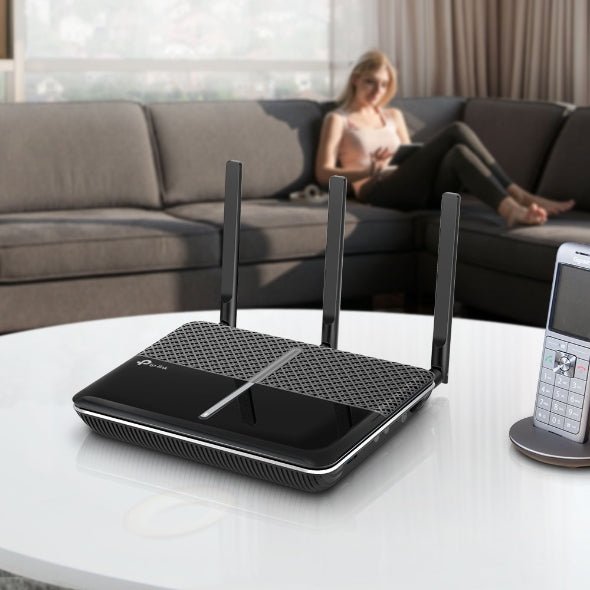
  • Sale -$7.25 TP - Link Archer VR2100v AC2100 Wireless MU - MIMO VDSL/ADSL Telephony Modem Router VDSL2 With VoIP, Profile 35b Up To 1733Mbps, MU - M - CCTV Guru TP - Link Archer VR2100v AC2100 Wireless MU - MIMO VDSL/ADSL Telephony Modem Router VDSL2 With VoIP, Profile 35b Up To 1733Mbps, MU - M - CCTV Guru

    TP-Link TP-Link Archer VR2100v AC2100 Wireless MU-MIMO VDSL/ADSL Telephony Modem Router VDSL2 With VoIP, Profile 35b Up To 1733Mbps, MU-M

    SKU: ARCHER VR2100v

    TP-Link Archer VR2100v AC2100 Wireless MU-MIMO VDSL/ADSL Telephony Modem Router Super VDSL – The Latest Super VDSL (VDSL2 Profile 35b) tech delivers internet speeds of up to 350 Mbps Ultra-Fast Speed – Surpasses the WiFi speed limits of the previous generation, reaching up to 1733 Mbps on 5 GHz and 300 Mbps on 2.4 GHz HD Telephony – Supports up to 6 cordless phones via DECT along with two analog telephones or fax machines, as well as 300 minutes of voice mail storage MU-MIMO Technology – Simultaneously transfers data to multiple devices to reduce congestion and boost the average throughput Whole-Home Coverage with OneMeshTM – Works with TP-Link OneMesh products to create a flexible and cost-efficient Mesh network Lightning-Fast Wired Connection – USB 3.0 port and 4× Gigabit ports run up to 10x faster than the previous generation to unleash your home entertainment TP-Link Tether App – Easily access and manage your network via the Tether app, such as remote control and automatic updates HARDWARE FEATURES Ports 1× 10/100/1000Mbit/s RJ45 WAN/LAN Port, 3× 10/100/1000Mbit/s RJ45 LAN Ports, 3× RJ11 Ports (DSL, Phone1/2), 1× USB 3.0 Port Button WPS, Wi-Fi On/Off , Reset, LED, Power On/Off, DECT External Power Supply 12V/2A IEEE Standards IEEE 802.3, IEEE 802.3u, 802.3ab VDSL2 Standards ITU-T G.993.2, ITU-T G.993.5 (G.vector), ITU-T G.998.4 (G.INP) Dimensions ( W x D x H ) 216 × 163.7 × 36.8 mm Antenna 3× external antennas + 1× Internal antenna WIRELESS FEATURES Wireless Standards IEEE 802.11ac/n/a 5GHz, IEEE 802.11b/g/n 2.4GHz Frequency 2.4 GHz and 5 GHz Signal Rate 1733 Mbps at 5 GHz, 300 Mbps at 2.4 GHz VOIP FEATURES VoIP Standards SIP(RFC3261)/RTP(RFC1889/3550), G.711A/u, G.722, G.729AB, G.726 DECT Function DECT base station for up to 6 cordless phones, Compatible with CAT-iq and GAP, Supports paging function Integrated Answering Machine Stores 300 minutes long voice messages internally or store voice messages externally

    $217.35 $210.10

  • Sale -$36.30 TP-Link Tapo L510E Smart Wi-Fi Light Bulb featuring dimmable warm white lighting and app control. TP-Link Australia Tapo L510E dimmable smart LED bulb compatible with Alexa and Google Assistant, no hub required.

    TP-Link TP-Link Tapo L510E Dimmable Smart Wi-Fi Light Bulb (E27, 2700K)

    SKU: Tapo L510E

    TP-Link Tapo L510E Dimmable Smart Wi-Fi Light Bulb (E27, 2700K Warm White) The TP-Link Tapo L510E is a dimmable smart Wi-Fi light bulb with an E27 Edison screw fitting that connects directly to your 2.4GHz Wi-Fi network — no hub or bridge required. Control brightness, set schedules, activate Away Mode, and manage your lighting from anywhere via the free Tapo app, Google Assistant, or Amazon Alexa. With a warm 2700K colour temperature and 806 lumens output, it’s a simple, affordable upgrade for any standard E27 light fitting across Australia. Key Features Dimmable Brightness — Adjust brightness from 1% to 100% to create the perfect atmosphere for any occasion — from bright task lighting to a soft evening glow. No Hub Required — Connects directly to your 2.4GHz Wi-Fi network via the Tapo app — no additional bridge, hub, or smart home controller needed. Voice Control — Compatible with Amazon Alexa and Google Assistant for hands-free on/off and dimming control. Schedules & Timers — Set daily on/off schedules and brightness levels so your lighting adjusts automatically to your routine. Sunrise & Sunset Modes — Automatically activates and deactivates based on your local sunrise and sunset times for effortless ambient lighting. Away Mode — Simulates occupancy by turning the light on and off at random intervals while you’re away, deterring potential intruders. Preset Scenes — Save your favourite brightness settings as presets for quick one-tap activation — ideal for movie nights, reading, or relaxing. Remote Control — Control your light from anywhere in the world via the Tapo app (iOS & Android). Energy Efficient — 8.7W power draw delivers 806 lumens — equivalent to a traditional 60W incandescent bulb at a fraction of the running cost. Tapo Ecosystem — Integrates with other Tapo smart devices for multi-device automations and scenes. Use Cases Living rooms and bedrooms — dim to the perfect level for movies, reading, or winding down at night Home offices — schedule bright lighting during work hours and automatically dim in the evening Hallways and entryways — set sunrise/sunset automation so lights are always on when needed Holiday homes and rental properties — Away Mode deters intruders while you’re not there Replacing standard E27 bulbs with smart lighting without rewiring or installing a hub Technical Specifications Specification Detail Model Tapo L510E Lamp Base E27 (Edison Screw) Colour Temperature 2700K (Warm White) Lumen Output 806 lumens Input Power 8.7W Input Voltage 220–240V AC, 50/60Hz Beam Angle 220° Dimmable Yes (via app) Wi-Fi 2.4GHz (IEEE 802.11b/g/n) Hub Required No Voice Control Amazon Alexa, Google Assistant App Tapo (iOS & Android) Certifications CE, RCM, RoHS Weight Approx. 80g Warranty 2 Years Recommended Accessories Tapo L510B (B22 Bayonet Version) — The same dimmable warm white smart bulb in a B22 bayonet fitting for Australian light fittings that use the bayonet cap standard. Tapo S200B Smart Button — Add a physical wireless button to control the L510E without reaching for your phone — ideal for bedside or entryway control. Tapo H200 Smart Hub — Optional hub that expands your Tapo ecosystem with sensors, buttons, and local automation without relying solely on Wi-Fi. Tapo L530E Multicolour Smart Bulb (E27) — Upgrade to full RGB colour control in the same E27 fitting if you want more than warm white dimming. Frequently Asked Questions Does the Tapo L510E require a hub or smart home controller? No. The L510E connects directly to your 2.4GHz Wi-Fi network and is managed entirely through the free Tapo app. No hub, bridge, or additional hardware is required. What is the difference between the L510E and L510B? The L510E has an E27 Edison screw fitting, which is the most common bulb fitting in Australia. The L510B has a B22 bayonet fitting. Both bulbs are otherwise identical in features, brightness, and colour temperature. Can I dim the bulb using a standard dimmer switch? No. The L510E is dimmed via the Tapo app or voice commands only — it is not compatible with traditional in-wall dimmer switches. It should be used with a standard (non-dimmer) light switch. Does it work with 5GHz Wi-Fi? No. The L510E operates on the 2.4GHz band only. Ensure your router broadcasts a 2.4GHz network during setup. Most dual-band routers support both 2.4GHz and 5GHz simultaneously. What does Away Mode do? Away Mode randomly turns the light on and off at varying intervals while you’re not home, simulating occupancy to deter potential intruders. It can be scheduled to activate automatically when you leave and deactivate when you return. Is the RCM certification relevant for Australia? Yes. RCM (Regulatory Compliance Mark) is the Australian and New Zealand mark indicating the product meets electrical safety and electromagnetic compatibility standards required for sale in Australia. The L510E is RCM certified and safe for use in Australian homes.

    $48.40 $12.10

  • Sale -$5.35 TP - Link Tapo L530E Smart Wi - Fi Light Bulb, Edison Fitting, Multicolour (B22 / E27), No Hub Required, Voice Control, Schedule & Timer, 60W - CCTV Guru TP - Link Tapo L530E Smart Wi - Fi Light Bulb, Edison Fitting, Multicolour (B22 / E27), No Hub Required, Voice Control, Schedule & Timer, 60W - CCTV Guru

    TP-Link TP-Link Tapo L530E Smart Wi-Fi Multicolour LED Bulb – B22 | 806lm | 16M Colours | No Hub

    SKU: Tapo L530E

    TP-Link Tapo L530E Smart Wi-Fi Multicolour LED Bulb – B22 | 806lm | 16M Colours | No Hub Overview The TP-Link Tapo L530E is a smart Wi-Fi LED bulb that transforms any standard B22 bayonet light fitting into a fully controllable, multicolour smart light — no hub, no bridge, no extra hardware required. Choose from 16 million colours and a colour temperature range of 2,500K to 6,500K, dim from 1% to 100%, and control everything via the Tapo app, Amazon Alexa, or Google Assistant. At 8.7W with 806 lumens output, it replaces a standard 60W incandescent bulb while using a fraction of the energy. A practical, affordable entry point into smart home lighting for Australian homes. Key Features 16 Million Colours – Full RGB colour control plus adjustable white colour temperature from warm 2,500K to cool daylight 6,500K. 806 Lumens Output – 60W equivalent brightness at just 8.7W; dimmable from 1% to 100% via the Tapo app. No Hub Required – Connects directly to your 2.4GHz home Wi-Fi; no additional hub, bridge, or gateway needed. Voice Control – Works with Amazon Alexa and Google Assistant for hands-free control. Remote Control via Tapo App – Control your light from anywhere via the free Tapo app on iOS or Android. Schedules & Timers – Set automatic on/off schedules with your preferred brightness and colour. Sunrise & Sunset Modes – Automatically activates based on your local time zone for natural lighting transitions. Away Mode – Simulates occupancy by automatically turning the light on and off to deter intruders. Preset Scenes – Save your favourite lighting settings for movies, reading, relaxing, and more. Restore Last State – Automatically returns to its previous setting after a power interruption. 15,000-Hour Rated Lifespan – Long-lasting LED for reduced replacement frequency. Use Cases Living rooms, bedrooms, and home offices requiring adjustable mood lighting Smart home setups with Alexa or Google Assistant voice control Rental properties and apartments where a hub-free smart light solution is preferred Energy-conscious households replacing 60W incandescent bulbs with efficient LED Security-conscious homeowners using Away Mode to simulate occupancy Technical Specifications Specification Details Model Tapo L530E Lamp Base B22 (Bayonet) Lumen Output 806 Lumens Input Power 8.7W Equivalent Incandescent 60W Colour Range 16,000,000 Colours (Full RGB) Colour Temperature 2,500K – 6,500K Beam Angle 220° Dimmable Yes (1–100% via Tapo App) Colour Rendering Index ≥80 Rated Lifespan 15,000 Hours Switching Cycles 15,000 Input Voltage 220–240V AC, 50/60Hz Wi-Fi Standard IEEE 802.11b/g/n (2.4GHz) App Tapo (iOS & Android) Voice Assistants Amazon Alexa, Google Assistant Dimensions (H × W) 115 × 60mm Energy Consumption 8.7 kWh/1,000h Certifications CE, RoHS Frequently Asked Questions Does the Tapo L530E require a hub or bridge? No. The L530E connects directly to your 2.4GHz home Wi-Fi network via the Tapo app. No hub, bridge, or gateway is required. What lamp base does the L530E use? The L530E uses a B22 bayonet fitting, which is the standard lamp base used in most Australian light fittings. Ensure your light fitting accepts a B22 base before purchasing. Can I dim the L530E? Yes. The L530E is dimmable from 1% to 100% via the Tapo app or voice commands through Alexa or Google Assistant. Note that dimming is controlled via the app and cloud — a standard wall dimmer switch will not work with this bulb. Does the L530E work with Alexa and Google Assistant? Yes. The Tapo L530E is compatible with both Amazon Alexa and Google Assistant, allowing you to control the bulb with voice commands such as “Alexa, turn on the living room light” or “Hey Google, set the bedroom light to blue.” What happens if the power goes out? The L530E features a Restore Last State function — when power is restored after an outage, the bulb automatically returns to its previous brightness and colour setting. Note: The Tapo L530E requires a 2.4GHz Wi-Fi connection. It is not compatible with 5GHz-only networks. Dimming is controlled via the Tapo app or voice assistants only — standard wall dimmer switches are not compatible and may damage the bulb.

    $21.85 $16.50

  • Sale -$0.25 TP-Link Tapo L530B Smart Wi-Fi Multicolour Light Bulb product box and bulb on a clean white background. A smartphone displaying the Tapo app adjusting the brightness and color of the Tapo L530B smart light bulb in a modern living room.

    TP-Link TP-Link Tapo L530B Smart Wi-Fi Multicolour LED Bulb (B22 Bayonet)

    SKU: Tapo L530B

    TP-Link Tapo L530B Smart Wi-Fi Multicolour LED Bulb (B22 Bayonet) 16 Million Colours. No Hub. Total Control. The TP-Link Tapo L530B is a smart Wi-Fi LED bulb with a standard B22 bayonet fitting, designed to replace any ordinary bulb in your home with intelligent, app-controlled lighting. Choose from over 16 million colours, warm to cool white, and adjust brightness from 1% to 100% — all without a hub or bridge. Compatible with Amazon Alexa and Google Assistant for hands-free voice control. Key Features 16 million colours plus adjustable white (2,500 K–6,500 K) — warm to cool daylight 806 lumens output — equivalent to a 60 W incandescent bulb Fully dimmable from 1% to 100% No hub required — connects directly to 2.4 GHz Wi-Fi via the Tapo app Voice control via Amazon Alexa and Google Assistant Schedule & Timer — automate on/off times with custom brightness and colour Sunrise & Sunset modes — automatically adjusts to your local time zone Away Mode — simulates occupancy with randomised lighting to deter intruders Save presets for favourite scenes (e.g., movie night, reading, sleep) Restore Last State — returns to previous settings after a power interruption B22 bayonet fitting — suits standard Australian light sockets Rated for 15,000 hours of use Use Cases Living Rooms & Bedrooms: Set the perfect ambiance for movies, relaxation, or sleep with a single tap or voice command. Home Offices: Switch between warm and cool white to match your work schedule and reduce eye strain. Security & Away Mode: Simulate occupancy while you’re away to deter unwanted visitors. Smart Home Integration: Pair with other Tapo devices and control everything from the Tapo app or your preferred voice assistant. Rental Properties: Easy plug-and-play installation with no wiring changes — just screw in and connect. Specifications Specification Detail Model Tapo L530B Lamp Base B22 Bayonet Lumen Output 806 lumens (60 W equivalent) Input Power 8.7 W Input Voltage 220–240 V AC, 50/60 Hz Colour Range 16 million colours + white (2,500 K–6,500 K) Beam Angle 220° Dimmable Yes — 1% to 100% Colour Rendering Index ≥ 80 Rated Lifetime 15,000 hours Wi-Fi IEEE 802.11b/g/n — 2.4 GHz App Tapo App (iOS & Android) Voice Control Amazon Alexa, Google Assistant Hub Required No Dimensions (H × W) 115 × 60 mm Energy Consumption 8.7 kWh / 1,000 h Certifications CE, RoHS Frequently Asked Questions Does the Tapo L530B work with Australian B22 bayonet sockets? Yes. The L530B uses a standard B22 bayonet fitting, which is the most common light socket type in Australian homes. It fits directly into any standard B22 pendant, ceiling, or lamp fitting. Do I need a hub or smart home controller? No. The L530B connects directly to your 2.4 GHz home Wi-Fi network via the Tapo app — no hub, bridge, or additional hardware required. Can I control the bulb when I’m away from home? Yes. As long as the bulb is powered and connected to Wi-Fi, you can control it remotely from anywhere using the Tapo app on your smartphone. Does it work with Alexa and Google Assistant? Yes. The Tapo L530B is compatible with both Amazon Alexa and Google Assistant, allowing you to control on/off, brightness, and colour with simple voice commands. What happens if the power goes out? The Restore Last State feature ensures the bulb returns to its previous brightness and colour setting when power is restored — it won’t default to full white every time. Can I set the bulb to turn on and off automatically? Yes. The Tapo app supports scheduling, countdown timers, and Sunrise/Sunset modes that automatically adjust the bulb based on your local time zone and preferences.

    $17.25 $17.00

  • Sale -$18.90 TP-Link Archer VR400 AC1200 Wireless MU-MIMO VDSL and ADSL modem router in glossy black, featuring three high-performance external antennas. Rear panel view of the TP-Link Archer VR400 showing the RJ11 DSL port, full Gigabit LAN and WAN Ethernet ports, power switch, and WPS button.

    TP-Link TP-Link Archer VR400 AC1200 VDSL/ADSL Modem Router with USB

    SKU: ARCHER VR400

    TP-Link Archer VR400 AC1200 VDSL/ADSL Modem Router with USB NBN-Ready AC1200 Modem Router with USB & 3G/4G Backup The TP-Link Archer VR400 is an AC1200 dual-band VDSL/ADSL modem router built for Australian NBN FTTN, FTTB, and legacy ADSL/ADSL2+ broadband connections. With combined wireless speeds of up to 1.2 Gbps, 5 GHz Beamforming, a USB 2.0 port for storage and print sharing, and support for 3G/4G USB dongles as a backup connection, the VR400 is a versatile all-in-one solution for homes and small offices. Key Features AC1200 dual-band Wi-Fi — 867 Mbps at 5 GHz + 300 Mbps at 2.4 GHz Compatible with VDSL2, ADSL, ADSL2, and ADSL2+ — NBN FTTN/FTTB ready Beamforming technology on 5 GHz for improved range and targeted signal strength 3 fixed external antennas for stable, wide-area wireless coverage USB 2.0 port — supports storage sharing (FTP & media server), print server, and 3G/4G USB dongle for backup internet 1 × Gigabit LAN/WAN port + 3 × Fast Ethernet LAN ports + 1 × RJ11 DSL port Wireless schedule — set Wi-Fi on/off times for 2.4 GHz and 5 GHz independently WPS one-touch wireless setup Managed via the TP-Link Tether app (iOS & Android) Use Cases NBN FTTN/FTTB Households: Replace your ISP-supplied modem with a more capable unit supporting VDSL2 up to Profile 17a with Beamforming for better 5 GHz range. ADSL/ADSL2+ Connections: Fully backward-compatible for areas not yet on NBN. Home NAS & Media Sharing: Plug a USB hard drive into the VR400 to create a simple FTP or media server accessible across your home network. 3G/4G Backup: Connect a compatible USB dongle to maintain internet access during NBN outages — ideal for home offices and small businesses. Family Homes: Wireless scheduling lets you automatically turn off Wi-Fi at set times, and the Tether app makes remote management simple. Specifications Specification Detail Model Archer VR400 Wi-Fi Standard IEEE 802.11ac/n/a (5 GHz), IEEE 802.11n/g/b (2.4 GHz) Wireless Speeds 867 Mbps @ 5 GHz + 300 Mbps @ 2.4 GHz (AC1200) DSL Standards VDSL2 (up to Profile 17a), ADSL, ADSL2, ADSL2+ LAN Ports 3 × 10/100 Mbps RJ45 + 1 × 10/100/1000 Mbps RJ45 LAN/WAN DSL Port 1 × RJ11 USB Port 1 × USB 2.0 (storage, print server, 3G/4G dongle) Antennas 3 × fixed external antennas Beamforming Yes (5 GHz) Power Supply 12 V / 1.5 A Wireless Security WEP (64/128-bit), WPA/WPA2, WPA-PSK/WPA2-PSK, MAC Filtering, WPS Wireless Schedule Yes — independent scheduling for 2.4 GHz and 5 GHz App Management TP-Link Tether (iOS & Android) Dimensions (W × D × H) 243.5 × 167.5 × 32.7 mm Weight 0.86 kg Frequently Asked Questions Is the Archer VR400 compatible with Australian NBN FTTN/FTTB? Yes. The VR400 supports VDSL2 up to Profile 17a, the standard used by NBN FTTN and FTTB connections. It is compatible with major Australian ISPs including Telstra, Optus, TPG, Aussie Broadband, and iiNet. How does the 3G/4G backup work? Plug a compatible 3G or 4G USB dongle into the VR400’s USB port. The router can be configured to automatically switch to the mobile connection if the primary DSL/NBN connection drops, providing continuity for home offices and critical applications. Can I use the USB port as a NAS drive? Yes. Connect a USB hard drive or flash drive to share files across your local network via FTP or as a media server. This is suitable for basic home file sharing but is not a replacement for a dedicated NAS device. What is the difference between the VR400 and the VR300? The Archer VR400 adds a USB 2.0 port (for storage, print server, and 3G/4G backup), Beamforming on the 5 GHz band, and a Gigabit LAN/WAN port compared to the VR300. It is the more feature-rich option for users who need USB connectivity or 3G/4G failover. Does it support a separate WAN port for fibre or cable connections? Yes. The Gigabit LAN/WAN port can be configured as a dedicated WAN port, allowing the VR400 to operate as a standard wireless router when connected to an external modem or ONT (e.g., NBN FTTP or HFC).

    $167.90 $149.00

  • Sale -$10.45 A 5-meter Tapo L900-5 smart Wi-Fi RGB light strip glowing in a vibrant purple hue, coiled to show its flexible design and high-quality LED beads. An infographic illustrating the Tapo L900-5 music sync feature, where the light strip changes color and pulses to the rhythm of the surrounding sound or music.

    TP-Link TP-Link Tapo L900-5 Smart Wi-Fi LED Light Strip – 5m | Multicolour | No Hub Required

    SKU: Tapo L900-5

    TP-Link Tapo L900-5 Smart Wi-Fi LED Light Strip – 5m | Multicolour | No Hub Required Overview The TP-Link Tapo L900-5 is a 5-metre smart Wi-Fi LED light strip that brings customisable, app-controlled colour lighting to any room — no hub or extra equipment required. Connect directly to your home’s 2.4GHz Wi-Fi network, control it via the Tapo app, or use voice commands with Amazon Alexa or Google Assistant. Cut it to your preferred length, stick it to any surface with the included 3M adhesive backing, and set schedules, scenes, and timers to suit your lifestyle. Whether you’re setting the mood for movie night, winding down before bed, or adding accent lighting to a TV, desk, or shelf, the L900-5 makes smart lighting simple and affordable. Key Features No Hub Required – Connects directly to your home’s 2.4GHz Wi-Fi network via the Tapo app; no additional bridge or hub needed. Voice Control – Compatible with Amazon Alexa and Google Assistant for hands-free control using simple voice commands. Tapo App Control – Control colour, brightness, scenes, schedules, and timers from anywhere via the free Tapo app on iOS or Android. Cuttable to Length – Cut the strip to your preferred length for a perfect fit on any surface or installation. 3M Adhesive Backing – Strong self-adhesive backing for easy, tool-free installation on TVs, shelves, desks, cabinets, and more. Dimmable 1–100% – Full brightness control via the app for the perfect ambience at any time of day. Schedules & Timers – Set automatic on/off schedules with your preferred colour and brightness settings. Scene Presets – Save favourite lighting settings as scenes for one-tap access — movie night, reading, relaxing, and more. Away Mode – Simulate occupancy by automatically turning the strip on and off to deter unwanted visitors when you’re away from home. Energy Saving – Low 13.5W power consumption for efficient, cost-effective smart lighting. Use Cases TV and monitor backlighting for immersive viewing experiences Under-cabinet and shelf accent lighting in kitchens and living rooms Desk and gaming setup ambient lighting Bedroom mood lighting with scheduled dimming for wind-down routines Staircase, hallway, and architectural accent lighting Home automation setups integrated with Alexa or Google Assistant routines Technical Specifications Specification Details Model Tapo L900-5 Strip Length 5,000mm (5m) Dimensions 5000 × 10 × 1.6mm Input Voltage 220–240V, 50/60Hz Power Consumption 13.5W Dimmable 1–100% (via app and cloud) Wi-Fi Protocol IEEE 802.11 b/g/n Wi-Fi Frequency 2.4GHz Voice Assistant Amazon Alexa, Google Assistant App Tapo (iOS & Android) Hub Required No Adhesive 3M Self-Adhesive Backing Operating Temperature -15°C to +40°C Operating Humidity 10–90% RH (Non-condensing) Weight 57g Frequently Asked Questions Does the Tapo L900-5 require a hub or bridge? No. The L900-5 connects directly to your home’s 2.4GHz Wi-Fi network via the Tapo app. No hub, bridge, or additional equipment is required. Can I cut the light strip to a shorter length? Yes. The L900-5 can be cut to your preferred length at designated cut points along the strip. Once cut, the removed section cannot be reattached or used separately. Does it work with Apple HomeKit? The L900-5 is compatible with Amazon Alexa and Google Assistant. Apple HomeKit compatibility is not officially listed for this model. Check the TP-Link Australia support page for the latest compatibility information. Can I control the L900-5 when I’m away from home? Yes. The Tapo app supports remote control over the internet, so you can adjust colour, brightness, schedules, and scenes from anywhere as long as your phone has an internet connection. Is the L900-5 suitable for outdoor use? No. The Tapo L900-5 is designed for indoor use only. It does not carry an IP weatherproof rating and should not be installed in outdoor or exposed environments. Can I connect multiple L900-5 strips together? The L900-5 is a single 5m strip. For longer runs, check whether TP-Link offers extension accessories or consider using multiple independently controlled strips via the Tapo app. Installation Tip: Clean and dry the surface thoroughly before applying the 3M adhesive backing for the strongest bond. For TV backlighting, route the strip around the back perimeter of the TV panel and connect the controller to a USB power source on the TV so the strip turns on and off automatically with the TV.

    $49.45 $39.00

  • Sale -$9.80 TP-Link Archer VR300 AC1200 VDSL/ADSL Modem Router TP-Link Archer VR300 AC1200 VDSL/ADSL Modem Router

    TP-Link TP-Link Archer VR300 AC1200 VDSL/ADSL Modem Router

    SKU: ARCHER VR300

    TP-Link Archer VR300 AC1200 VDSL/ADSL Modem Router NBN-Ready Dual-Band Modem Router for Australian Homes & Offices The TP-Link Archer VR300 is an AC1200 dual-band VDSL/ADSL modem router designed for reliable broadband performance on NBN FTTN, FTTB, and legacy ADSL/ADSL2+ connections. With combined wireless speeds of up to 1.2 Gbps, built-in security features, and straightforward web-based management, it's a solid all-in-one solution for households and small offices across Australia. Key Features AC1200 dual-band Wi-Fi — 867 Mbps at 5 GHz + 300 Mbps at 2.4 GHz Compatible with VDSL2, ADSL, ADSL2, and ADSL2+ — NBN FTTN/FTTB ready 4 fixed external antennas for broad, stable wireless coverage Parental controls — manage and restrict internet access by device Guest network — separate Wi-Fi access for visitors without exposing your main network Firewall security — DoS protection, SPI firewall, IP/MAC address binding, and domain filtering Quality of Service (QoS) — prioritise bandwidth by device or application IPTV support via IGMP Proxy/Snooping with Bridge and Tag VLAN IPv6 compatible WPS one-touch wireless setup Use Cases NBN FTTN/FTTB Households: Replace your ISP-supplied modem with a more capable unit that supports VDSL2 up to Profile 17a. ADSL/ADSL2+ Connections: Fully backward-compatible with legacy ADSL services where NBN is not yet available. Family Homes: Use parental controls and guest networking to manage who accesses what on your network. Small Offices: QoS and firewall features ensure business-critical traffic is prioritised and the network stays secure. IPTV Users: IGMP Proxy/Snooping support ensures smooth streaming for IPTV services over your broadband connection. Specifications Specification Detail Model Archer VR300 Wi-Fi Standard IEEE 802.11ac/n/a (5 GHz), IEEE 802.11n/g/b (2.4 GHz) Wireless Speeds 867 Mbps @ 5 GHz + 300 Mbps @ 2.4 GHz (AC1200) DSL Standards VDSL2 (up to Profile 17a), ADSL, ADSL2, ADSL2+ LAN Ports 3 × 10/100 Mbps RJ45 + 1 × 10/100 Mbps RJ45 LAN/WAN DSL Port 1 × RJ11 Antennas 4 × fixed external antennas Dimensions (W × D × H) 385 × 290 × 76 mm Power Supply 12 V / 1 A Wireless Security WEP, WPA/WPA2, WPA-PSK/WPA2-PSK, WPS Operating Modes VDSL/ADSL Modem Router, Wireless Router Management Web UI (HTTP), Remote Management, CLI, TR-069 (SSL), SNMP v1/v2c IPv6 Supported Weight 0.84 kg Frequently Asked Questions Is the Archer VR300 compatible with Australian NBN FTTN/FTTB? Yes. The VR300 supports VDSL2 up to Profile 17a, which is the standard used by NBN FTTN (Fibre to the Node) and FTTB (Fibre to the Building) connections in Australia. It is compatible with major Australian ISPs including Telstra, Optus, TPG, and Aussie Broadband. Can I use this router with a standard ADSL2+ connection? Yes. The VR300 is fully backward-compatible with ADSL, ADSL2, and ADSL2+ services, making it suitable for areas not yet covered by NBN. Does it support a separate WAN port for fibre or cable connections? Yes. The fourth LAN port can be configured as a WAN port, allowing the VR300 to operate as a standard wireless router when connected to an external modem or ONT (e.g., NBN FTTP or HFC). How do I set up parental controls? Parental controls are configured through the web-based management interface. Log in to the router at 192.168.1.1, navigate to the Parental Controls section, and add devices by MAC address with time and content restrictions. Does the VR300 support IPTV? Yes. The router supports IGMP Proxy and IGMP Snooping with Bridge and Tag VLAN configurations, which are required for IPTV services offered by some Australian ISPs. What is the difference between the 2.4 GHz and 5 GHz bands? The 2.4 GHz band (300 Mbps) offers longer range and better wall penetration, making it suitable for devices further from the router. The 5 GHz band (867 Mbps) provides faster speeds with less interference, ideal for streaming and gaming on nearby devices.

    $128.80 $119.00

  • Sale -$25.15 Front view of the TP-Link VIGI NVR1008H 8-channel network video recorder in a professional black finish, featuring a power LED and a front-facing USB port for easy data backup. Rear view of the VIGI NVR1008H showing its connectivity options, including an HDMI port, a VGA port for 4K video output, an RJ45 Ethernet port, and a power input.

    TP-Link TP-Link VIGI NVR1008H 8-Channel Network Video Recorder (HDD Not Included)

    SKU: VIGI NVR1008H

    Centralised 8-Channel Recording for TP-Link VIGI and ONVIF IP Camera SystemsThe TP-Link VIGI NVR1008H is a compact 8-channel network video recorder designed for small to medium IP security installations. Supporting 24/7 continuous recording at up to 5MP resolution with H.265+ compression, it stores up to 10TB of footage on a single SATA hard drive (not included) — keeping months of video accessible locally. Remote monitoring is available via the free VIGI app, and ONVIF compatibility ensures it works with cameras from TP-Link VIGI and other major brands.Key Features 8-Channel Live View — monitor up to 8 IP cameras simultaneously at up to 5MP resolution 24/7 Continuous Recording — automatically records and overwrites footage to ensure uninterrupted coverage Up to 10TB Storage — single SATA HDD bay supports drives up to 10TB (HDD not included) 4-Channel Simultaneous Playback — review footage from up to 4 cameras at the same time with variable playback speed H.265+ Compression — reduces file sizes by up to 50% compared to H.264, extending storage duration without sacrificing quality ONVIF Compatible — works with TP-Link VIGI cameras and third-party ONVIF-compliant IP cameras Remote Monitoring via VIGI App — view live footage, review recordings, and receive alerts from anywhere on iOS or Android Two-Way Audio — voice intercom support for compatible cameras with built-in microphone and speaker 80Mbps Video Access Bandwidth — supports up to eight 4MP cameras simultaneously based on TP-Link lab testing Typical Use Cases Small business CCTV systems with up to 8 IP cameras Retail, warehouse, or office security recording with local and remote access Home security installations requiring 24/7 continuous recording Upgrading from DVR/analogue systems to IP camera recording VIGI ecosystem deployments combining NVR, cameras, and PoE switches Technical Specifications Specification Detail Model VIGI NVR1008H Channels 8 Max Live View Resolution Up to 5MP (1-channel) Simultaneous Playback 4 channels Video Compression H.265+, H.265, H.264+, H.264 HDD Bays 1× SATA (up to 10TB, HDD not included) Video Access Bandwidth 80Mbps Network Interface 1× 10/100/1000Mbps RJ45 Video Output 1× HDMI, 1× VGA USB Ports 2× USB 2.0 Audio Two-way audio (via compatible cameras) Compatibility TP-Link VIGI cameras, ONVIF-compliant IP cameras Remote Access VIGI App (iOS and Android) Recording Modes Continuous, Motion Detection, Schedule Certifications CE, FCC, RoHS Warranty 3 Years Frequently Asked Questions Does the NVR1008H come with a hard drive? No. The VIGI NVR1008H does not include a hard drive. You will need to install a compatible 3.5-inch SATA HDD (up to 10TB) before the unit can record footage. We recommend using a surveillance-grade HDD such as a Western Digital Purple or Seagate SkyHawk for 24/7 operation. How many cameras can I connect? The NVR1008H supports up to 8 IP cameras. Based on TP-Link lab testing, it can handle up to eight 4MP cameras simultaneously within its 80Mbps video access bandwidth. Does it work with non-TP-Link cameras? Yes. The NVR1008H is ONVIF-compliant, meaning it is compatible with IP cameras from other brands that support the ONVIF protocol. For full feature integration including smart detection and the VIGI app, TP-Link VIGI cameras are recommended. How long will footage be stored? Storage duration depends on the number of cameras, resolution, and recording mode. Based on TP-Link testing with a 3MP VIGI camera and a 10TB HDD, approximately 720 days of footage can be stored. Higher resolution cameras or continuous recording will reduce this figure. Can I access footage remotely? Yes. The free VIGI app (iOS and Android) allows you to view live footage, play back recordings, and receive motion detection alerts from anywhere with an internet connection.

    $148.35 $123.20

  • Sale -$19.90 TP-Link TL-MR100 black wireless N four-G LTE router with two external high-gain antennas for stable cellular network reception. Rear view of the TP-Link TL-MR100 router showing the micro SIM card slot, LAN ports, and power connection.

    TP-Link TP-Link TL-MR100 300Mbps Wireless N 4G LTE Router

    SKU: TL-MR100

    TP-Link TL-MR100 300Mbps Wireless N 4G LTE Router Instant 4G Broadband — Just Insert a SIM Card The TP-Link TL-MR100 is a 300 Mbps Wireless N 4G LTE router that delivers broadband internet connectivity anywhere a 4G or 3G mobile signal is available. Simply insert a compatible SIM card and the router automatically connects to the network — no technician, no fixed-line infrastructure required. With 4 Fast Ethernet LAN ports and 2.4 GHz Wi-Fi, it’s an ideal primary or backup internet solution for Australian homes, small offices, caravans, and remote sites. Key Features 4G LTE / 3G compatible — insert a SIM card for instant broadband, no fixed-line required 300 Mbps wireless N (2.4 GHz) — reliable Wi-Fi for everyday browsing, streaming, and remote work 4 × Fast Ethernet LAN ports for wired device connections 1 × WAN port for optional fixed-line (ADSL/cable/fibre) connection as primary or backup Automatic 4G/3G/2G network selection — connects to the strongest available signal Supports standard micro-SIM cards from Australian carriers (Telstra, Optus, Vodafone, etc.) 2 × detachable external antennas for improved 4G signal reception WPS one-touch wireless setup Managed via web-based interface — no software installation required 3-year warranty Use Cases Primary 4G Broadband: Use a 4G SIM as your main internet connection where fixed-line NBN or ADSL is unavailable or unreliable. Backup Internet: Connect via 4G SIM as a failover when your fixed-line connection goes down — ideal for small businesses that can’t afford downtime. Remote & Rural Sites: Provide internet access at properties, farms, or work sites where fixed-line infrastructure doesn’t reach. Caravans & Temporary Sites: Portable 4G connectivity for caravans, construction sites, pop-up offices, or events. Small Offices: Share a 4G connection across multiple wired and wireless devices without a fixed-line contract. Specifications Specification Detail Model TL-MR100 4G Standard LTE FDD/TDD, DC-HSPA+, HSPA+, HSPA, UMTS, EDGE, GPRS, GSM SIM Card Type Micro-SIM (standard 4FF) Wi-Fi Standard IEEE 802.11b/g/n — 2.4 GHz Wireless Speed Up to 300 Mbps LAN Ports 4 × 10/100 Mbps RJ45 WAN Port 1 × 10/100 Mbps RJ45 Antennas 2 × detachable external (4G) + 2 × fixed internal (Wi-Fi) Wireless Security WPA/WPA2, WPA-PSK/WPA2-PSK, WPS Management Web-based UI Power Supply 9 V / 0.6 A Warranty 3 years Frequently Asked Questions Which Australian SIM cards are compatible with the TL-MR100? The TL-MR100 accepts a standard micro-SIM card and is compatible with Australian 4G carriers including Telstra, Optus, and Vodafone. Check that your SIM plan includes data and that the router’s supported LTE bands match your carrier’s network bands in your area. Can I use the TL-MR100 as a backup internet connection? Yes. The TL-MR100 has a WAN port that can be connected to a fixed-line modem (ADSL, cable, or fibre). When the fixed-line connection fails, the router can fall back to the 4G SIM connection, providing continuity of service. Does the TL-MR100 support NBN? The TL-MR100 is a 4G LTE router and does not connect directly to NBN infrastructure. However, it can be used as a standalone 4G broadband solution or as a backup alongside an NBN connection via the WAN port. What type of SIM card does it use? The TL-MR100 uses a micro-SIM card (also known as a 3FF SIM). If your carrier provides a nano-SIM, you will need a nano-to-micro SIM adapter, available from most electronics retailers. How do I manage data usage on the TL-MR100? The web-based management interface includes data usage monitoring and allows you to set monthly data limits and alerts to help avoid exceeding your SIM plan’s data allowance. Can I improve 4G signal reception? Yes. The TL-MR100 has two detachable external antenna ports (TS-9 connectors) that support optional external high-gain 4G antennas, which can significantly improve signal strength in areas with weak coverage.

    $98.90 $79.00

  • Sale -$39.25 TP - Link Archer MR200 AC750 Wireless Dual Band 4G LTE Router 300Mbps@2.4Ghz,, 433Mbps@5Ghz, 4G SIM Slot, WPS Button, 2 Antennas - CCTV Guru TP - Link Archer MR200 AC750 Wireless Dual Band 4G LTE Router 300Mbps@2.4Ghz,, 433Mbps@5Ghz, 4G SIM Slot, WPS Button, 2 Antennas - CCTV Guru

    TP-Link TP-Link Archer MR200 AC750 Wireless Dual Band 4G LTE Router 300Mbps@2.4Ghz,, 433Mbps@5Ghz, 4G SIM Slot, WPS Button, 2 Antennas

    SKU: Archer MR200

    TP-Link Archer MR200 Wireless Dual Band 4G LTE Router allows you to share your 4G LTE network with multiple Wi-Fi devices so you can enjoy uninterrupted HD movies, rapid file downloads, and video chats that won't freeze up. Great Coverage and Dual Band Wi-Fi The 4G LTE router creates a simultaneous dual band Wi-Fi network that can deliver data at speeds of up to 733Mbps. Shares your 4G LTE network with multiple Wi-Fi devices and enjoy download speeds of up to 150 Mbps Powerful, integrated antennas provide stable wireless connections and better coverage Requires no configuration, just insert a SIM card and turn it on to enjoy a fast wireless connection Creates simultaneous dual band Wi-Fi networks, with maximum speeds of up to 300 Mbps on the 2.4GHz band and 433 Mbps on the 5GHz band Offers options and flexibility with the LAN/WAN port, allowing you to choose your connection type HARDWARE FEATURES Interface 3 10/100Mbps LAN Ports, 1 10/100Mbps LAN/WAN Port, 1 Micro SIM Card Slot Button WPS/Reset Button, WiFi On/Off Button, Power On/Off Button External Power Supply 12V/1A Dimensions ( W x D x H ) 7.95 x 5.55 x 1.32 in. (202 x 141 x 33.6 mm) Antenna V4/V2/V1: 2 Detachable 4G LTE Antennas V3: 2 Internal 4G LTE Antennas WIRELESS FEATURES Wireless Standards IEEE 802.11ac/n/a 5GHz, IEEE 802.11b/g/n 2.4GHz Frequency 2.4GHz and 5GHz Signal Rate 300Mbps at 2.4GHz, 433Mbps at 5GHz Reception Sensitivity 5GHz: 11a 54M: -74dBm 11ac HT20: -67dBm 11ac HT40: -64dBm 11ac HT80 : -60dBm 11n HT20: -71dBm 11n HT40: -70dBm 2.4G: 11g 54M: -76dBm 11n HT20: -73dBm 11n HT40: -67dBm Transmit Power CE: <20dBm(2.4GHz), <23dBm(5GHz) Wireless Functions Enable/Disable Wireless Radio, WMM, Wireless Statistics Wireless Security 64/128-bit WEP, WPA/WPA2, WPA-PSK/WPA2-PSK encryptions Network Type 4G: FDD-LTE B1/B3/B7/B8/B20 (2100/1800/2600/900/800 MHz) TDD-LTE B38/B39/B40/B41 (2600/1900/2300/2500 MHz) 3G: DC-HSPA+/HSPA+/HSPA/UMTS B1/B8 (2100/900 MHz)

    $178.25 $139.00

  • Sale -$12.80 TP-Link M7450 AC1200 wireless LTE-Advanced 4G mobile Wi-Fi hotspot device with a bright color screen display. Close-up view of the TP-Link M7450 portable pocket router color display showing data usage, battery status, and Wi-Fi connection info.

    TP-Link TP-Link M7450 LTE-Advanced 4G Mobile Wi-Fi Hotspot AC1200 Dual Band

    SKU: M7450

    TP-Link M7450 – LTE-Advanced 4G Mobile Wi-Fi Hotspot AC1200 Dual Band The TP-Link M7450 is a pocket-sized LTE-Advanced Category 6 mobile Wi-Fi hotspot that delivers fast 4G internet to up to 32 devices simultaneously — wherever there’s mobile coverage. With AC1200 dual band Wi-Fi, a 3000mAh battery rated for 15+ hours of use, a microSD card slot for shared storage, and a 1.44-inch display for at-a-glance status, it’s a capable mobile connectivity solution for travellers, field technicians, remote workers, and temporary site deployments across Australia. Key Features LTE-Advanced Cat6: Download speeds up to 300Mbps and upload speeds up to 50Mbps on compatible 4G networks — significantly faster than standard 4G. AC1200 Dual Band Wi-Fi: 300Mbps on 2.4GHz or 867Mbps on 5GHz (IEEE 802.11a/b/g/n/ac) for flexible device connectivity. Connects Up to 32 Devices: Share your 4G connection with smartphones, tablets, laptops, and IoT devices simultaneously. 3000mAh Battery — 15+ Hours: All-day battery life for extended use in the field, on site, or while travelling. MicroSD Card Slot: Supports up to 32GB microSD cards for shared file storage accessible to all connected devices over Wi-Fi. 1.44-Inch TFT Display: Shows signal strength, battery level, connected devices, and data usage at a glance — no app required for basic status monitoring. tpMiFi App: Manage settings, monitor data usage, and configure the hotspot from iOS or Android via the free tpMiFi app. Broad Network Band Support: Compatible with FDD-LTE, TDD-LTE, DC-HSPA+, HSPA, UMTS, EDGE, GPRS, and GSM across multiple frequency bands for wide Australian carrier compatibility. Micro SIM Slot: Insert any compatible Australian SIM card (Telstra, Optus, Vodafone, or MVNOs) — nano-to-micro SIM adapter included. Compact & Lightweight: 112.5 × 66.5 × 16mm and just 0.24kg — fits in a shirt pocket or tool bag. Ideal Use Cases Providing internet access for field technicians and security installers on job sites without fixed broadband. Temporary site connectivity for construction sites, events, and remote monitoring deployments. Travel and remote work requiring reliable 4G internet across multiple devices. Backup internet connectivity when fixed broadband is unavailable or fails. Sharing files via microSD across a team of devices on a local Wi-Fi network without internet dependency. Connecting IP cameras or NVRs to a mobile network for temporary or remote surveillance deployments. Technical Specifications Specification Detail Model M7450 LTE Category Cat6 (LTE-Advanced) Download Speed Up to 300Mbps Upload Speed Up to 50Mbps FDD-LTE Bands B1/B3/B7/B8/B20 (2100/1800/2600/900/800MHz) TDD-LTE Bands B38/B40/B41 (2600/2300/2500MHz) 3G (UMTS/HSPA) DC-HSPA+/HSPA/UMTS: B1/B8 (2100/900MHz) 2G (GSM) EDGE/GPRS/GSM: 850/900/1800/1900MHz Wi-Fi Standard IEEE 802.11a/b/g/n/ac (dual band) Wi-Fi Speed (2.4GHz) Up to 300Mbps Wi-Fi Speed (5GHz) Up to 867Mbps Max Connected Devices 32 SIM Slot 1 × Micro SIM (nano-to-micro adapter included) MicroSD Slot Up to 32GB Battery 3000mAh rechargeable (15+ hours) Display 1.44-inch TFT Power / Charging Micro USB Wireless Security WPA-PSK / WPA2-PSK, MAC filtering Management App tpMiFi (iOS & Android) Transmit Power <20dBm (2.4GHz) / <23dBm (5GHz) Dimensions 112.5 × 66.5 × 16 mm Weight 0.24kg Certifications CE, RoHS SKU M7450 Barcode (EAN) 1210002604147 What’s in the Box 1 × M7450 Mobile Wi-Fi Hotspot 1 × 3000mAh Rechargeable Battery 1 × Micro USB Cable 1 × Nano-to-Micro SIM Card Adapter Quick Installation Guide Frequently Asked Questions Does the M7450 work with Australian carriers? The M7450 supports a broad range of LTE frequency bands including B1, B3, B7, B8, B20 (FDD-LTE) and B38, B40, B41 (TDD-LTE). Coverage on Australian carriers (Telstra, Optus, Vodafone) depends on which bands each carrier uses in your area. We recommend confirming band compatibility with your carrier before purchasing, particularly for regional or rural areas. What size SIM card does the M7450 use? The M7450 uses a Micro SIM card. A nano-to-micro SIM adapter is included in the box if your carrier provides a nano SIM. How long does the battery last? TP-Link rates the 3000mAh battery for 15+ hours of continuous use. Actual battery life depends on signal strength, number of connected devices, Wi-Fi band in use, and whether the microSD card is active. Can I use the M7450 while it’s charging? Yes. The M7450 can be used while connected to a Micro USB power source, making it suitable for use as a semi-permanent hotspot when plugged into a power bank or USB wall adapter. How do I manage the hotspot settings? Settings can be managed via the 1.44-inch on-device display and buttons, through a web browser interface, or via the free tpMiFi app on iOS or Android for more detailed configuration and data usage monitoring. Can I use the microSD slot without an internet connection? Yes. The microSD card functions as shared network storage accessible to all Wi-Fi connected devices regardless of whether a SIM card is inserted or mobile data is active. Is the M7450 suitable for connecting IP cameras on a remote site? Yes. The M7450 can provide 4G internet connectivity to IP cameras, NVRs, or access control systems on temporary or remote sites where fixed broadband is unavailable. Ensure your 4G data plan supports the required upload bandwidth for your camera stream quality and number of cameras.

    $269.10 $256.30

  • Sale -$19.35 TP-Link TL-MR6400 N300 4G LTE wireless Wi-Fi router front view showing the glossy black chassis and dual high-gain external antennas. Rear interface of the TP-Link TL-MR6400 showing the micro SIM card slot, three 10/100Mbps LAN ports, and one LAN/WAN por

    TP-Link TP-Link TL-MR6400 N300 4G LTE Wi-Fi Router

    SKU: TL-MR6400

    TP-Link TL-MR6400 N300 4G LTE Wi-Fi Router Internet anywhere a SIM card works. The TP-Link TL-MR6400 is a 4G LTE router that shares your mobile broadband connection with multiple Wi-Fi devices — no technician, no fixed-line required. Simply insert a Micro SIM, power it on, and you’re online. With support for Australian 4G bands including Band 28 (700MHz), it delivers reliable coverage in regional and suburban areas where fixed broadband may be limited or unavailable. Please note: This product does not include a modem or SIM card. A compatible Micro SIM from your preferred Australian carrier is required. Key Features 4G LTE download speeds up to 150Mbps — share with multiple Wi-Fi devices simultaneously 300Mbps wireless N speed on 2.4GHz (IEEE 802.11b/g/n) Supports 4G Band 28 (700MHz) and Band 5 — strong regional and suburban coverage in Australia Micro SIM card slot — compatible with all major Australian carriers (Telstra, Optus, Vodafone) 3 × 10/100Mbps LAN ports + 1 × 10/100Mbps LAN/WAN port for wired device connections or fixed-line backup 2 internal 4G LTE antennas + 2 fixed external Wi-Fi antennas for stable wireless performance WPS/Reset button, Wireless On/Off button, and Power On/Off button NBN compatible in Wireless Router Mode (FTTP/FTTH) Wireless security: WPA/WPA2, WPA-PSK/WPA2-PSK, 64/128-bit WEP Plug-and-play setup — no configuration required for basic use Use Cases Primary internet connection in areas without fixed-line NBN or ADSL coverage Temporary internet for construction sites, pop-up retail, or events Backup internet connection when fixed-line broadband fails Holiday homes, caravans, or remote properties needing portable Wi-Fi Small offices or retail locations requiring a quick, no-install internet solution Specifications Specification Detail Model TL-MR6400 4G LTE Download Speed Up to 150Mbps 4G LTE Upload Speed Up to 50Mbps 4G Bands Band 5, Band 28 (700MHz) Wi-Fi Standard IEEE 802.11b/g/n 2.4GHz Wi-Fi Speed Up to 300Mbps SIM Card Slot 1 × Micro SIM LAN Ports 3 × 10/100Mbps LAN/WAN Port 1 × 10/100Mbps (switchable) Antennas 2 internal 4G LTE + 2 fixed external Wi-Fi Wireless Security WPA/WPA2, WPA-PSK/WPA2-PSK, 64/128-bit WEP Receive Sensitivity 11g 54M: -74dBm; 11n HT20: -71dBm; 11n HT40: -67dBm Power Supply 9V / 0.85A external adapter Dimensions (W × D × H) 202 × 145 × 34 mm NBN Compatibility FTTP / FTTH (Wireless Router Mode) Weight 640 g SKU TL-MR6400 Vendor TP-Link Recommended Accessories External 4G LTE antenna (SMA connector) — improve signal strength in low-coverage areas Cat6 Ethernet patch cable — for wired connections to desktop PCs, NVRs, or switches TP-Link TL-SG1005D 5-Port Gigabit Switch — expand wired connections from the LAN ports Frequently Asked Questions Does the TL-MR6400 work with Australian carriers? Yes. The TL-MR6400 supports 4G Band 28 (700MHz) and Band 5, which are used by Telstra, Optus, and Vodafone across Australia. Band 28 in particular provides strong regional and rural coverage. Always confirm band compatibility with your specific carrier plan before purchasing. What SIM card size does the TL-MR6400 use? It uses a Micro SIM card. If your carrier provides a Nano SIM, you will need a Nano-to-Micro SIM adapter, available from most electronics retailers. Does this router include a SIM card or modem? No. The TL-MR6400 does not include a SIM card or modem. You will need to supply your own Micro SIM from a compatible Australian carrier with an active data plan. Can I use the TL-MR6400 as a backup internet connection? Yes. The LAN/WAN port can be configured as a WAN port, allowing you to connect a fixed-line modem as a primary connection while using 4G as a failover — or vice versa. Is the TL-MR6400 compatible with the NBN? Yes, in Wireless Router Mode for FTTP (Fibre to the Premises) and FTTH (Fibre to the Home) NBN connection types. It is not designed to replace an NBN modem for other connection types such as FTTN or HFC. Does CCTV Guru ship Australia-wide? Yes. We ship to all states and territories across Australia. Orders are dispatched promptly from our local warehouse.

    $148.35 $129.00

  • Text: Front view of the TP-Link RE605X AX1800 Wi-Fi 6 range extender in white, featuring two high-gain external antennas and intelligent signal strength LED indicators. Side view of the RE605X range extender highlighting the built-in Gigabit Ethernet port used for connecting wired devices or setting up Access Point mode.

    TP-Link TP-Link RE605X AX1800 Wi-Fi 6 Range Extender

    SKU: RE605X

    Extend Your Wi-Fi 6 Coverage to Every Corner of Your HomeThe TP-Link RE605X is an AX1800 Wi-Fi 6 range extender that boosts your existing wireless network to eliminate dead zones and weak signal areas. With combined speeds of up to 1800Mbps across dual bands, a built-in Gigabit Ethernet port, and support for MU-MIMO and OFDMA, it delivers faster, more reliable Wi-Fi to more devices — even in busy households. Compatible with any Wi-Fi router or access point.Key Features Wi-Fi 6 (802.11ax) — next-generation wireless technology for faster speeds and better performance in congested environments AX1800 Dual-Band Speeds — 574Mbps on 2.4GHz and 1201Mbps on 5GHz for a combined 1800Mbps 1× Gigabit Ethernet Port — connect a wired device such as a smart TV, gaming console, or NVR directly to the extender MU-MIMO and OFDMA — simultaneously serves multiple devices with less congestion and lower latency 2× External Antennas — improved signal strength and coverage compared to internal antenna designs Works with Any Router — compatible with all Wi-Fi routers and access points regardless of brand WPS One-Touch Setup — connect to your existing network in seconds with a single button press Access Point Mode — use as a standalone access point when connected via Ethernet for wired-to-wireless coverage Typical Use Cases Eliminating Wi-Fi dead zones in bedrooms, garages, or back gardens Extending Wi-Fi coverage in multi-storey homes where the router signal doesn’t reach Adding a wired Ethernet connection in a room without a wall socket via the Gigabit port Boosting Wi-Fi for smart home devices, IP cameras, or streaming devices in weak signal areas Temporary Wi-Fi extension for renovations, events, or pop-up setups Technical Specifications Specification Detail Model RE605X Wi-Fi Standard Wi-Fi 6 (IEEE 802.11ax/ac/n/a — 5GHz; 802.11ax/n/b/g — 2.4GHz) Wi-Fi Speed AX1800: 574Mbps (2.4GHz) + 1201Mbps (5GHz) Antennas 2× External (2×2 MU-MIMO) Ethernet Port 1× Gigabit (10/100/1000Mbps) Operating Modes Range Extender, Access Point Security WPA/WPA2/WPA3, WPA2-Enterprise Buttons WPS, Reset Power Consumption 10W Dimensions (W×D×H) 73.7 × 45.7 × 124.5 mm Certifications CE, FCC, RoHS Warranty 3 Years Frequently Asked Questions Does the RE605X work with my existing router? Yes. The RE605X is compatible with any Wi-Fi router or access point regardless of brand. It connects to your existing network wirelessly and rebroadcasts the signal with the same or a new network name. Do I need a Wi-Fi 6 router to use the RE605X? No. The RE605X works with any Wi-Fi router, including older Wi-Fi 5 (AC) and Wi-Fi 4 (N) routers. However, to take full advantage of Wi-Fi 6 speeds and features, a Wi-Fi 6 router is recommended. Can I use the RE605X as an access point? Yes. When connected to a router or switch via the Gigabit Ethernet port, the RE605X can operate in Access Point mode, providing wireless coverage from a wired connection. Where is the best place to position the RE605X? For best results, place the RE605X halfway between your router and the area with weak signal — ideally where it can still receive a strong signal from the router (at least 2–3 bars). Avoid placing it behind large appliances or thick concrete walls. Does the RE605X support WPA3 security? Yes. The RE605X supports WPA3 encryption, providing the latest wireless security standard for compatible devices.

    $129.00

  • Front view of the TP-Link RE205 AC750 Wi-Fi Range Extender in white, showing its two external antennas and the signal strength LED indicator light. An infographic showing the RE205 dual-band performance, featuring 300Mbps on the 2.4GHz band and 433Mbps on the 5GHz band for HD streaming and lag-free gaming.

    TP-Link TP-Link RE205 AC750 Wi-Fi Range Extender – Dual-Band 300Mbps + 433Mbps

    SKU: RE205

    TP-Link RE205 AC750 Wi-Fi Range Extender – Dual-Band 300Mbps + 433Mbps Overview The TP-Link RE205 is a compact plug-in Wi-Fi range extender that eliminates dead zones and extends your existing wireless network to hard-to-reach areas of your home or office. Delivering combined speeds of up to 750Mbps across dual-band 2.4GHz (300Mbps) and 5GHz (433Mbps), it works with any Wi-Fi router or wireless access point. An intelligent signal light guides you to the optimal placement location for the best possible coverage — no guesswork required. Key Features AC750 Dual-Band Wi-Fi – Combined speeds of up to 750Mbps across 2.4GHz (300Mbps) and 5GHz (433Mbps) bands for flexible, stable wireless extension. Eliminates Wi-Fi Dead Zones – Extends your existing router’s signal to bedrooms, garages, backyards, and other areas with weak or no coverage. Intelligent Signal Light – Built-in LED signal indicator shows the strength of the connection to your router, helping you find the optimal placement location for maximum coverage. Universal Router Compatibility – Works with any Wi-Fi router or wireless access point regardless of brand; no special configuration required. Compact Plug-In Design – Plugs directly into a standard power outlet; no cables or desk space required. Simple Setup – Quick setup via the Tether app or WPS button; up and running in minutes. Use Cases Extending Wi-Fi to bedrooms, bathrooms, or floors far from the router Boosting signal in garages, backyards, and outdoor entertaining areas Improving coverage in homes with thick walls or multiple storeys Extending an existing router’s range without replacing it Small offices needing basic wireless coverage extension Technical Specifications Specification Details Model RE205 Wi-Fi Standard AC750 Dual-Band (802.11ac) 2.4GHz Speed Up to 300Mbps 5GHz Speed Up to 433Mbps Combined Speed Up to 750Mbps Signal Indicator Intelligent LED Signal Light Router Compatibility Any Wi-Fi Router or Wireless Access Point Setup Method Tether App or WPS Button Form Factor Compact Plug-In (Wall Outlet) Vendor TP-Link Frequently Asked Questions Will the RE205 work with my existing router? Yes. The RE205 is compatible with any Wi-Fi router or wireless access point, regardless of brand. It supports both 2.4GHz and 5GHz networks and requires no special configuration on your existing router. What is the intelligent signal light for? The built-in LED signal indicator shows the strength of the RE205’s connection to your router in real time. A strong signal reading means you’ve found a good placement spot; a weak reading means you should move the extender closer to the router. This takes the guesswork out of finding the optimal location. Does the RE205 create a separate Wi-Fi network name? By default, the RE205 creates an extended network with a slightly different name (e.g. your existing network name + “_EXT”). You can manually set it to use the same network name as your router so devices connect seamlessly, though roaming between the router and extender is not as seamless as a full mesh system. What is the difference between a range extender and a mesh Wi-Fi system? A range extender like the RE205 rebroadcasts your existing router’s signal to extend coverage. It is a cost-effective solution for adding coverage to one or two areas. A mesh Wi-Fi system (such as the TP-Link Deco range) uses multiple units that work together as one unified network with seamless roaming. For whole-home coverage with seamless device handoff, a mesh system is the better choice; for extending coverage to a specific area, a range extender is simpler and more affordable. How do I set up the RE205? Plug the RE205 into a power outlet, then set it up using the TP-Link Tether app on your smartphone or press the WPS button on both the RE205 and your router to connect automatically. Most users are up and running in under five minutes. Placement Tip: For best performance, place the RE205 halfway between your router and the dead zone — close enough to receive a strong signal from the router, but far enough to extend coverage into the area you need. Use the intelligent signal light to confirm a good connection before finalising placement.

    $59.00

  • Sale -$0.05 TP-Link RE650 AC2600 dual-band Wi-Fi range extender in white with four high-powered external antennas extended and a central circular LED indicator light. Side and rear view of the TP-Link RE650 range extender highlighting the integrated wall plug and the high-speed gigabit Ethernet port for wired device connectivity.

    TP-Link TP-Link RE650 AC2600 Wi-Fi Range Extender | Dual Band | MU-MIMO | Access Point Mode

    SKU: RE650

    Whole-Home Wi-Fi Coverage with AC2600 Speed and 4×4 MU-MIMO The TP-Link RE650 is a high-performance AC2600 dual-band Wi-Fi range extender designed to eliminate dead zones and extend reliable wireless coverage across large homes, offices, and commercial spaces. With four external antennas, 4×4 MU-MIMO, and beamforming technology, the RE650 delivers fast, stable Wi-Fi to multiple devices simultaneously — all the way to the edges of your property. Description Operating on both 2.4GHz (up to 800Mbps) and 5GHz (up to 1733Mbps) bands concurrently, the RE650 provides a combined throughput of up to 2600Mbps. Its intelligent signal light guides you to the optimal placement location for maximum coverage. A built-in Gigabit Ethernet port lets you hardwire smart TVs, gaming consoles, or desktop PCs for the fastest possible wired connection. The RE650 also supports Access Point mode, converting a wired network into a full Wi-Fi access point. Manage everything via the TP-Link Tether app on iOS or Android. Key Features AC2600 dual-band Wi-Fi: 800Mbps (2.4GHz) + 1733Mbps (5GHz) 4×4 MU-MIMO — simultaneously serves multiple devices at full speed Beamforming — focuses Wi-Fi signal directly at connected devices 4 fixed external antennas — extends coverage up to 14,000 sq ft 1 × Gigabit Ethernet port for wired device connections Intelligent signal light for optimal placement guidance Access Point mode — adds Wi-Fi to any wired network Range Extender mode — boosts existing router coverage TP-Link Tether app support (iOS & Android) Compatible with any Wi-Fi router or wireless access point WPS one-touch setup Use Cases Large homes and multi-storey residences — eliminate Wi-Fi dead zones across every room and floor Home offices — maintain fast, stable connections for video calls, cloud storage, and remote work Entertainment setups — hardwire smart TVs and gaming consoles via the Gigabit port for lag-free streaming and gaming Small businesses and retail — extend Wi-Fi coverage across shopfronts, warehouses, or open-plan offices Wired-to-wireless conversion — use AP mode to add Wi-Fi capability to any Ethernet-connected network Security and surveillance — extend wireless coverage to reach IP cameras in hard-to-reach areas Specifications Specification Detail Model RE650 Wi-Fi Standard IEEE 802.11ac/n/g/b Wi-Fi Speed AC2600 (800Mbps @ 2.4GHz + 1733Mbps @ 5GHz) MIMO 4×4 MU-MIMO Antennas 4 × fixed external Coverage Up to 14,000 sq ft Ethernet Port 1 × 10/100/1000Mbps (RJ45) Wireless Modes Range Extender, Access Point Frequency Bands 2.4GHz & 5GHz (concurrent) Buttons WPS, Reset, LED, Power Power Consumption 12W (max) Dimensions 163 × 86 × 40 mm Weight 0.52g App Support TP-Link Tether (iOS & Android) SKU RE650 Barcode 6935364099411 Vendor TP-Link Frequently Asked Questions Will the RE650 work with my existing router? Yes. The RE650 is compatible with any Wi-Fi router or wireless access point, regardless of brand. What is the difference between Range Extender mode and Access Point mode? In Range Extender mode, the RE650 picks up your existing Wi-Fi signal and rebroadcasts it to extend coverage. In Access Point mode, it connects via Ethernet to your router and creates a new wireless access point — ideal for adding Wi-Fi to a wired network. How do I find the best location to place the RE650? The RE650 has an intelligent signal light on the front panel that indicates the strength of the signal from your router. Place it where the light shows a strong signal for optimal performance. Does the RE650 support MU-MIMO? Yes. The RE650 supports 4×4 MU-MIMO, which allows it to communicate with multiple devices simultaneously rather than one at a time, improving overall network efficiency. Can I manage the RE650 from my phone? Yes. The TP-Link Tether app (available for iOS and Android) lets you set up and manage the RE650 from your smartphone or tablet. Does the Gigabit port support full 1Gbps speeds? Yes. The RE650 includes a 10/100/1000Mbps Gigabit Ethernet port for wired connections to devices such as smart TVs, gaming consoles, and desktop computers. Does CCTV Guru ship this product Australia-wide? Yes. The RE650 is stocked locally and ships Australia-wide.

    $169.05 $169.00

  • TP - Link RE450 AC1750 1750Mbps Wi - Fi Range Extender 450Mbps@2.4GHz 1300Mbps@5GHz 1Gbps LAN Port 3xAntennas ~RE580D RE590T - CCTV Guru TP - Link RE450 AC1750 1750Mbps Wi - Fi Range Extender 450Mbps@2.4GHz 1300Mbps@5GHz 1Gbps LAN Port 3xAntennas ~RE580D RE590T - CCTV Guru

    TP-Link TP-Link RE450 AC1750 Wi-Fi Range Extender with Gigabit Port

    SKU: RE450

    TP-Link RE450 – AC1750 Wi-Fi Range Extender with Gigabit Port The TP-Link RE450 eliminates Wi-Fi dead zones by connecting to your existing router wirelessly and rebroadcasting a stronger signal to areas it can’t reach on its own. With AC1750 dual band speeds (450Mbps on 2.4GHz + 1300Mbps on 5GHz), three adjustable external antennas, and a Gigabit Ethernet port for wired device bridging, it’s a capable range extender for homes, offices, and small commercial premises across Australia. Works with any Wi-Fi router or wireless access point. Key Features AC1750 Dual Band Wi-Fi: 450Mbps on 2.4GHz and 1300Mbps on 5GHz for a combined 1750Mbps — three times faster than standard 802.11n extenders. 3 Adjustable External Antennas: Directional antenna positioning allows you to optimise coverage for your specific layout, reducing interference and improving signal reliability. Gigabit Ethernet Port: Converts the extender into a wireless bridge — connect a smart TV, gaming console, NVR, Blu-ray player, or desktop PC to your Wi-Fi network via a wired Gigabit connection. Intelligent Signal Light: LED indicator shows signal strength from the host router to help you find the optimal placement location for maximum coverage. Works with Any Router: Compatible with any 802.11a/b/g/n/ac Wi-Fi router or wireless access point regardless of brand. Australian Plug Type: Supplied with AU-standard plug for direct compatibility with Australian power outlets. RE Button: One-press WPS-style pairing with compatible routers for quick setup without accessing the web interface. Dual Band Flexibility: Extend either the 2.4GHz or 5GHz band, or both simultaneously, depending on your network requirements. Ideal Use Cases Extending Wi-Fi coverage to rooms, floors, or areas of a home or office where the router signal is weak or absent. Bridging a wired device (smart TV, NVR, gaming console) to a Wi-Fi network via the Gigabit Ethernet port without running new cable to the router. Improving Wi-Fi coverage in multi-storey homes, large open-plan offices, or buildings with thick walls. Providing reliable wireless connectivity to IP cameras or access control devices in areas with marginal router signal. Temporary Wi-Fi extension for short-term installations or rental properties where infrastructure changes are not possible. Technical Specifications Specification Detail Model RE450 Wi-Fi Standard IEEE 802.11ac/n/g/b Wi-Fi Speed (5GHz) Up to 1300Mbps (802.11ac) Wi-Fi Speed (2.4GHz) Up to 450Mbps (802.11n) Combined Speed AC1750 (1300 + 450Mbps) Antennas 3 × External Adjustable Ethernet Port 1 × 10/100/1000Mbps (Gigabit RJ45) Plug Type AU (Australian standard) Power Consumption 9W (max) Buttons RE (Range Extender), Reset, LED, Power Router Compatibility Works with any 802.11a/b/g/n/ac Wi-Fi router Dimensions 163 × 76.4 × 66.5 mm Weight 0.34kg SKU RE450 Barcode (EAN) 6935364095994 What’s in the Box 1 × RE450 AC1750 Wi-Fi Range Extender 1 × RJ45 Ethernet Cable Quick Installation Guide Frequently Asked Questions Will the RE450 work with my existing router? Yes. The RE450 is compatible with any 802.11a/b/g/n/ac Wi-Fi router or wireless access point, regardless of brand. It connects to your existing network wirelessly and rebroadcasts the signal. How do I find the best location to place the RE450? The built-in intelligent signal LED indicates the signal strength received from your router. Place the RE450 where the LED shows a strong signal — typically halfway between your router and the dead zone — for the best balance of coverage extension and speed. Can I connect a wired device to the RE450? Yes. The Gigabit Ethernet port allows you to connect a wired device — such as a smart TV, NVR, gaming console, or desktop PC — to your Wi-Fi network at Gigabit speeds, effectively turning the RE450 into a wireless bridge. Does the RE450 create a separate Wi-Fi network name (SSID)? By default, the RE450 can extend your existing network using the same SSID, allowing devices to roam between the router and extender seamlessly. It can also be configured with a separate SSID if preferred. Will using a range extender reduce my Wi-Fi speed? Range extenders that use a single radio to receive and retransmit on the same band can reduce throughput by up to 50%. The RE450 uses dual band Wi-Fi, which allows it to communicate with the router on one band while serving clients on the other, reducing this speed penalty for dual-band capable devices. Is the RE450 suitable for extending Wi-Fi to IP cameras? Yes. The RE450 can extend Wi-Fi coverage to areas where IP cameras are installed but router signal is insufficient. For cameras requiring a wired connection, the Gigabit Ethernet port can also be used to bridge a single camera or a small switch to the extended network. Does it plug directly into a wall socket? Yes. The RE450 plugs directly into a standard Australian power outlet (AU plug type included) — no separate power adapter or cable is required for power.

    $99.00

  • Sale -$85.20 TP-Link Omada SX3016F 16-Port 10GE SFP+ L2+ managed switch featuring a rack-mountable enterprise design. Close-up angled view of the TP-Link SX3016F fiber switch highlighting its 16 high-speed 10Gbps SFP+ uplink slots.

    TP-Link TP-Link TL-SX3016F JetStream 16-Port 10GE SFP+ L2+ Managed Switch

    SKU: TL-SX3016F

    TP-Link TL-SX3016F JetStream 16-Port 10GE SFP+ L2+ Managed Switch 16-Port 10G SFP+ Core Switch for High-Density Fibre Networks The TP-Link TL-SX3016F is a JetStream L2+ managed switch with 16 full 10 Gbps SFP+ slots, 320 Gbps non-blocking switching capacity, and a fanless design for silent operation. Built for data centres, enterprise cores, and high-density campus networks, it delivers wire-speed 10G fibre aggregation with advanced L2+ features, Omada SDN integration, static routing, and dual fixed AC power supplies for carrier-class reliability. An ideal aggregation or core switch for Australian enterprise and commercial network deployments. Key Features 16 × 10GE SFP+ slots — full wire-speed 10 Gbps on every port simultaneously 320 Gbps non-blocking switching capacity with 238.08 Mpps packet forwarding rate Fanless design — silent operation with metal casing rated to 45°C operating temperature Dual fixed AC power supplies — carrier-class redundancy for mission-critical environments Omada SDN integration — centralised cloud management, remote access, and intelligent monitoring Static routing (IPv4 & IPv6) — up to 48 static routes for efficient inter-VLAN traffic management Enterprise QoS — L2/L3/L4 traffic prioritisation for voice, video, and critical applications IGMP Snooping — efficient multicast traffic management for AV-over-IP and video surveillance Advanced security — IP-MAC-Port Binding, ACL, Port Security, 802.1X Authentication 32K MAC address table with 24 Mbit packet buffer Dual console ports — RJ45 and Micro-USB for flexible CLI access 1U rack-mountable — standard 19-inch rack compatible Use Cases Data Centre Core & Aggregation: Aggregate 10G uplinks from multiple access switches into a high-capacity core with wire-speed forwarding and no oversubscription. Enterprise Campus Networks: Connect distribution layer switches, servers, and storage arrays at 10G with centralised Omada SDN management across multiple sites. High-Density IP Surveillance: Aggregate 10G uplinks from multiple PoE switches feeding high-resolution IP cameras and NVRs into a central recording and management infrastructure. AV-over-IP & Broadcast: IGMP Snooping and QoS ensure multicast AV streams are delivered reliably without flooding the network. Colocation & Server Rooms: Fanless, silent operation and dual redundant power supplies make it suitable for noise-sensitive and uptime-critical environments. Specifications Specification Detail Model TL-SX3016F SFP+ Ports 16 × 10GE SFP+ Console Ports 1 × RJ45 + 1 × Micro-USB Switching Capacity 320 Gbps Packet Forwarding Rate 238.08 Mpps MAC Address Table 32K Packet Buffer 24 Mbit Jumbo Frame 9 KB Static Routes Up to 48 (IPv4 & IPv6) DRAM 256 MB Flash 32 MB Power Supply 2 × fixed AC (100–240 V, 50/60 Hz) — dual redundant Max Power Consumption 32.74 W @ 220 V/50 Hz Cooling Fanless Operating Temperature 0°C – 45°C Dimensions (W × D × H) 440 × 220 × 44 mm (1U rack) Mounting Rack-mountable (19-inch) Management Omada SDN, Cloud, Web UI, CLI (Console) Layer L2+ Weight 3.94 kg Frequently Asked Questions What SFP+ transceivers are compatible with the TL-SX3016F? The TL-SX3016F supports standard SFP+ MSA-compliant transceivers. TP-Link’s own modules — including the TL-SM5110-SR (multi-mode, 300 m) and TL-SM5110-LR (single-mode, 10 km) — are fully compatible, as are compatible DAC cables for short rack-to-rack connections. Third-party SFP+ modules may also work but should be tested for compatibility. Does the TL-SX3016F require an Omada Controller to function? No. The switch operates fully in standalone mode and can be managed via its web UI or CLI without any controller. Omada SDN integration is optional and enables centralised management of the entire network — switches, routers, and access points — from a single interface. Is the switch truly fanless at full load? Yes. The TL-SX3016F is completely fanless with no moving parts, relying on passive thermal management through its metal chassis. It is rated for operation up to 45°C, making it suitable for server rooms, comms rooms, and noise-sensitive environments. What is the benefit of dual redundant power supplies? Dual redundant power supplies mean the switch continues operating if one power supply fails — the second takes over automatically with no downtime. This is essential for mission-critical environments where network availability cannot be compromised. Can the TL-SX3016F be used as a core switch in a large IP surveillance network? Yes. Its 16 × 10G SFP+ ports, 320 Gbps switching capacity, IGMP Snooping, and QoS make it well-suited as a core aggregation switch for large IP camera networks — aggregating 10G uplinks from multiple PoE access switches feeding high-resolution cameras and NVRs.

    $998.20 $913.00

  • Sale -$28.00 TP-Link TL-SG1210MP 10-Port Gigabit Desktop Switch with 8-Port PoE+, clean front view. Front panel of TP-Link TL-SG1210MP switch highlighting the 8 PoE+ ports and dedicated uplink connections.

    TP-Link TP-Link TL-SG1210MP 10-Port Gigabit PoE+ Desktop Switch 123W

    SKU: TL-SG1210MP

    8-Port PoE+ Gigabit Switch with Smart Recovery and Extended Range The TP-Link TL-SG1210MP is a feature-rich unmanaged Gigabit desktop switch with eight PoE+ ports, a 123W total power budget, and a suite of intelligent modes that go well beyond a basic plug-and-play switch. With PoE Auto Recovery, Extend Mode for 250m cable runs, Isolation Mode for client traffic separation, and a combo SFP/RJ45 uplink port, it's purpose-built for professional CCTV installations, multi-AP Wi-Fi deployments, and small business networks across Australia. Key Features 8× PoE+ Ports (802.3af/at): Power IP cameras, access points, VoIP phones, and other PoE/PoE+ devices at up to 30W per port via a single Ethernet cable. 123W Total PoE Budget: Generous shared power budget supports a full deployment of 8 standard PoE cameras or a mixed load of PoE+ devices. PoE Auto Recovery: Automatically detects and reboots unresponsive PoE-powered devices — ideal for IP cameras and access points that occasionally freeze or drop offline. Extend Mode (up to 250m): Extends data and PoE power delivery up to 250m at 10Mbps on ports 1–4 — essential for cameras positioned far from the switch in large properties. Priority Mode (Ports 1–2): Prioritises traffic on ports 1 and 2 to guarantee consistent performance for latency-sensitive devices such as NVRs and IP cameras. Isolation Mode: One-click client traffic separation prevents devices on different ports from communicating with each other — improving security and network performance in shared environments. 1× Combo SFP/RJ45 Uplink Port: Connect to a fibre backbone or upstream Gigabit switch via SFP module or standard RJ45 — flexible uplink options for professional installations. 20 Gbps Switching Capacity: Non-blocking switching fabric handles simultaneous high-bandwidth video streams from all 8 cameras without bottlenecks. Fanless & Silent: Completely silent operation — suitable for offices, reception areas, and home installations where noise is a concern. Physical Security Lock: Kensington-style lock slot for securing the unit in shared or public spaces. Common Use Cases 8-camera IP CCTV systems for small businesses, retail stores, and warehouses Multi-access-point Wi-Fi deployments in offices, schools, and hospitality venues Long cable run installations using Extend Mode (up to 250m) for perimeter cameras Shared network environments requiring client isolation (e.g. guest Wi-Fi, retail kiosks) Fibre uplink to a core switch in multi-floor or multi-building installations Replacing multiple PoE injectors with a single, clean multi-port solution Technical Specifications Model TL-SG1210MP RJ45 Ports 9× 10/100/1000Mbps (Ports 1–8 are PoE+) Combo SFP/RJ45 Port 1× 1000Mbps (Port 10, uplink) PoE Standard IEEE 802.3af (PoE) / 802.3at (PoE+) PoE Ports 8× (Ports 1–8) Max PoE Per Port 30W (802.3at) Total PoE Budget 123W Switching Capacity 20 Gbps Packet Forwarding Rate 14.88 Mpps MAC Address Table 4K Jumbo Frame 16KB Transmission Method Store-and-Forward Extend Mode Range Up to 250m at 10Mbps (Ports 1–4) Priority Mode Ports 1–2 (high priority) Isolation Mode Yes (one-click client separation) PoE Auto Recovery Yes Fan Fanless (silent) Physical Security Lock Yes Power Supply External adapter — 53.5V DC / 2.43A Max Power Consumption 7.93W (no PD) / 141.40W (full PoE load) Dimensions (W × D × H) 209 × 126 × 26mm Operating Temperature 0°C to 40°C Frequently Asked Questions Is the TL-SG1210MP managed or unmanaged? It is an unmanaged switch. There is no web interface or software — modes (Extend, Priority, Isolation) are toggled via physical buttons on the unit. This makes it fast to deploy with no configuration required. What is PoE Auto Recovery and why does it matter? PoE Auto Recovery periodically checks whether connected PoE devices (such as IP cameras) are still responding. If a device becomes unresponsive, the switch automatically cuts and restores power to reboot it — eliminating the need to manually power-cycle cameras or access points on site. How does Extend Mode work? Pressing the Extend Mode button reduces port speed to 10Mbps on ports 1–4 and extends the maximum cable distance from 100m to 250m. This is particularly useful for IP cameras installed at the perimeter of a large property or car park where running power is impractical. What is Isolation Mode used for? Isolation Mode prevents devices connected to different ports from communicating directly with each other, while still allowing all devices to access the uplink (internet/NVR). It's useful in shared environments — such as retail stores, hotels, or apartment buildings — where you want to keep client devices separated for security. Can I use the SFP port with a fibre module? Yes. Port 10 is a combo SFP/RJ45 port that accepts a standard Gigabit SFP fibre module (single-mode or multi-mode, sold separately). This allows you to connect the switch to a fibre backbone or upstream switch over long distances where copper Ethernet is impractical. How does the TL-SG1210MP compare to the TL-SF1005P? The TL-SG1210MP offers significantly more: Gigabit speeds (vs 100Mbps), 8 PoE+ ports (vs 4 PoE ports), a higher 123W budget (vs 58W), PoE Auto Recovery, Isolation Mode, Extend Mode, and an SFP uplink port. It's the better choice for professional CCTV and business network installations.

    $188.60 $160.60

  • Sale -$47.15 TP-Link TL-SG1210MPE 10-Port Gigabit Easy Smart Switch featuring 8 Power over Ethernet plus ports, front view. Front panel close-up of TL-SG1210MPE switch highlighting eight Gigabit PoE plus ports and two non-PoE uplink ports.

    TP-Link TP-Link TL-SG1210MPE 10-Port Gigabit Easy Smart PoE+ Switch 123W

    SKU: TL-SG1210MPE

    8-Port PoE+ Gigabit Easy Smart Switch with 123W Budget, SFP Uplink and PoE Auto Recovery The TP-Link TL-SG1210MPE is a 10-port Gigabit Easy Smart switch that combines eight 802.3at PoE+ ports, a 123W total power budget, a combo Gigabit SFP/RJ45 uplink port, and essential smart management features — including VLAN, QoS, IGMP Snooping, and PoE Auto Recovery — in a compact, fanless desktop form factor. With web-based management and the Easy Smart Configuration Utility, it's a capable, low-noise solution for small to medium CCTV installations, multi-AP Wi-Fi deployments, and business networks across Australia that need more than a basic unmanaged PoE switch. Key Features 8× PoE+ Ports (802.3af/at, Ports 1–8): Power IP cameras, wireless access points, VoIP phones, and other PoE/PoE+ devices at up to 30W per port via a single Ethernet cable. 123W Total PoE Budget: One of the highest PoE budgets in the Easy Smart category — supports a full mix of PoE and PoE+ devices simultaneously with significant headroom. 1× Combo Gigabit SFP/RJ45 Port (Port 10): Flexible uplink port accepts either a standard RJ45 Gigabit connection or a Gigabit SFP module for fibre uplinks to a core switch or NVR. PoE Auto Recovery: Automatically detects and restarts unresponsive PoE devices (such as frozen IP cameras) by cycling power — reducing the need for manual on-site intervention. VLAN Support (802.1Q, Port-based, MTU): Segment camera traffic, staff devices, and guest networks onto separate logical networks for improved security and performance. QoS (Port-based, 802.1p, DSCP): 4 priority queues with rate limiting and storm control — prioritises latency-sensitive traffic such as IP camera streams and VoIP calls. IGMP Snooping (V1/V2/V3): Optimises multicast traffic for IP camera streams and IPTV, reducing unnecessary bandwidth consumption across the network. Static Link Aggregation: Bond multiple ports for increased bandwidth and redundancy between the switch and an upstream device. Web-Based Management: Configure and monitor via a web browser or the Easy Smart Configuration Utility — no CLI or advanced networking knowledge required. Fanless & Silent: Completely silent operation — suitable for offices, reception areas, and home installations. 20 Gbps Switching Capacity: Non-blocking fabric handles simultaneous full-speed traffic across all 10 ports. Common Use Cases Small to medium CCTV installations with up to 8 IP cameras and PoE Auto Recovery for unattended reliability Multi-AP Wi-Fi deployments with VLAN separation between staff and guest networks Small business networks requiring both PoE+ and basic traffic management in one device VoIP phone deployments needing PoE+ power and QoS prioritisation for call quality Fibre uplink installations using the combo SFP port to connect to a fibre backbone switch Upgrading from an unmanaged PoE switch to gain VLAN, QoS, and PoE Auto Recovery Technical Specifications Model TL-SG1210MPE Total Ports 10 (9× Gigabit RJ45 + 1× Combo SFP/RJ45) PoE+ Ports 8× (Ports 1–8), IEEE 802.3af/at Max PoE Per Port 30W (802.3at) Total PoE Budget 123W Uplink Port 1× Combo Gigabit SFP/RJ45 (Port 10) Switching Capacity 20 Gbps Packet Forwarding Rate 14.88 Mpps MAC Address Table 4K Jumbo Frame 16KB QoS Port-based, 802.1p, DSCP — 4 priority queues, rate limiting, storm control VLAN 802.1Q Tag VLAN, Port-based VLAN, MTU VLAN IGMP Snooping V1/V2/V3 Link Aggregation Static Link Aggregation PoE Auto Recovery Yes Management Web UI, Easy Smart Configuration Utility Fan Fanless (silent) Power Supply External adapter — 53.5V DC / 2.43A Max Power Consumption 7.66W (no PD) / 141.54W (full PoE load) Dimensions (W × D × H) 209 × 126 × 26mm Frequently Asked Questions What is the difference between the TL-SG1210MPE and the TL-SG108PE? The TL-SG1210MPE has 10 ports (8 PoE+ + 1 RJ45 + 1 combo SFP/RJ45), a 123W PoE budget, PoE Auto Recovery, IGMP Snooping, Static Link Aggregation, and a 16KB jumbo frame. The TL-SG108PE has 8 ports (4 PoE + 4 standard RJ45), a 55W budget, and no SFP port or PoE Auto Recovery. Choose the TL-SG1210MPE for larger PoE deployments requiring more ports, higher power budget, fibre uplink capability, and PoE Auto Recovery. What is PoE Auto Recovery and why does it matter for CCTV? PoE Auto Recovery monitors connected PoE devices and automatically cycles power to any device that stops responding — effectively rebooting a frozen IP camera or access point without requiring a site visit. For unattended CCTV installations, this is a significant reliability feature that reduces maintenance callouts and ensures cameras stay online. Can I use the SFP port for a fibre uplink? Yes. Port 10 is a combo SFP/RJ45 port that accepts either a standard RJ45 Gigabit connection or a Gigabit SFP module for fibre uplinks. This allows the switch to connect to a fibre backbone switch or NVR over single-mode or multi-mode fibre — useful in installations where the switch is located far from the core network. How many PoE cameras can I connect and what is the power budget? Up to 8 IP cameras can be connected via the PoE+ ports (Ports 1–8). The total shared PoE budget is 123W. For example, 8 cameras drawing 15W each would use 120W — just within the 123W budget. For higher-power PTZ cameras or PoE+ APs, calculate your total load carefully to stay within budget. Is it managed or unmanaged? The TL-SG1210MPE is an Easy Smart switch — it provides a web-based management interface for configuring VLANs, QoS, IGMP Snooping, Link Aggregation, and PoE Auto Recovery without the complexity of a fully managed switch. It's ideal for installers and small business owners who need more control than an unmanaged switch but don't require enterprise-level CLI management. Does it work out of the box without configuration? Yes. The TL-SG1210MPE works as a standard plug-and-play switch out of the box — all devices connected will communicate normally without any setup. Smart features such as VLAN, QoS, and PoE Auto Recovery are only applied when you choose to configure them via the web interface.

    $198.95 $151.80

  • Sale -$110.20 "Front angled view of the Omada SG3452P 52-port gigabit managed network switch, showcasing its sleek rackmountable metal casing." "Detailed front panel close-up of the Omada SG3452P switch, highlighting the 48 gigabit PoE+ ports and 4 gigabit SFP uplink slots."

    TP-Link TP-Link TL-SG3452P JetStream 52-Port Gigabit L2+ Managed PoE+ Switch

    SKU: TL-SG3452P

    TP-Link TL-SG3452P — 52-Port Gigabit L2+ Managed PoE+ Switch The TP-Link TL-SG3452P JetStream is a rack-mountable, enterprise-grade managed switch built for demanding network environments. With 48 PoE+ ports, a 384W power budget, and full integration into the Omada Software Defined Networking (SDN) platform, it delivers centralised cloud management, intelligent monitoring, and robust security — all in a single 1U chassis. Key Features 48× PoE+ Ports (802.3at/af): Power IP cameras, access points, VoIP phones, and other PoE devices — up to 30W per port with a total budget of 384W. Full Gigabit Connectivity: 48× 10/100/1000 Mbps RJ45 ports plus 4× Gigabit SFP uplink slots for high-speed fibre or copper uplinks. Omada SDN Integration: Zero-Touch Provisioning (ZTP), centralised cloud management, and intelligent monitoring via the Omada Controller or cloud portal. Omada App Support: Manage your network remotely from iOS or Android — ideal for multi-site deployments. Static Routing: Efficiently routes internal traffic between VLANs without requiring a dedicated router. Advanced QoS: 8 priority queues with 802.1p CoS/DSCP, SP, WRR, and SP+WRR scheduling — optimised for voice and video applications. Comprehensive Security: IP-MAC-Port Binding, ACL, Port Security, DoS Defence, Storm Control, DHCP Snooping, 802.1X, and RADIUS Authentication. Flexible Standalone Management: Web GUI, CLI (Console & Telnet/SSH), SNMP, RMON, and Dual Image support for firmware redundancy. High Switching Capacity: 104 Gbps non-blocking switching fabric with a 77.4 Mpps forwarding rate. Use Cases IP CCTV & Surveillance Networks: Power and connect up to 48 IP cameras from a single switch — no separate power injectors required. Enterprise & Commercial Buildings: Centralised network management across floors or departments with VLAN segmentation and QoS prioritisation. Education & Healthcare Facilities: Reliable, secure connectivity for high-density wireless access point deployments. Multi-Site Deployments: Omada SDN enables remote provisioning and monitoring across multiple locations from a single dashboard. VoIP & Unified Communications: L2/L3/L4 QoS ensures voice traffic is prioritised for clear, uninterrupted calls. Technical Specifications Category Specification RJ45 Ports 48× 10/100/1000 Mbps SFP Uplink Slots 4× Gigabit SFP Console Ports 1× RJ45, 1× Micro-USB PoE Standard IEEE 802.3at/af (PoE+) PoE Ports 48 ports, up to 30W per port PoE Budget 384W total Switching Capacity 104 Gbps Forwarding Rate 77.4 Mpps MAC Address Table 16K entries Jumbo Frame 9 KB QoS Queues 8 priority queues Fan Quantity 3 Power Supply 100–240V AC, 50/60 Hz Max Power Consumption 52.53W (no PD) / 485.4W (full PoE load) Dimensions (W × D × H) 440 × 330 × 44 mm (1U Rack) Weight 6.82 kg Mounting Rack Mountable (1U) SKU / Part Number TL-SG3452P Barcode (EAN) 6935364006273 Frequently Asked Questions How many IP cameras can the TL-SG3452P power? Up to 48 IP cameras simultaneously via its PoE+ ports. Each port delivers up to 30W, with a total power budget of 384W shared across all active ports. For cameras drawing 10–15W each, you can comfortably run a full 48-camera system. Does this switch require the Omada Controller to function? No. The TL-SG3452P supports full standalone management via web GUI, CLI (Telnet/SSH/Console), SNMP, and RMON. The Omada Controller (hardware, software, or cloud-based) is optional but recommended for multi-site or centralised deployments. What is Zero-Touch Provisioning (ZTP)? ZTP allows the switch to be automatically configured when connected to an Omada Controller — no manual setup required on-site. Ideal for remote or large-scale deployments where a technician cannot be present at every location. Is this switch compatible with non-TP-Link PoE devices? Yes. The PoE+ ports comply with IEEE 802.3at/af standards, making them compatible with any standards-compliant PoE device including IP cameras, access points, and VoIP phones from other manufacturers. Does the TL-SG3452P support VLANs? Yes. It supports 802.1Q VLAN tagging, allowing you to segment your network — for example, isolating CCTV traffic from corporate data traffic — for improved security and performance. What warranty applies in Australia? TP-Link products sold in Australia are covered by a standard manufacturer's warranty. Please refer to the product documentation or contact us for current warranty terms applicable to your purchase.

    $998.20 $888.00

  • Front view of the TP-Link Omada SX3008F enterprise-grade managed switch, featuring 8× 10 Gbps SFP+ slots for high-speed fiber connectivity in a durable black rackmount casing.  Close-up of the SX3008F front panel showing the RJ45 and Micro-USB console ports alongside LED indicators, highlighting its seamless integration into the Omada SDN cloud management platform.

    TP-Link TP-Link TL-SX3008F JetStream 8-Port 10GE SFP+ L2+ Managed Switch

    SKU: SX3008F

    10 Gigabit SFP+ Managed Switching with Omada SDN for Demanding NetworksThe TP-Link TL-SX3008F is an 8-port 10 Gigabit SFP+ L2+ managed switch designed for high-performance network backbones, data centres, and enterprise edge deployments. With a 160 Gbps non-blocking switching capacity, fanless silent operation, and full Omada SDN integration, it delivers the speed, control, and reliability required by professional installers and network engineers.Key Features 8× 10GE SFP+ Slots — full 10 Gigabit fibre or DAC connectivity on every port 160 Gbps Switching Capacity — non-blocking performance at 119.04 Mpps forwarding rate Omada SDN Integration — Zero-Touch Provisioning, centralised cloud management, and intelligent monitoring Static Routing — inter-VLAN routing and basic L3 forwarding without a dedicated router L2/L3/L4 QoS — 8 priority queues with 802.1p CoS/DSCP, SP/WRR/SP+WRR scheduling for voice and video optimisation IGMP Snooping — efficient multicast traffic management for video surveillance and streaming Robust Security — ACL, Port Security, DoS Defence, Storm Control, DHCP Snooping, 802.1X, RADIUS authentication Link Aggregation — up to 8 LAG groups with static and 802.3ad LACP support Fanless Design — silent operation, suitable for noise-sensitive environments Standalone Management — Web GUI, CLI, SNMP, RMON, and Dual Image support Rack-Mountable — standard 1U 19-inch rack form factor Typical Use Cases 10G network backbone aggregation in enterprise and campus environments High-speed uplink for IP camera systems and NVR servers requiring 10G throughput Data centre top-of-rack switching with fibre or DAC cable connections Aggregation layer in multi-site Omada SDN deployments High-density server interconnect for virtualisation and storage networks Technical Specifications Specification Detail Model TL-SX3008F SFP+ Ports 8× 10GE SFP+ Console Ports 1× RJ45, 1× Micro-USB Switching Capacity 160 Gbps Packet Forwarding Rate 119.04 Mpps MAC Address Table 32K Jumbo Frame 9 KB QoS L2/L3/L4, 8 priority queues, 802.1p CoS/DSCP, SP/WRR/SP+WRR Link Aggregation Up to 8 groups, static + 802.3ad LACP Routing Static Routing, inter-VLAN routing Management Web GUI, CLI, SNMP v1/v2c/v3, RMON, Omada SDN, Dual Image Security ACL, Port Security, DoS Defence, Storm Control, DHCP Snooping, 802.1X, RADIUS Fan Fanless Power Supply 100–240V AC, 50/60Hz Max Power Consumption 15.46W Dimensions (W×D×H) 440 × 180 × 44 mm (1U rack) Mounting Rack-mountable (19-inch, 1U) Warranty 5 Years Frequently Asked Questions What type of transceivers are compatible with the TL-SX3008F? The TL-SX3008F uses standard SFP+ slots and is compatible with TP-Link SFP+ modules (including 10GBase-SR, 10GBase-LR, and 10GBase-ER transceivers) as well as DAC (Direct Attach Copper) cables. Third-party SFP+ modules may also work but are not officially supported. Does the TL-SX3008F support PoE? No. The TL-SX3008F is a fibre/SFP+ switch and does not support Power over Ethernet. For PoE switching, consider the TP-Link TL-SG3428MP or TL-SG2428P from the JetStream range. Can it be managed without an Omada controller? Yes. The TL-SX3008F supports standalone management via Web GUI, CLI (console or SSH), and SNMP. An Omada controller is optional and only required for centralised multi-device management. Is the TL-SX3008F suitable for IP camera backbone networks? Yes. Its 10G SFP+ uplinks, IGMP snooping, and L2/L3/L4 QoS make it well-suited as a backbone or aggregation switch in large IP camera installations where high-bandwidth video streams need to be prioritised. Does it support VLAN configuration? Yes. The TL-SX3008F supports 802.1Q VLAN, voice VLAN, and inter-VLAN routing via static routing, allowing network segmentation for security cameras, management traffic, and user networks on the same switch.

    $429.00

  • Sale -$204.35 TP-Link TL-SX1008 8-Port 10G Desktop and Rackmount Switch featuring full 10 Gbps ports for ultra-fast network backbone connectivity. Front view of the TP-Link Australia TL-SX1008 8-port 10G switch showing the durable metal housing, fan vents, and RJ45 ports.

    TP-Link TP-Link TL-SX1008 8-Port 10G Multi-Gigabit Unmanaged Switch

    SKU: TL-SX1008

    TP-Link TL-SX1008 — 8-Port 10G Multi-Gigabit Unmanaged Switch The TP-Link TL-SX1008 delivers true 10 Gigabit connectivity across all 8 ports in a compact, plug-and-play package. Whether you’re building a high-speed NAS network, connecting 10G workstations, or upgrading a small server room, the TL-SX1008 provides 160 Gbps of non-blocking switching capacity with zero configuration required. Backwards compatible with existing Cat5e/Cat6 cabling at lower speeds, and rack or desktop mountable, it’s a straightforward 10G upgrade for Australian businesses, installers, and power users. Key Features 8× 10G Multi-Gigabit Ports: Each port auto-negotiates at 100 Mbps, 1 Gbps, 2.5 Gbps, 5 Gbps, or 10 Gbps — fully backwards compatible with existing Cat5e/Cat6 cabling. 160 Gbps Non-Blocking Switching: Full wire-speed performance across all 8 ports simultaneously, with a 119 Mpps forwarding rate and 10 KB jumbo frame support. Plug and Play: No configuration, no software, no management interface required — connect and go in seconds. Intelligent Fan Speed Adjustment: The single built-in fan automatically adjusts speed based on operating temperature, reducing noise during light workloads. Desktop & 1U Rack Mountable: Compact 1U form factor (294 × 180 × 44 mm) with included rackmount kit and rubber feet for flexible deployment. All-Metal Construction: Durable metal casing aids heat dissipation and long-term reliability in demanding environments. 802.1p/DSCP QoS: Basic traffic prioritisation ensures latency-sensitive applications like video and VoIP perform reliably. 802.3X Flow Control: Prevents packet loss during traffic bursts between connected devices. Use Cases NAS & Storage Networks: Maximise throughput between 10G NAS devices and workstations for fast file transfers, backups, and media streaming. Server Rooms & Small Data Centres: Connect multiple servers at 10G speeds without the overhead of a managed switch. High-Performance Workstations: Ideal for video editors, 3D rendering, and content creators who need fast local network transfers. Wi-Fi 6/6E Backhaul: Provide a 10G wired backbone for 2.5G, 5G, or 10G wireless access points to eliminate backhaul bottlenecks. LAN Gaming & Home Entertainment: Low-latency 10G connectivity for gaming rigs, 8K video streaming, and home media servers. Business Office Upgrades: Upgrade legacy Gigabit infrastructure to 10G without complex managed switch configuration. Specifications Model TL-SX1008 Ports 8 × 100M/1G/2.5G/5G/10G RJ45 (Auto-Negotiation, Auto-MDI/MDIX) Standards IEEE 802.3, 802.3u, 802.3ab, 802.3x, 802.1p, 802.3an, 802.3bz Switching Capacity 160 Gbps Forwarding Rate 119.0 Mpps MAC Address Table 32K entries Packet Buffer Memory 2 Mb Jumbo Frame 10 KB Transfer Method Store and Forward QoS 802.1p / DSCP Flow Control 802.3X Fan 1 × (intelligent speed adjustment) Power Supply 100–240V AC, 50/60 Hz, 0.8A Max Power Consumption 31.2W Dimensions (W × D × H) 294 × 180 × 44 mm Weight 2.1 kg Operating Temperature 0–50°C Operating Humidity 10–90% RH (non-condensing) Certifications CE, FCC, RoHS In the Box Switch, power cord, rackmount kit, rubber feet, installation guide Frequently Asked Questions Does the TL-SX1008 require any configuration or software? No. The TL-SX1008 is a fully unmanaged plug-and-play switch. Simply connect your devices and it works immediately — no web interface, no app, and no management software required. Is the TL-SX1008 backwards compatible with Gigabit devices? Yes. Each port auto-negotiates at 100 Mbps, 1 Gbps, 2.5 Gbps, 5 Gbps, or 10 Gbps, so you can mix legacy Gigabit devices with 10G devices on the same switch without any issues. What cabling does 10G require? For 10 Gbps speeds, Cat6A cabling is recommended for runs up to 100 metres. Cat6 can support 10G up to approximately 55 metres depending on cable quality and environment. Cat5e is not recommended for 10G. Can the TL-SX1008 be rack mounted? Yes. A rackmount kit is included in the box, allowing the switch to be installed in a standard 19-inch rack in a 1U slot. Rubber feet are also included for desktop use. How loud is the fan? The TL-SX1008 features intelligent fan speed adjustment — the fan runs slower and quieter during light workloads and ramps up only when temperatures rise. It is suitable for office environments but may not be ideal for silent home theatre setups under heavy load. Is the TL-SX1008 suitable for connecting to a 10G NAS? Yes. This is one of the most common use cases. The TL-SX1008 provides full 10G connectivity between a NAS and multiple workstations simultaneously, eliminating the Gigabit bottleneck for large file transfers, video editing, and backup workflows.

    $727.95 $523.60

  • Sale -$20.50 TP-Link TL-SL1311MP 8-port 10/100Mbps and 3-port Gigabit desktop switch with 8 PoE+ ports in a durable metal case. Front panel detail of the TP-Link TL-SL1311MP switch highlighting 8 PoE+ ports and 3 Gigabit uplink slots for high-speed routing.

    TP-Link TP-Link TL-SL1311MP 8-Port PoE+ Desktop Switch with Gigabit & SFP Uplinks

    SKU: TL-SL1311MP

    TP-Link TL-SL1311MP 8-Port PoE+ Desktop Switch with Gigabit & SFP Uplinks 8-Port PoE+ Switch with Gigabit Uplinks & 250m Extend Mode The TP-Link TL-SL1311MP is a compact desktop PoE+ switch with 8 Fast Ethernet PoE+ ports, 2 Gigabit RJ45 uplinks, and 1 Gigabit SFP uplink — all in a fanless, plug-and-play form factor. With a 124 W total PoE budget, up to 30 W per port, Extend Mode for PoE transmission up to 250 m, and PoE Auto Recovery, it’s a practical and cost-effective solution for powering IP cameras, VoIP phones, and wireless access points in small Australian business and residential installations. Key Features 8 × 10/100 Mbps PoE+ ports — 802.3af/at compliant, up to 30 W per port 124 W total PoE budget across all 8 ports 2 × Gigabit RJ45 uplink ports + 1 × Gigabit SFP uplink port Extend Mode — extends PoE data and power transmission up to 250 m at 10 Mbps (ports 1–4 or 1–8) PoE Auto Recovery — automatically reboots unresponsive PoE devices without manual intervention Isolation Mode — one-click client traffic separation for improved security and performance Fanless design — silent operation, suitable for offices, reception areas, and noise-sensitive environments Plug-and-play — no configuration or software required Physical security lock — prevents unauthorised removal 7.6 Gbps switching capacity, 5.6544 Mpps forwarding rate 16 KB Jumbo Frame support Use Cases IP CCTV Systems: Power and connect up to 8 PoE IP cameras without separate power supplies. Use Extend Mode to push PoE up to 250 m for remote camera positions. Small Office Networks: Connect PoE VoIP phones and wireless access points while using the Gigabit uplinks to connect to a core switch or router. Wireless Access Points: Deploy PoE-powered APs throughout a small office or retail space without additional power cabling. Retail & Hospitality: Isolation Mode separates guest and staff device traffic on the same switch for improved security. Fibre Uplink Installations: The Gigabit SFP port allows connection to a fibre uplink or fibre-connected core switch for longer-distance backbone runs. Specifications Specification Detail Model TL-SL1311MP PoE Ports 8 × 10/100 Mbps RJ45 (802.3af/at PoE+) Uplink Ports 2 × Gigabit RJ45 + 1 × Gigabit SFP PoE Power Per Port Up to 30 W Total PoE Budget 124 W Extend Mode Up to 250 m @ 10 Mbps (ports 1–4 or 1–8) Switching Capacity 7.6 Gbps Packet Forwarding Rate 5.6544 Mpps MAC Address Table 2K Jumbo Frame 16 KB Transfer Method Store-and-Forward Power Supply External adapter — 53.5 V DC / 2.43 A Max Power Consumption 5.95 W (no PoE load) / 140.92 W (full 124 W PoE load) Cooling Fanless Dimensions (W × D × H) 209 × 126 × 26 mm Weight 1.56 kg Physical Security Lock Yes Frequently Asked Questions How many PoE cameras can I connect to the TL-SL1311MP? Up to 8 PoE-powered devices on ports 1–8. The total PoE budget is 124 W — if each camera draws 15 W, all 8 ports can run simultaneously. Higher-draw devices (e.g., PTZ cameras at 25–30 W) will reduce the number of simultaneous powered ports. Plan your PoE budget based on the actual wattage of your connected devices. What is Extend Mode and when should I use it? Extend Mode reduces port speed to 10 Mbps to extend PoE data and power transmission up to 250 m. It is useful for remote camera positions where the cable run exceeds the standard 100 m Ethernet limit. Activate it via the hardware button on the switch — it can be applied to ports 1–4 or ports 1–8. What is PoE Auto Recovery? PoE Auto Recovery monitors connected PoE devices and automatically power-cycles any device that becomes unresponsive — similar to unplugging and replugging the device. This is particularly useful for IP cameras or access points that may occasionally freeze or lock up, reducing the need for on-site intervention. What is Isolation Mode? Isolation Mode separates client traffic between PoE ports so that devices connected to different ports cannot communicate directly with each other — only with the uplink. This improves security in environments where you don’t want devices to see each other, such as guest Wi-Fi APs or public-facing kiosks. Can I use the SFP port for a fibre uplink? Yes. The Gigabit SFP port accepts standard SFP MSA-compliant transceivers, including TP-Link’s SM311LS (single-mode, 10 km) and compatible multi-mode modules, allowing you to connect the switch to a fibre-based core switch or backbone over longer distances.

    $149.50 $129.00

  • Sale -$14.10 TP-Link Omada SG3428 24-Port Gigabit L2+ Managed Switch front panel, showcasing the row of Ethernet ports and 4 SFP slots. TP-Link Omada SG3428 JetStream 24-port gigabit L2+ managed switch with 4 gigabit SFP slots for high-speed fiber uplinks.

    TP-Link TP-Link TL-SG3428 JetStream 24-Port Gigabit L2 Managed Switch with 4 SFP Slots

    SKU: TL-SG3428

    24-Port Gigabit L2 Managed Switch with 4 SFP Uplinks, Omada SDN and Fanless Design The TP-Link TL-SG3428 is a JetStream L2 fully managed switch that combines 24 Gigabit RJ45 ports and four Gigabit SFP uplink slots in a fanless, rack-mountable 1U chassis. With 56Gbps non-blocking switching capacity, Omada SDN cloud management, Zero-Touch Provisioning, static routing, and a comprehensive security and QoS feature set — all without a single fan — it's purpose-built for quiet, professional network deployments in offices, comms cabinets, and multi-site business infrastructure across Australia where silence and performance are equally important. Key Features 24× Gigabit RJ45 Ports: Full 10/100/1000Mbps auto-negotiation on all 24 ports for high-speed wired connectivity across all connected devices. 4× Gigabit SFP Uplink Slots: Connect to fibre backbone switches or extend your network over long distances using single-mode or multi-mode SFP modules. Fanless & Silent: Completely silent operation with no moving parts — ideal for open-plan offices, boardrooms, reception areas, and any environment where fan noise is unacceptable. 56 Gbps Non-Blocking Switching Capacity: Handles simultaneous full-speed traffic across all 24 ports without bottlenecks. Omada SDN Integration: Centrally manage alongside Omada routers and access points via cloud or local controller — with Zero-Touch Provisioning (ZTP) for rapid remote deployment across multiple sites. L2+ Static Routing: Routes inter-VLAN traffic without a dedicated router, improving efficiency in segmented networks. L2/L3/L4 QoS with 8 Priority Queues: Advanced traffic prioritisation with SP, WRR, and SP+WRR scheduling — ensures smooth IP camera feeds, VoIP calls, and video streams under heavy load. IGMP Snooping: Optimises multicast traffic for IP camera streams and IPTV, reducing unnecessary bandwidth consumption. Robust Security Suite: IP-MAC-Port Binding, ACL, Port Security, DoS Defence, Storm Control, DHCP Snooping, 802.1X, and RADIUS Authentication. 802.1Q VLAN: Segment camera traffic, staff devices, guest networks, and IoT devices onto separate logical networks. Standalone Management: Web UI, CLI (RJ45 Console, Micro-USB Console, Telnet, SSH), SNMP v1/v2c/v3, RMON, and Dual Image for enterprise-grade standalone management without Omada. 16K MAC Address Table: Supports large networks with many devices without address table overflow. Rack Mountable (1U): Standard 19-inch rack form factor (440 × 180 × 44mm) for professional installations in comms cabinets and server rooms. Common Use Cases Office networks requiring a silent, fanless managed switch in open-plan or client-facing environments CCTV and IP surveillance networks with VLAN segmentation and QoS for camera traffic Multi-site business networks managed centrally via Omada cloud with ZTP Distribution or access switch in multi-floor building networks with fibre SFP uplinks Networks requiring inter-VLAN routing without a dedicated Layer 3 router Boardrooms, reception areas, and quiet environments where fan noise is unacceptable Technical Specifications Model TL-SG3428 RJ45 Ports 24× 10/100/1000Mbps SFP Slots 4× Gigabit SFP Console Ports 1× RJ45, 1× Micro-USB Switching Capacity 56 Gbps Packet Forwarding Rate 41.66 Mpps MAC Address Table 16K Jumbo Frame 9KB QoS L2/L3/L4, 8 priority queues, SP/WRR/SP+WRR, 802.1p CoS/DSCP IGMP Snooping Yes VLAN 802.1Q VLAN, Voice VLAN, Private VLAN, Protocol VLAN Static Routing Yes (L2+ inter-VLAN routing) Security IP-MAC-Port Binding, ACL, DoS Defence, DHCP Snooping, 802.1X, RADIUS SDN Management Omada SDN (cloud & local controller) Zero-Touch Provisioning Yes (ZTP via Omada) Standalone Management Web UI, CLI (Telnet/SSH/Console), SNMP v1/v2c/v3, RMON, Dual Image Spanning Tree STP, RSTP, MSTP Link Aggregation Yes (802.3ad LACP) Fan Fanless (silent) Max Power Consumption 19.9W Mounting Rack mountable (19″, 1U) Dimensions (W × D × H) 440 × 180 × 44mm Power Supply 100–240V AC, 50/60Hz (internal) Frequently Asked Questions What is the difference between the TL-SG3428 and the TL-SG3428XMP? The TL-SG3428 is a non-PoE L2 managed switch with Gigabit SFP uplinks, a fanless design, and a 19.9W power draw. The TL-SG3428XMP adds 24-port PoE+ (384W budget), four 10G SFP+ uplinks, and active cooling (fans). Choose the TL-SG3428 for silent, non-PoE deployments where devices are powered separately; choose the TL-SG3428XMP for large PoE camera or access point deployments requiring 10G uplinks. What is the difference between the TL-SG3428 and the TL-SG2428P? The TL-SG3428 is a full L2 managed switch with CLI management (SSH/Telnet/Console), SNMP, RMON, Link Aggregation (LACP), and a 16K MAC address table. The TL-SG2428P is a smart managed switch with a simpler web-only interface, 8K MAC table, and includes 24-port PoE+ (250W). Choose the TL-SG3428 for non-PoE deployments requiring enterprise CLI management; choose the TL-SG2428P if PoE is needed with simpler management. Why is the fanless design important? Fanless switches produce zero noise — making them ideal for open-plan offices, boardrooms, reception areas, libraries, and any environment where fan noise would be disruptive or unprofessional. They also have no moving parts, which improves long-term reliability and reduces maintenance requirements compared to fan-cooled switches. What is Omada SDN and do I need a controller? Omada SDN is TP-Link's centralised network management platform. The TL-SG3428 can be managed via the Omada cloud (no hardware controller required), a hardware Omada controller (OC300/OC200), or a software controller on a local server. For standalone deployments, it can also be managed independently via web UI, CLI, or SNMP without any Omada controller. Can I manage it via command line (CLI)? Yes. The TL-SG3428 supports CLI management via the RJ45 console port, Micro-USB console port, Telnet, and SSH — providing enterprise-grade command-line access for advanced configuration, scripting, and troubleshooting. It also supports SNMP v1/v2c/v3 and RMON for integration with network management systems. Does it support inter-VLAN routing without a separate router? Yes. The TL-SG3428 supports static routing (L2+), allowing it to route traffic between VLANs internally — eliminating the need for a dedicated Layer 3 router in many deployments. This is useful for separating camera traffic, staff devices, and guest networks while still allowing controlled inter-VLAN communication.

    $299.00 $284.90

  • Sale -$51.85 Front view of the TP-Link TL-SX105 desktop switch showing five 10Gbps RJ45 ports and LED indicators for power and per-port link activity in a sleek black metal casing. An infographic-style image illustrating the TL-SX105 providing lightning-fast 10G connections to a NAS, server, and gaming PC, highlighting its 100 Gbps switching capacity.

    TP-Link TP-Link TL-SX105 | 5-Port 10G Desktop Switch

    SKU: TL-SX105

    The TP-Link TL-SX105 is a flagship 5-port 10-Gigabit desktop switch designed to provide the ultimate bandwidth for power users, small offices, and home labs. With a massive 100Gbps switching capacity, this unmanaged switch delivers lightning-fast connections for 10G NAS, servers, WiFi 6 APs, and high-end workstations, eliminating network bottlenecks instantly. Key Features Full 10G Connectivity: Equipped with 5× 10-Gigabit ports that unlock the highest performance of your 10G/Multi-Gig bandwidth and devices. 100Gbps Switching Capacity: Provides non-blocking wire-speed forwarding for maximum throughput without congestion. Multi-Gigabit Compatibility: 5-speed (100M/1G/2.5G/5G/10G) auto-negotiation ports provide optimal performance for all your devices. Silent Operation: The revolutionary fanless design ensures quiet operation, making it ideal for noise-sensitive environments like home offices or recording studios. Durable Metal Casing: Rugged metal housing and professional heat dissipation design ensure a wide operating temperature range (0–40 ℃). Plug and Play: No configuration or software required—simply plug in your devices and enjoy instant 10-Gigabit speeds. Technical Specifications Standards and Protocols IEEE 802.3, 802.3u, 802.3ab, 802.3bz, 802.3an, 802.3x, 802.1p Interface 5× 100Mbps/1Gbps/2.5Gbps/5Gbps/10Gbps Ports Switching Capacity 100 Gbps Fan Quantity Fanless (Silent) External Power Supply External Power Adapter (12VDC / 2.0A) Dimensions (W x D x H) 226 × 131 × 35 mm Advanced Features 802.3X Flow Control, 802.1p/DSCP QoS More Information View Official TP-Link Product PageDownload Installation Guide & Datasheet Note: For 10Gbps speeds, please ensure you are using Category 6a (Cat6a) or higher Ethernet cabling.

    $550.85 $499.00

  • TP - Link TL - SG2218 JetStream 16 - Port Gigabit Smart Switch with 2 SFP Slots, Support Omada SDN, L2/L3/L4 QoS, Static Routing,Rack Mountable - CCTV Guru

    TP-Link TP-Link TL-SG2218 JetStream 16-Port Gigabit Smart Switch with 2 SFP Slots, Support Omada SDN, L2/L3/L4 QoS, Static Routing,Rack Mountable

    SKU: TL-SG2218

    JetStream 16-Port Gigabit Smart Switch with 2 SFP Slots, Support Omada SDN, L2/L3/L4 QoS, Static Routing,Rack MountableFull Gigabit Ports: 16× gigabit RJ45 ports and 2× gigabit SFP Slots provide high-speed connections.Integrated into Omada SDN: Zero-Touch Provisioning (ZTP)*, Centralized Cloud Management, and Intelligent Monitoring.Centralised Management: Cloud access and Omada app for ultra convenience and easy management.Static Routing: Helps route internal traffic for more efficient use of network resources.Robust Security Strategies: IP-MAC-Port Binding, ACL, Port Security, DoS Defend, Storm control, DHCP Snooping, 802.1X, Radius Authentication, and more.Optimize Voice and Video Applications: L2/L3/L4 QoS and IGMP snooping.Standalone Management: Web, CLI (Telnet, SSH), SNMP, RMON, and Dual Image bring powerful management capabilitiesHARDWARE FEATURESInterface • 16× 10/100/1000 Mbps RJ45 Ports• 2× Gigabit SFP SlotsFan Quantity FanlessPower Supply 100-240 V AC~50/60 HzDimensions ( W x D x H ) 17.3 × 7.1 × 1.7 in (440 × 180 × 44 mm)Mounting Rack MountableMax Power Consumption 12.3 W (220 V/50 Hz)Max Heat Dissipation 41.97 BTU/hrPERFORMANCESwitching Capacity 36 GbpsPacket Forwarding Rate 26.8 MppsMAC Address Table 8KJumbo Frame 9 KB

    $239.00

  • Sale -$29.85 TP-Link Omada ER7206 Gigabit VPN Gateway front view showing Ethernet ports and LED indicators. TP-Link Omada ER7206 enterprise-grade gigabit VPN gateway with multi-WAN load balancing for secure business networks.

    TP-Link TP-Link TL-ER7206 SafeStream Gigabit Multi-WAN VPN Router

    SKU: ER7206

    Gigabit Multi-WAN VPN Router with Omada SDN and Enterprise-Grade Security The TP-Link TL-ER7206 SafeStream is a Gigabit multi-WAN VPN router designed for small to medium businesses that require reliable internet connectivity, secure remote access, and centralised network management. With up to four WAN ports (including a Gigabit SFP WAN), support for 100 simultaneous IPsec VPN tunnels, and full integration with TP-Link's Omada SDN platform, it delivers enterprise-grade routing, security, and cloud management at an accessible price point — ideal for multi-site business networks, retail chains, and professional CCTV and IT installations across Australia. Key Features Up to 4 WAN Ports: 1× Gigabit SFP WAN, 1× Gigabit RJ45 WAN, and 2× configurable Gigabit WAN/LAN ports — enabling load balancing and failover across multiple ISP connections for maximum uptime. Highly Secure VPN: Supports up to 100× LAN-to-LAN IPsec, 50× OpenVPN, 50× L2TP, and 50× PPTP simultaneous VPN connections — ideal for secure remote access and site-to-site connectivity. Omada SDN Integration: Centrally manage alongside Omada switches and access points via cloud or local controller — with Zero-Touch Provisioning (ZTP) for rapid remote deployment across multiple sites. Centralised Cloud Management: Monitor and configure the router from anywhere via the Omada cloud platform or Omada app on iOS and Android. Advanced Firewall & Security: Comprehensive security suite including DoS defence, IP/MAC/URL filtering, advanced firewall policies, and access control to protect your network and data. Load Balancing & Failover: Distribute traffic across multiple WAN connections for optimised bandwidth usage, and automatically failover to a backup WAN if the primary connection drops. Gigabit SFP WAN Port: Supports fibre WAN connections via SFP module — ideal for NBN FTTP, fibre business internet, or fibre uplinks in multi-building deployments. 512MB DRAM & 128MB NAND Flash: Generous memory for handling high VPN tunnel counts and complex routing policies without performance degradation. Rack Mountable: Standard rack-mount form factor for professional installation in comms cabinets and server rooms. Common Use Cases Multi-WAN load balancing and failover for business-critical internet connectivity Site-to-site IPsec VPN between multiple business locations or branches Secure remote access VPN for staff working from home or on the road Multi-site retail and hospitality networks managed centrally via Omada cloud Professional CCTV and IT installations requiring secure remote management NBN fibre business internet connections via the Gigabit SFP WAN port Technical Specifications Model TL-ER7206 WAN Ports 1× Gigabit SFP WAN + 1× Gigabit RJ45 WAN + 2× Gigabit WAN/LAN (configurable) LAN Ports 2× Fixed Gigabit RJ45 LAN + 2× Configurable WAN/LAN Total Gigabit Ports 6 (1× SFP + 5× RJ45) VPN — IPsec Up to 100× LAN-to-LAN tunnels VPN — OpenVPN Up to 50× simultaneous connections VPN — L2TP Up to 50× simultaneous connections VPN — PPTP Up to 50× simultaneous connections Load Balancing Yes (multi-WAN) WAN Failover Yes (automatic) Firewall Advanced policies, DoS defence, IP/MAC/URL filtering, ACL SDN Management Omada SDN (cloud & local controller) Zero-Touch Provisioning Yes (ZTP via Omada) DRAM 512MB Flash SPI 4MB + NAND 128MB Protocols TCP/IP, DHCP, ICMP, NAT, PPPoE, SNTP, HTTP, DNS, IPsec, PPTP, L2TP Standards IEEE 802.3, 802.3u, 802.3ab Power Supply 100–240V AC, 50/60Hz (internal) Mounting Rack mountable Dimensions (W × D × H) 226 × 131 × 35mm Frequently Asked Questions What is multi-WAN load balancing and why does it matter? Multi-WAN load balancing distributes internet traffic across two or more WAN connections simultaneously — maximising total available bandwidth and preventing any single connection from becoming a bottleneck. For businesses with high internet usage or multiple users, this can significantly improve performance. Combined with automatic failover, if one WAN connection drops, traffic is automatically rerouted to the remaining connections with no manual intervention. What VPN protocols does the TL-ER7206 support? The TL-ER7206 supports IPsec (up to 100 LAN-to-LAN tunnels), OpenVPN (up to 50 connections), L2TP (up to 50 connections), and PPTP (up to 50 connections). IPsec is recommended for site-to-site VPN between business locations; OpenVPN is recommended for secure remote access by individual staff members. What is Omada SDN and do I need a controller? Omada SDN is TP-Link's centralised network management platform. The TL-ER7206 can be managed via the Omada cloud (no hardware controller required), a hardware Omada controller (OC300/OC200), or a software controller on a local server. Zero-Touch Provisioning (ZTP) allows the router to be pre-configured in the cloud and automatically download its configuration when connected on site — ideal for remote deployments. Can I use the SFP WAN port for an NBN fibre connection? Yes. The Gigabit SFP WAN port accepts a standard Gigabit SFP module (sold separately) for fibre WAN connections — compatible with NBN FTTP connections and fibre business internet services. Use a single-mode or multi-mode SFP module appropriate for your fibre infrastructure. How many devices can connect to the TL-ER7206? The TL-ER7206 is a router, not a switch — it manages routing and WAN connectivity. Connect it to a TP-Link Omada switch (such as the TL-SG2428P or TL-SG3428XMP) to provide wired ports for client devices, and to Omada access points for wireless coverage. The router itself handles the routing and VPN functions for the entire network. Is it suitable for a CCTV installation? Yes. The TL-ER7206 is an excellent choice as the gateway router in a professional CCTV installation — providing secure remote access to NVRs and cameras via VPN, multi-WAN failover for continuous connectivity, and Omada SDN integration for centralised management alongside VIGI cameras and VIGI NVRs.

    $228.85 $199.00

  • Sale -$21.65 Front view of the Omada SG3428X rackmount switch featuring 24 gigabit RJ45 ports and 4 dedicated 10G SFP+ slots for high-speed fiber uplinks and stacking. A visual representation of the SG3428X integrated into the Omada SDN platform, showing centralized cloud management, Zero-Touch Provisioning (ZTP), and remote monitoring via the Omada app.

    TP-Link TP-Link TX401 10 Gigabit PCI Express Network Adapter

    SKU: TL-SG3428X

    Upgrade Your Desktop to 10 Gigabit Wired NetworkingThe TP-Link TX401 is a 10GBase-T PCI Express network adapter that upgrades your desktop PC or workstation to 10 Gigabit wired networking — delivering speeds up to 10× faster than standard Gigabit adapters. Using standard Cat6A Ethernet cable (included), it connects to any 10GbE switch or NAS device for ultra-fast local data transfers, NVR streaming, and high-bandwidth applications. Backwards compatible with 1Gbps and 100Mbps networks, and includes both standard and low-profile brackets for flexible installation.Key Features 10Gbps 10GBase-T Networking — up to 10× faster than standard Gigabit adapters for local data transfers and high-bandwidth applications Backwards Compatible — auto-negotiates between 10Gbps, 5Gbps, 2.5Gbps, 1Gbps, and 100Mbps for compatibility with existing network infrastructure 1.5m CAT6A Ethernet Cable Included — rated for 10Gbps; required for full 10GbE performance (standard Cat5e/Cat6 cables are limited to 1Gbps) Low-Profile and Full-Height Brackets — both brackets included for compatibility with standard ATX and mini tower PC cases PCI Express Interface — installs into any available PCIe x4 or x8 slot on a desktop motherboard Broad OS Support — compatible with Windows 10/8.1/8/7, Windows Server 2019/2016/2012 R2, and Linux 3-Year Warranty Typical Use Cases Connecting a desktop workstation to a 10GbE NAS for fast file transfers and media editing High-speed local network connections for video surveillance servers and NVR workstations Upgrading a home lab or server to 10 Gigabit networking Connecting to a 10GbE switch for multi-gigabit LAN performance Replacing a failed or slow onboard NIC with a dedicated 10GbE adapter Technical Specifications Specification Detail Model TX401 Interface PCI Express (PCIe x4) Network Standard 10GBase-T (IEEE 802.3an) Network Port 1× RJ45 Supported Speeds 10Gbps, 5Gbps, 2.5Gbps, 1Gbps, 100Mbps Cable Requirement Cat6A (for 10Gbps); Cat5e/Cat6 (for 1Gbps) Included Cable 1.5m CAT6A Ethernet cable Brackets Included Full-height and low-profile OS Support Windows 10/8.1/8/7, Windows Server 2019/2016/2012 R2, Linux Certifications CE, FCC, RoHS Warranty 3 Years Frequently Asked Questions Do I need a special cable for 10Gbps speeds? Yes. To achieve 10Gbps speeds, you must use Cat6A (or Cat7/Cat8) Ethernet cable. Standard Cat5e and Cat6 cables are limited to 1Gbps at typical installation lengths. A 1.5m Cat6A cable is included in the box. Which PCIe slot does the TX401 require? The TX401 uses a PCIe x4 interface. It can be installed in any PCIe x4, x8, or x16 slot on your motherboard. It will not fit in a PCIe x1 slot. Is the TX401 compatible with my existing Gigabit network? Yes. The TX401 is backwards compatible and will auto-negotiate to 1Gbps (or 100Mbps) when connected to a standard Gigabit switch or router. You only need a 10GbE switch to take advantage of the full 10Gbps speed. Does the TX401 work with macOS? The TX401 officially supports Windows and Linux. macOS is not listed as a supported operating system. Check TP-Link’s support page for the latest driver availability before purchasing for Mac use. Can I use the TX401 to connect to a 10GbE NAS? Yes. This is one of the most common use cases. Connect the TX401 in your PC to a 10GbE NAS (or via a 10GbE switch) using Cat6A cable for dramatically faster file transfers compared to standard Gigabit connections.

    $497.95 $476.30

  • Sale -$28.10 TP-Link JetStream TL-SG3210XHP-M2 8-port 2.5GBASE-T and 2-port 10GE SFP+ L2+ managed switch with PoE+. Hardware details of the TP-Link TL-SG3210XHP-M2 switch highlighting the 8 PoE+ ports and dual 10G SFP+ uplink slots.

    TP-Link TP-Link TL-SG3210XHP-M2 JetStream 8-Port 2.5G PoE+ L2+ Managed Switch with 10G SFP+ Uplinks

    SKU: TL-SG3210XHP-M2

    TP-Link TL-SG3210XHP-M2 JetStream 8-Port 2.5G PoE+ L2+ Managed Switch with 10G SFP+ Uplinks Break the Gigabit Ceiling — 2.5G PoE+ for Wi-Fi 6 & High-Resolution IP Cameras The TP-Link TL-SG3210XHP-M2 is a JetStream L2+ managed switch with eight 2.5 Gbps PoE+ ports and two 10G SFP+ uplinks, delivering the bandwidth headroom that modern Wi-Fi 6 access points and high-resolution IP cameras demand. With a 240 W PoE budget, 80 Gbps non-blocking switching capacity, and full Omada SDN integration, it’s purpose-built for Australian installers and network engineers deploying high-performance commercial networks. Key Features 8 × 100/1000/2500 Mbps PoE+ ports — 2.5G throughput unlocks the full performance of Wi-Fi 6 APs and multi-megapixel IP cameras 2 × 10G SFP+ uplinks — 80 Gbps non-blocking switching capacity with fibre or DAC uplink options 240 W total PoE budget — 802.3at/af compliant across all 8 ports, up to 30 W per port Omada SDN integration — Zero-Touch Provisioning (ZTP), centralised cloud management, and intelligent monitoring Static routing — efficient internal traffic management without a dedicated router Advanced security: IP-MAC-Port Binding, ACL, Port Security, DoS Defence, Storm Control, DHCP Snooping, 802.1X, RADIUS Authentication L2/L3/L4 QoS & IGMP Snooping — prioritises voice, video, and multicast traffic Dual console ports — RJ45 and Micro-USB for flexible CLI access 1U rack-mountable — standard 19-inch rack compatible with dual internal fans Use Cases Wi-Fi 6 Access Point Deployments: 2.5G ports eliminate the bottleneck between Wi-Fi 6 APs and the network, delivering the full throughput that AX-class access points are capable of. High-Resolution IP Surveillance: Power and connect 4K/8MP IP cameras and NVRs with PoE+ and sufficient bandwidth for uncompressed or lightly compressed video streams. SMB & Enterprise Edge Switching: Omada SDN enables centralised management of multiple sites from a single controller — ideal for multi-site Australian businesses. Hospitality & Education: VLAN segmentation, 802.1X authentication, and QoS support secure, multi-tenant network environments for hotels, schools, and universities. AV-over-IP & VoIP: IGMP Snooping and L2/L3/L4 QoS ensure multicast AV traffic and VoIP calls are prioritised and delivered without interruption. Specifications Specification Detail Model TL-SG3210XHP-M2 RJ45 Ports 8 × 100/1000/2500 Mbps (all PoE+) SFP+ Uplinks 2 × 10G SFP+ Console Ports 1 × RJ45 + 1 × Micro-USB Switching Capacity 80 Gbps Packet Forwarding Rate 59.52 Mpps MAC Address Table 16,000 entries Jumbo Frame 9 KB PoE Standard IEEE 802.3at / 802.3af Total PoE Budget 240 W Max PoE Per Port 30 W (802.3at) Max Power Consumption 17.24 W (no PoE load) / 291.49 W (full 240 W PoE load) Power Supply 100–240 V AC, 50/60 Hz Cooling 2 × internal fans Dimensions (W × D × H) 440 × 180 × 44 mm (1U rack) Mounting Rack-mountable (19-inch) Management Omada SDN, Cloud, Omada App, Web UI, CLI (Console) Layer L2+ Weight 2.9 kg Frequently Asked Questions Why do I need 2.5G ports for Wi-Fi 6 access points? Wi-Fi 6 (802.11ax) access points can deliver aggregate wireless throughput exceeding 1 Gbps. A standard Gigabit uplink port becomes the bottleneck, limiting real-world performance. The 2.5G ports on the TL-SG3210XHP-M2 provide 2.5× the bandwidth of a standard Gigabit port, eliminating this bottleneck and allowing Wi-Fi 6 APs to operate at their full potential. Is the TL-SG3210XHP-M2 compatible with non-Omada devices? Yes. The switch operates as a standard L2+ managed switch and is compatible with any 802.3at/af PoE device and standard SFP+ transceivers. Omada SDN integration is optional but recommended for centralised multi-site management. Can I manage this switch without a cloud account? Yes. The switch supports local management via the web GUI and CLI (console port). Cloud and Omada Controller management are optional and can be configured at any time. What is the maximum PoE wattage per port? Each port supports up to 30 W (802.3at PoE+), with a total PoE budget of 240 W shared across all 8 ports. For example, eight devices drawing 25 W each would use 200 W — within the 240 W budget. Does it support VLAN configuration? Yes. The TL-SG3210XHP-M2 supports 802.1Q VLANs, enabling network segmentation across cameras, access points, corporate devices, and guest traffic on a single switch. What SFP+ modules are compatible with the 10G uplink ports? The 10G SFP+ ports support standard SFP+ MSA-compliant transceivers including TP-Link’s TL-SM5110-SR (multi-mode, 300 m) and TL-SM5110-LR (single-mode, 10 km), as well as compatible DAC (Direct Attach Copper) cables for short rack-to-rack connections.

    $747.50 $719.40

The Best Security Brands

© 2026 CCTV Guru ACN 658 678 525

    • PayPal
    • Apple Pay
    • Visa
    • Mastercard
    • American Express
    • Zip
    • Afterpay
    • Klarna
    • Google Pay
    • Shop Pay

    Login

    Forgot your password?

    Don't have an account yet?
    Create account